TEAM SOLUTIONS
 WORKFLOW SOLUTIONS



 REVIEW TOOL
 PROJECT MANAGEMENT
 TOOLS & INTEGRATIONS
 CLIENT INTERVIEWS






Post is also avalible in:


I’ve learnt it the hard way that every creative project, be it a new blog article, a social media visual, or a website banner, requires rounds of review before it goes live. Traditionally, for me, that would include email threads, conflicting feedback, and a blurry screenshot with half of the text cut off.
You’ve probably been there too. And if you haven’t, someone on your team definitely has. But hey, there is a solid solution out there, and the name for it is online proofing. It essentially provides a single, structured space to review creative files, leave precise feedback, and record approvals, so the whole process is visible, trackable, and a lot less painful.
In this complete guide, you’ll learn exactly what online proofing is, how the process works, what features to look for in an online proofing tool, and how teams use it to cut approval times, reduce errors, and perform better work faster.
What Is Online Proofing?
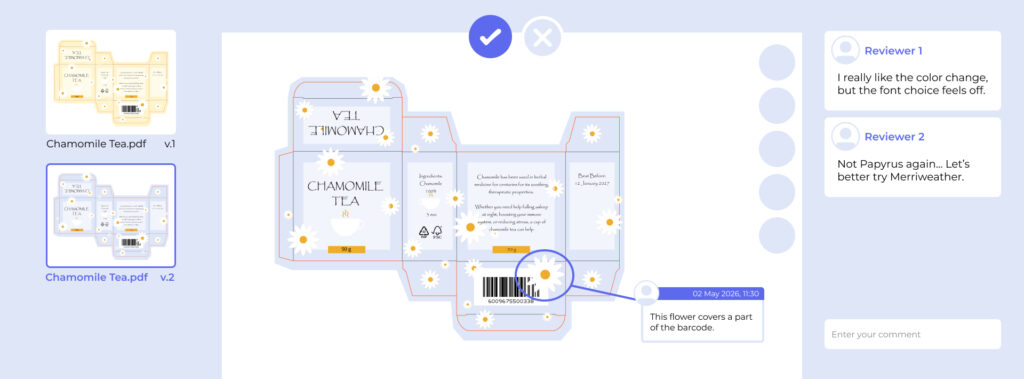
Using online proofing software in your creative approval process gives you structure. Instead of downloading a PDF, writing notes in a separate document, and hoping the right person sees the right version, reviewers open the file directly in their browser. They then pin comments to specific spots on the image or page, mark up changes, and move the file through an approval workflow. All that happens in one place, with a full record of everything along the way.
It’s also worth saying clearly that online proofing is not just sharing a file in Google Drive and asking for comments. The real difference is that a proper proofing tool gives you version control that tracks every iteration, annotations that pin to exact coordinates on the asset, and a formal approval record that proves sign-off actually happened. Those three things together are what separate a proofing tool from a general communication tool.
Online Proofing vs. Traditional Proofing
Fundamentally, traditional proofing relied on printed hard copies, in-person sign-offs, or email chains where revisions were tracked manually and often inconsistently. And given that it includes so many steps, such a method is slow, prone to version confusion, and nearly impossible to audit after the fact.
For your convenience, I’ve put up a table showing how the two approaches compare across the things that matter most:
At the end of the day, the shift from traditional to online proofing isn’t just about convenience. It’s about having a clear record of what was reviewed, what changed, and who approved it. And that matters more than most teams realize until something goes wrong.

How Online Proofing Works
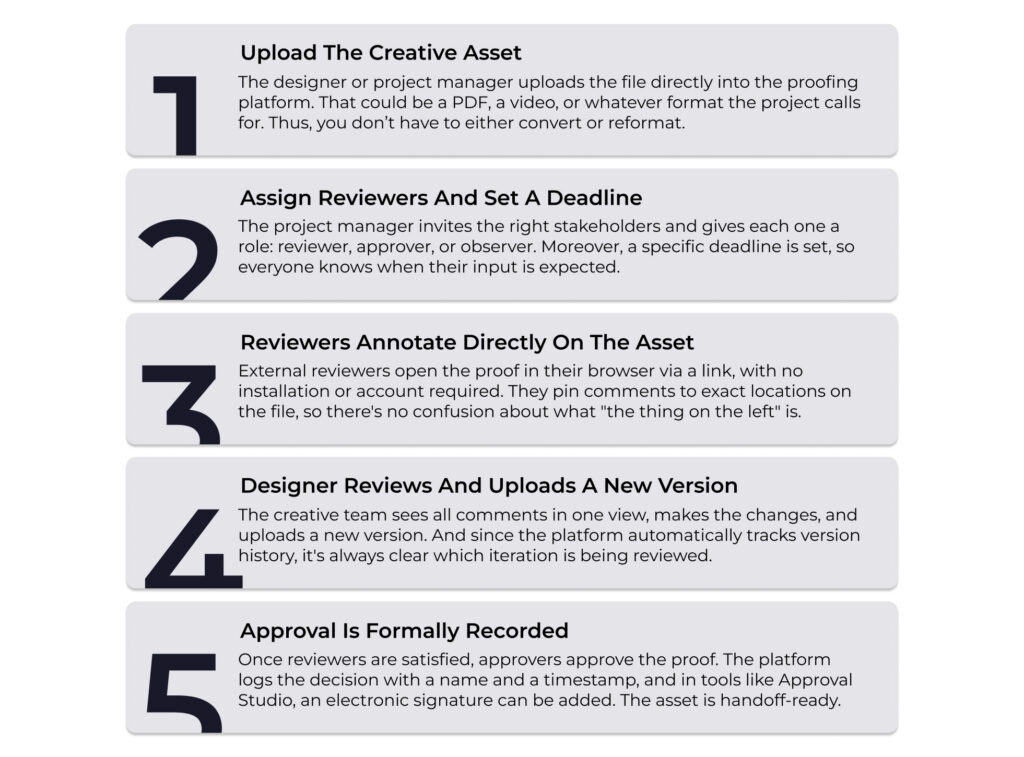
To say the least, the process is more straightforward than it might sound. A typical review cycle takes just about five steps from start to finish.
What to Look For in an Online Proofing Tool
Although the design review process generally follows the five steps we’ve just covered, not all proofing platforms are built the same. The differences show up in how many file formats a tool handles, how much you can customize the workflow, and, of course, how quickly the price climbs once you need those extras.
The market is full of solid tools, so there’s a fit for any freelancer or team, whatever their digital proofing workflow and budget look like. When you’re comparing options, the features that make a real difference in day-to-day use come down to a handful of areas:
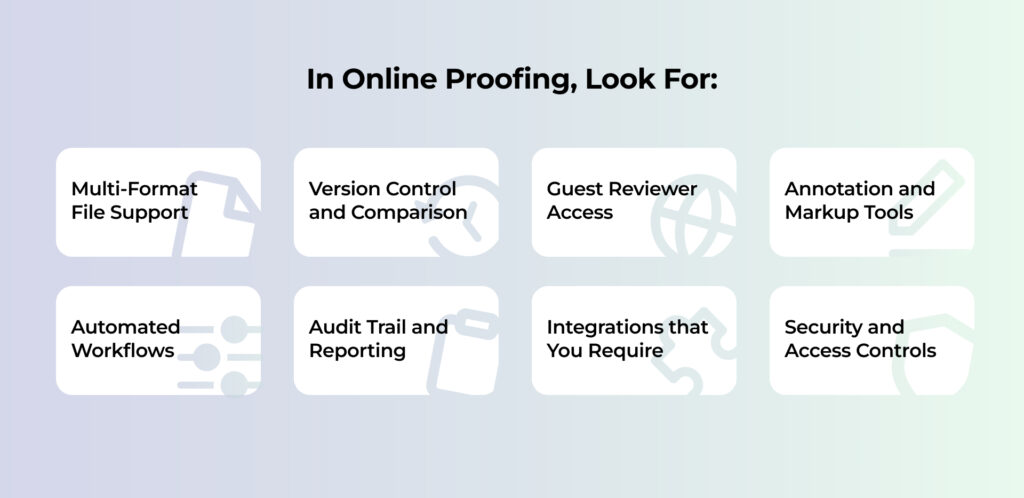
- File support and review tools. The platform should open every format your team produces, from images and multi-page PDFs to video, audio, and HTML banners, and let reviewers pin comments, markups, and timecode notes directly on the asset. And if you work with web design, check that it supports live website review.
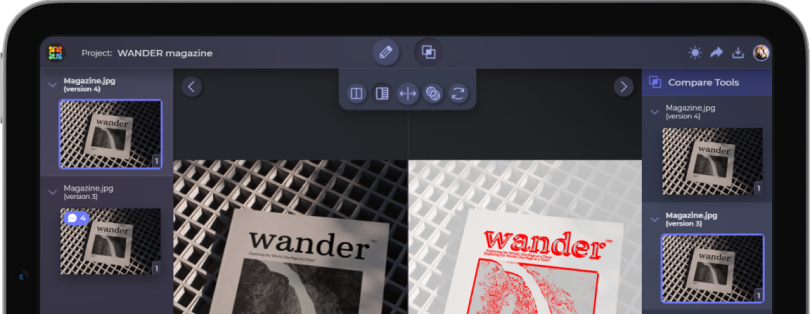
- Workflow and version control. Look for automated approval routing (sequential or parallel stages), automatic version numbering, and side-by-side comparison so nobody has to chase sign-offs or guess which file is current.
- Access for outside reviewers. Clients and freelancers should be able to leave feedback through a link, without creating an account.
- Accountability and security. A timestamped audit trail, role-based access, SSO, and relevant certifications matter most for regulated industries, but they’re worth checking for any team sharing pre-release work.
- Integrations. Native connections to your project management, cloud storage, and creative tools keep handoffs automatic instead of manual.
Each of these deserves a closer look, and we’ve broken them all down in detail in our guide to online proofing software features. For now, the short version is: pick the tool that matches the files you produce, the way your approvals actually run, and the people who need to be in the loop.
What File Types Can Be Proofed Online?
One of the most common questions before adopting a proofing tool is: “What can actually be reviewed this way?” We’ve already touched on this topic while talking about the things you must consider before you choose a tool. However, let’s discuss all of the file formats that online proofing software helps review.
Approval Studio, for example, supports 23+ file types within a single platform. So teams don’t need to route different asset types through different tools depending on the format.
Who Uses Online Proofing?
In simple terms, online proofing isn’t limited to one type of team or industry. It’s used by anyone who produces creative content and routes it through a review process before publishing or producing it. This usually includes:
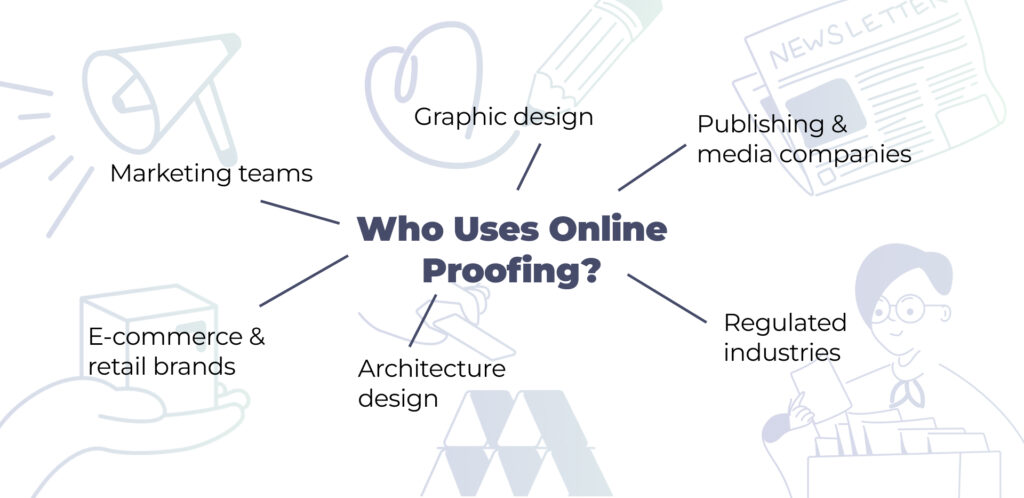
Marketing teams
Teams use marketing approval software to manage review cycles for campaigns, social media assets, email templates, approve landing pages, and digital ads. With multiple stakeholders often needing to sign off (legal, brand, leadership, media buyers), structured workflows are what make it possible to hit campaign launch dates consistently.
Creative and design agencies
Approval software for design agencies is used to manage client review cycles across multiple concurrent projects. It makes the feedback process more professional, reduces revision rounds, and gives clients a transparent experience that builds trust in the agency.
Publishing and media companies
In publishing and media, they use it to manage editorial review of magazines, newspapers, books, and digital content. The ability to route proofs through editors, fact-checkers, legal, and designers in sequence is particularly useful here.

E-commerce and retail brands
Retail businesses producing product photography, packaging, and promotional materials at high volume use it to ensure copy passes compliance and legal review before going to print. Because catching a label error after production is much more expensive than catching it in the proof.
Architecture planning and design
Companies in the sphere of architecture or interior/exterior design specialists can adopt online proofing software to review blueprints and design visualizations. That’s a great way to check if everything is accurate and execution-ready quickly, without sacrificing quality.
Regulated industries
Industries like medical and pharma, financial services, and legal services rely on online proofing for the audit trail. Every piece of outgoing communication needs a documented review record, and a proofing platform provides that automatically.
Online Proofing vs. Project Management Tools
Some teams that already use Asana may doubt if they actually need a separate proofing tool. To answer that, let’s discuss the difference between project management and online proofing.
Project management tools are built for tracking tasks, milestones, and team workloads. However, they’re not built for reviewing creative assets. For instance, they can’t annotate specific regions of an image, comment at a video timecode, compare file versions visually, or route content through a structured approval chain with sequential sign-off stages.

Online proofing tools are built specifically for that stage of the workflow. So the two categories aren’t really competing. Because your project management tool handles the overall project timeline, and your proofing tool handles the asset review cycles within it.
And they can work together. Many proofing platforms, including Approval Studio, offer native integrations with project management tools. So a proof approval can automatically close a task in Asana or move a card forward in your board without anyone doing it manually.
How to Choose the Right Online Proofing Tool
Since there are several options available on the market, choosing the best online proofing software comes down to what your team actually needs. Here are the questions worth asking during your evaluation.
“What file types does your team work with most?“
If you produce video content primarily, focus on platforms with strong timecode annotation and frame-level commenting. If print files and PDFs dominate in your team, prioritize multi-page document support and spread view.
“How complex is your creative approval workflow?”
Simple two-stage reviews are handled well by most tools. But if you need conditional routing, where content goes to the CMO only after legal approves it, you’ll want a platform with a more sophisticated workflow engine.
“How many people are there on your side?”
Evaluate whether your team is small or big and what level of user management it requires. Because if it’s just you and, especially, if you’re working with just one client at a time, there’s simply no need for fancy proofing platforms. In that case, look at simple, free alternatives, such as ExpressReview.
“Do you work with external clients or freelancers?”
If yes, guest access without mandatory account creation is important. Think about how the experience looks for a non-technical client clicking a review link for the first time.
“What are your compliance and security requirements?”
For regulated industries, confirm the platform offers SSO, role-based access controls, data residency options, and an audit trail that meets your sector’s standards.
“What does it need to integrate with?”
Map your current stack and check which native API or integrations are available. Manual handoffs between tools create friction that eats into the efficiency gains you’d get from adopting a proofing platform in the first place.
Conclusion: Is Online Proofing Right for Your Team?
If your team produces any volume of creative content and routes it through a creative review process before publishing, I’d say the answer is certainly yes. Online proofing replaces the chaos of email-based creative review with a structured, transparent, and efficient system that saves time, reduces errors, and keeps your stakeholders aligned.
In fact, the longer a team waits to adopt a proper online proofing workflow, the more time they lose to revision roulette. Your team’s creative output can double in power once you invest in a process that lets them move fast without sacrificing quality or accountability.