TEAM SOLUTIONS
WORKFLOW SOLUTIONS
REVIEW TOOL
PROJECT MANAGEMENT
TOOLS & INTEGRATIONS
TEAM SOLUTIONS
WORKFLOW SOLUTIONS
<!–
–>
<!–
–>
REVIEW TOOL
PROJECT MANAGEMENT
TOOLS & INTEGRATIONS
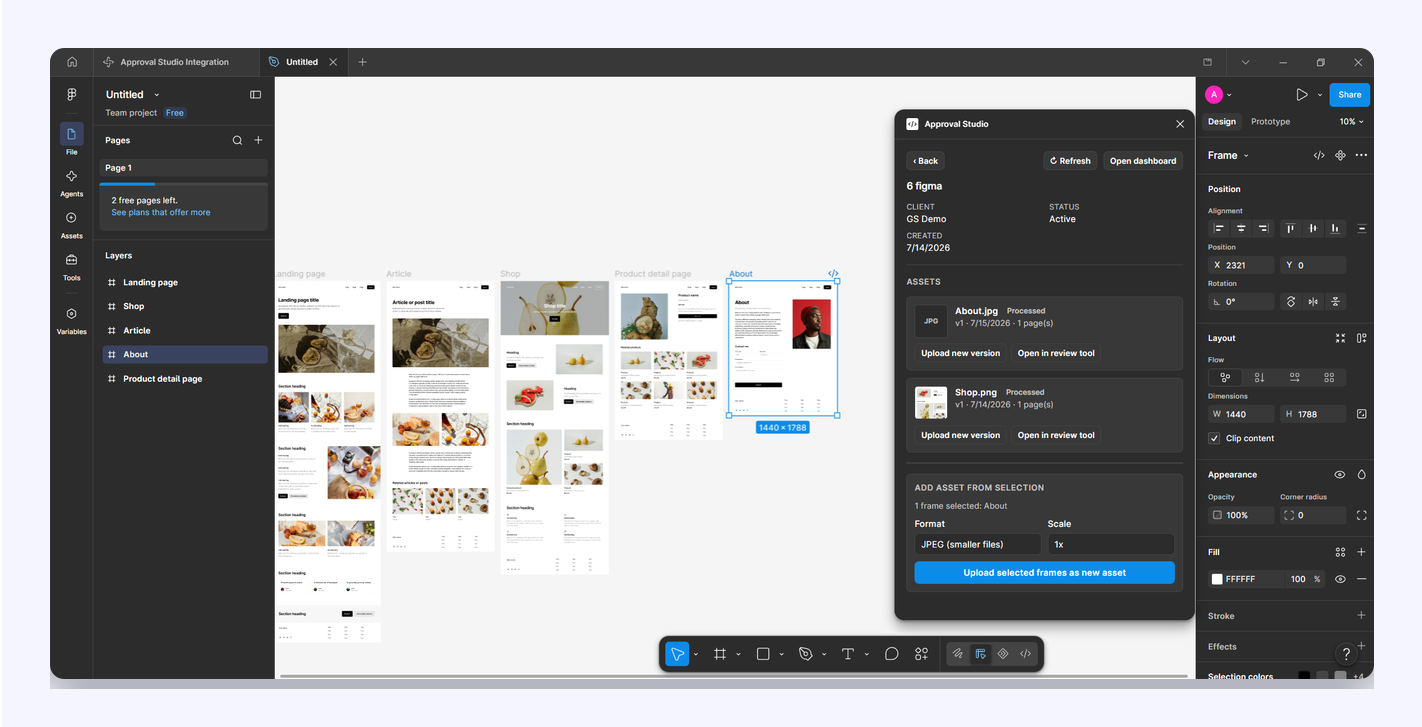
Designers lose hours to the approval shuffle: export the frames, rename the files, upload them somewhere, chase people for comments, then copy that feedback back into the file. The Approval Studio plugin removes every step of that loop. Send frames straight from the canvas, keep version history intact, and let reviewers approve in a proper proofing tool, all from a panel that sits next to your artboards.
Nothing about getting sign-off should require leaving your design tool. Here's what changes the day you install the plugin.
Everything you'd normally open Approval Studio for is one click from the canvas.
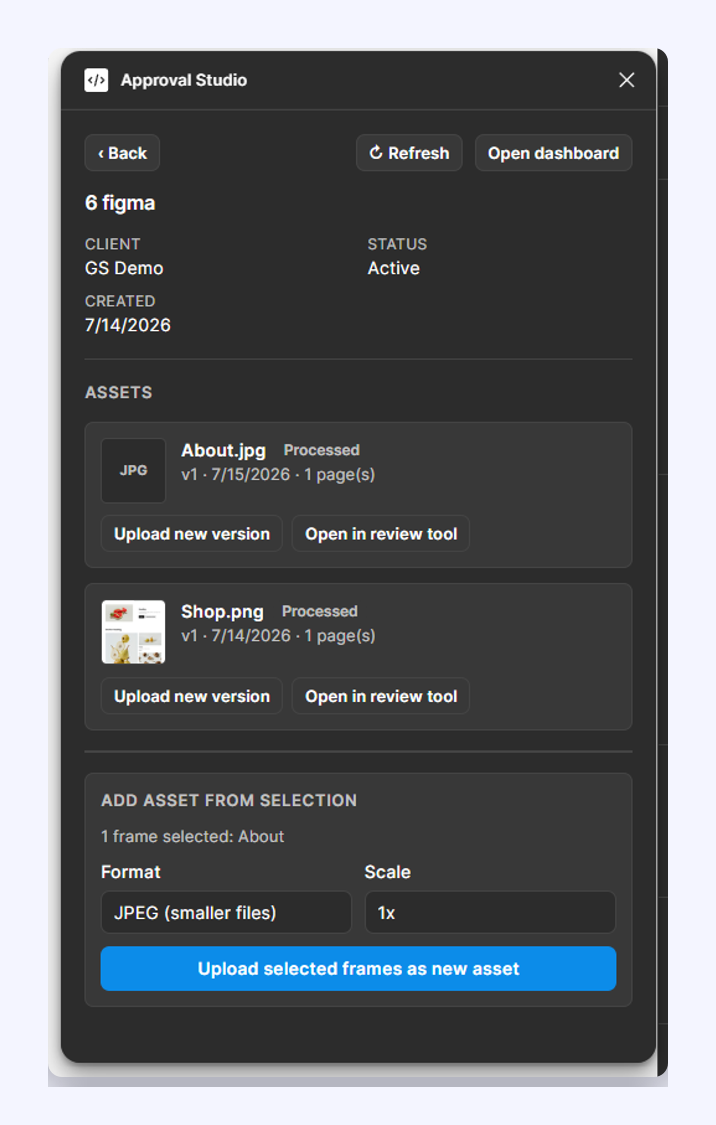
Select any frames, groups or layers, pick PNG, JPEG or PDF and a scale, and send them to a project as new assets, with no exporting, no file naming, and no drag-and-drop.
Send a frame as the next version of an existing asset. The original file type is matched for you, so reviewers always compare like with like and history never forks.
See the upload and review tasks assigned to you without switching tabs. Upload tasks close themselves once the file lands; review tasks open straight in the proofing tool.
Every asset shows exactly where it stands: approved, rejected or still in review. It refreshes itself while the server finishes processing your upload.
Create a project with customer, product, design, revision, tags, due date, template and folder — all from the panel, so nothing has to be tidied up later in the browser.
Reviewers annotate in Approval Studio's proofing tool. Pull that markup back and place it as a locked overlay on the matching frame, so a comment sits where the fix belongs.

No OAuth consent screens, no admin involvement, no new accounts to provision. If you can sign in to Approval Studio, you can use the plugin.
Add the plugin from the Figma Community and sign in with the Approval Studio email and password you already use. That's the whole setup.
Choose an existing project or create a new one with its full details, select the frames you want reviewed, and upload them as assets or new versions.
Reviewers comment and approve in the proofing tool. You watch status change in the panel and bring their markup back onto the canvas.
The panel reads whatever you have selected on the canvas. Pick a format and a scale, and the plugin renders each frame server-side quality and pushes it into the right project. Send one hero frame or a whole page set; each becomes its own asset.
If your work needs a yes from a client, a brand owner or a regulator, the round trip is the slow part — not the design.
Send client-ready proofs without leaving the file, and keep every round of feedback on the record instead of buried in an inbox.
Route packaging, campaign and social artwork through the same approval workflow the rest of your artwork already uses.
Give stakeholders a proper proofing tool (annotations, version compare, a clear approve or reject) instead of screenshots in a deck.
Most integrations ask you to hand one tool access to another and wait on an admin to approve it. This one doesn't. The plugin runs inside the Figma editor you're already signed in to, and talks to Approval Studio with your own account — so there's no consent screen, no service user, and nothing for IT to provision.
The plugin is free from the Figma Community. It connects to your Approval Studio account, so you'll need an active subscription or trial to upload and review work.
No. There's no OAuth flow and nothing for an administrator to approve. The plugin runs inside the Figma editor you're already signed in to, and you sign in to Approval Studio with your normal email and password.
Both. Once installed from the Community, the plugin runs anywhere you use Figma — the desktop app on Windows and macOS, and Figma in your browser.
PNG, JPEG and PDF, at 1× to 4× scale. JPEG is the default because lossless PNG exports of large or photographic pages get very big very quickly. When you upload a new version of an existing asset, the plugin matches the original file type automatically.
No. Only the frames or layers you explicitly select are rendered and uploaded. Reviewers work on those proofs in Approval Studio and never get access to your Figma document.
No. Send the updated frame as a new version of the existing asset and it stacks onto that asset's history, so reviewers can compare versions and you keep one clear thread of approvals.
Install the plugin, sign in with the account you already have, and get your next round of feedback without leaving the canvas.