Artwork workflow management for teams that ship hundreds of SKUs

Every product line means cartons, labels, shelf displays, and e-commerce images, multiplied by sizes, flavors, and markets. Approval Studio brings artwork proofing and every reviewer into one artwork workflow, so changes get compared, specs get checked, and the right version goes to print.

One missing line on packaging artwork can turn into a recall

Artwork workflow management is the process of moving packaging, labels, and displays from first draft to print. A clear artwork workflow keeps design, regulatory, and production on the same file. In 2023, 49.2% of U.S. food recalls came down to undeclared allergens, meaning an ingredient was missing from the label (U.S. PIRG). Approval Studio keeps every SKU, version, and sign-off in one place, so the file on the press is the one everyone approved.
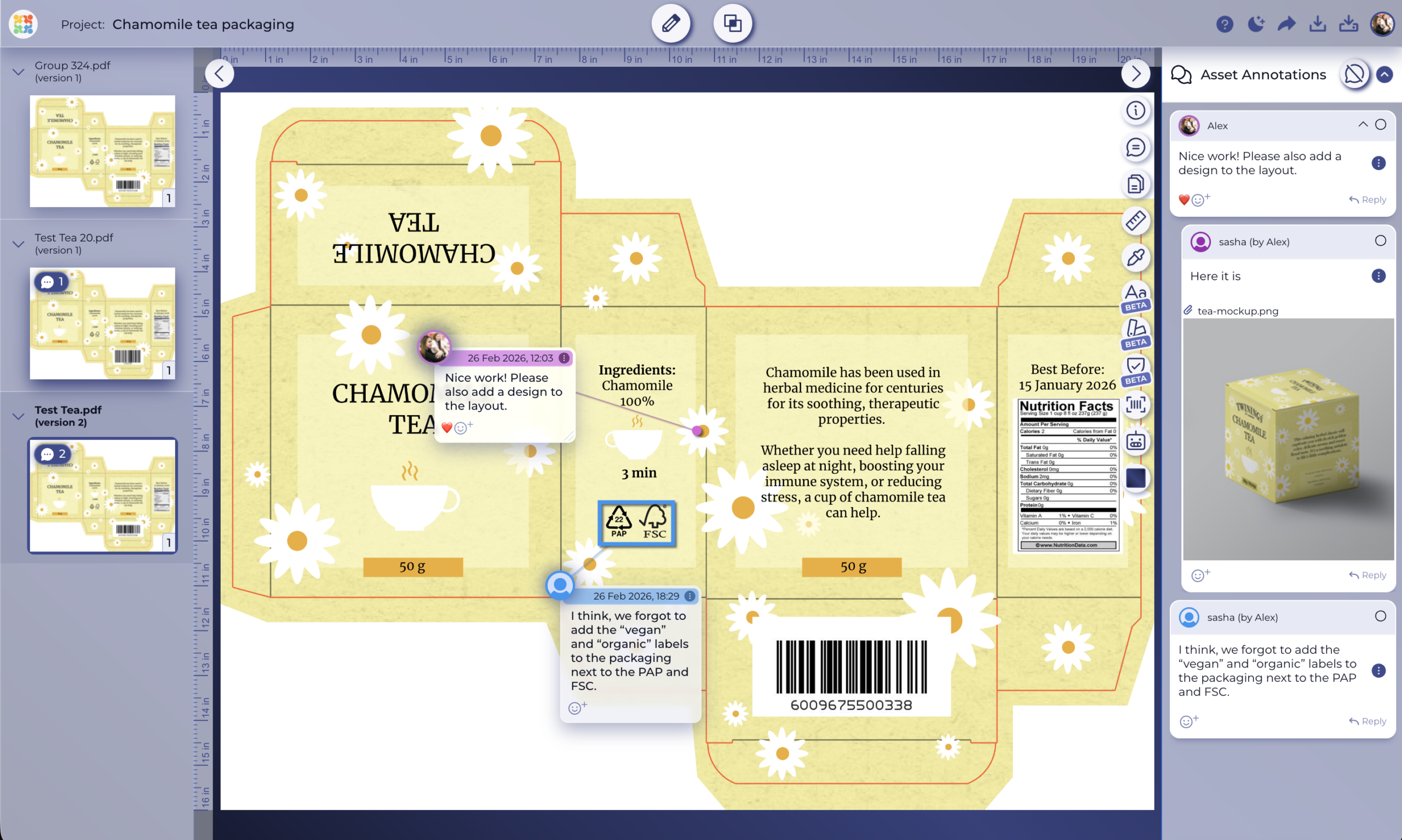
Packaging artwork open in Approval Studio with pinned reviewer comments and approval statuses WITH APPROVAL STUDIO
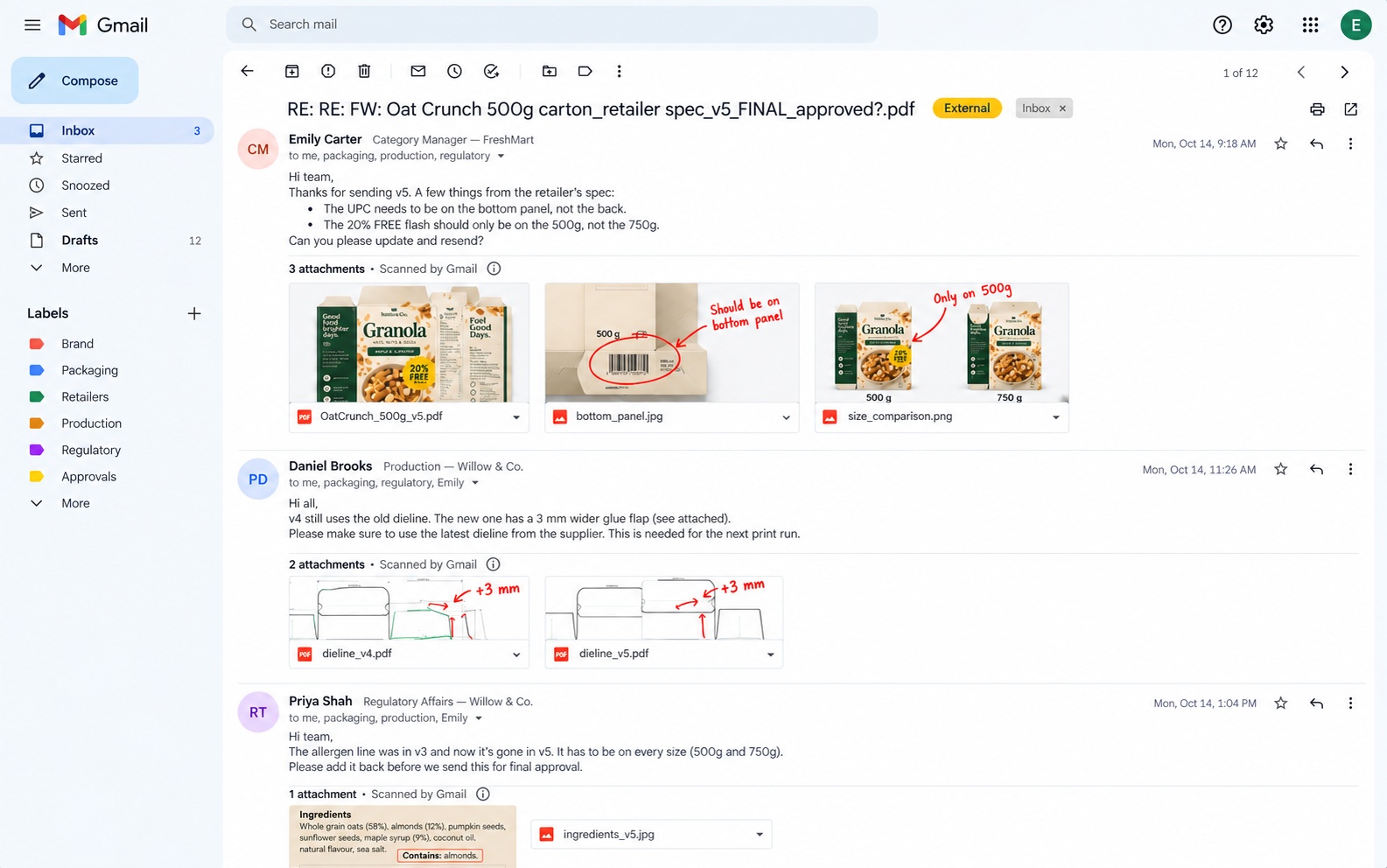
Long Gmail thread with scattered feedback on Oat Crunch packaging artwork BEFORE
VS

Drag to compare

An artwork workflow that keeps every SKU on spec

Approval workflows

Route cartons through design, regulatory, and production in the right order

A product label needs more than one yes, and it shouldn’t go to print on whoever answered the email first. Build an artwork workflow with review groups for design, marketing, regulatory, and production, run the stages in sequence or in parallel, and add due dates. Packaging artwork moves to the next group only after the one before it signs off.
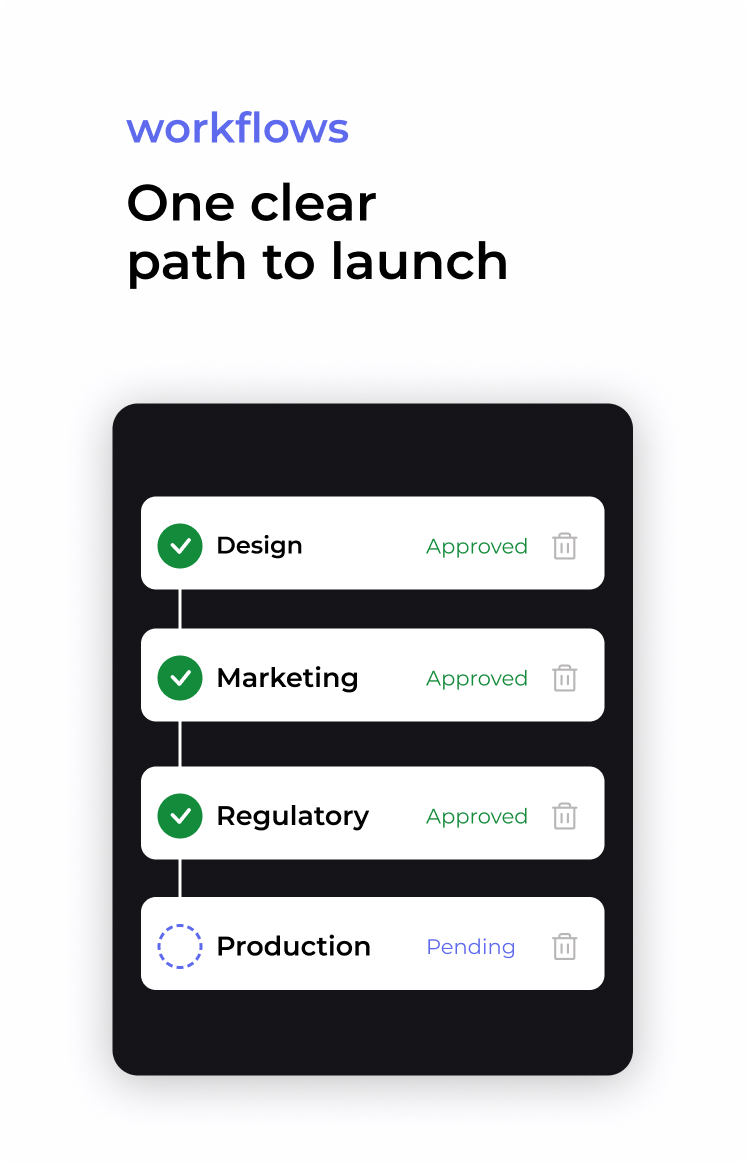
Approval workflow: artwork moving through Design, Marketing and Regulatory to Production

Version comparison

Confirm the change went into every size and flavor

When one change touches twelve SKUs, it’s easy for it to miss one or two. Compare versions with Side by Side, Toggle, Fader, or Difference and check that the new claim, price, or net weight made it onto every variant, and that nothing else moved. Every version stays in the asset history, and with “Share Latest Version Only” your printer always opens the current file.
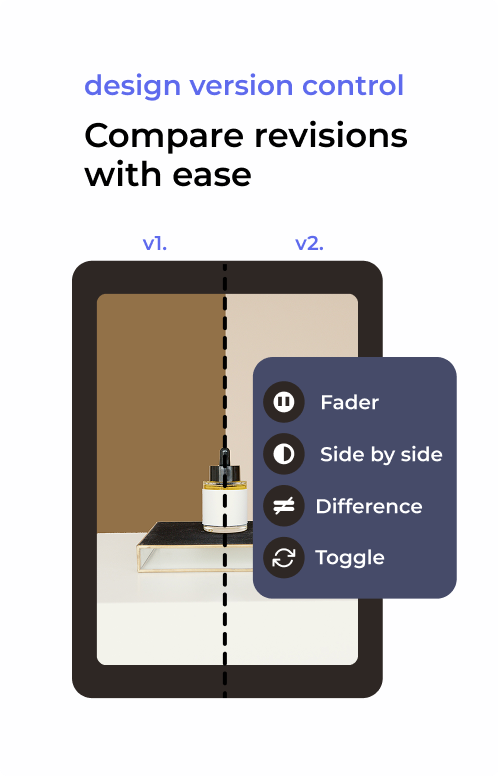
Two artwork versions compared side by side with four compare mode options

Barcode and measurement

Validate barcodes and placement before the print run

A barcode that looks fine on screen can still decode to the wrong product or sit across a fold. Approval Studio scans 15 barcode types right on the artwork, so you can check what each one reads and pin a comment if it’s wrong. Use the on-screen ruler to check placement and safe zones against the retailer’s packaging spec.
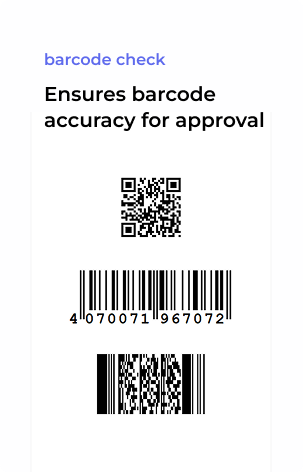
QR code and two barcodes for packaging barcode verification

Print-ready review

Check colors and inks before they’re on 50,000 boxes

Open AI, PDF, and TIFF files at full resolution without exporting a review copy. Separate CMYK, spot, and Pantone channels and preview overprint to check brand colors and white underprint before the proof goes to the printer. Don’t forget to run the spellchecker on ingredient lists and small print, and switch languages for each market.
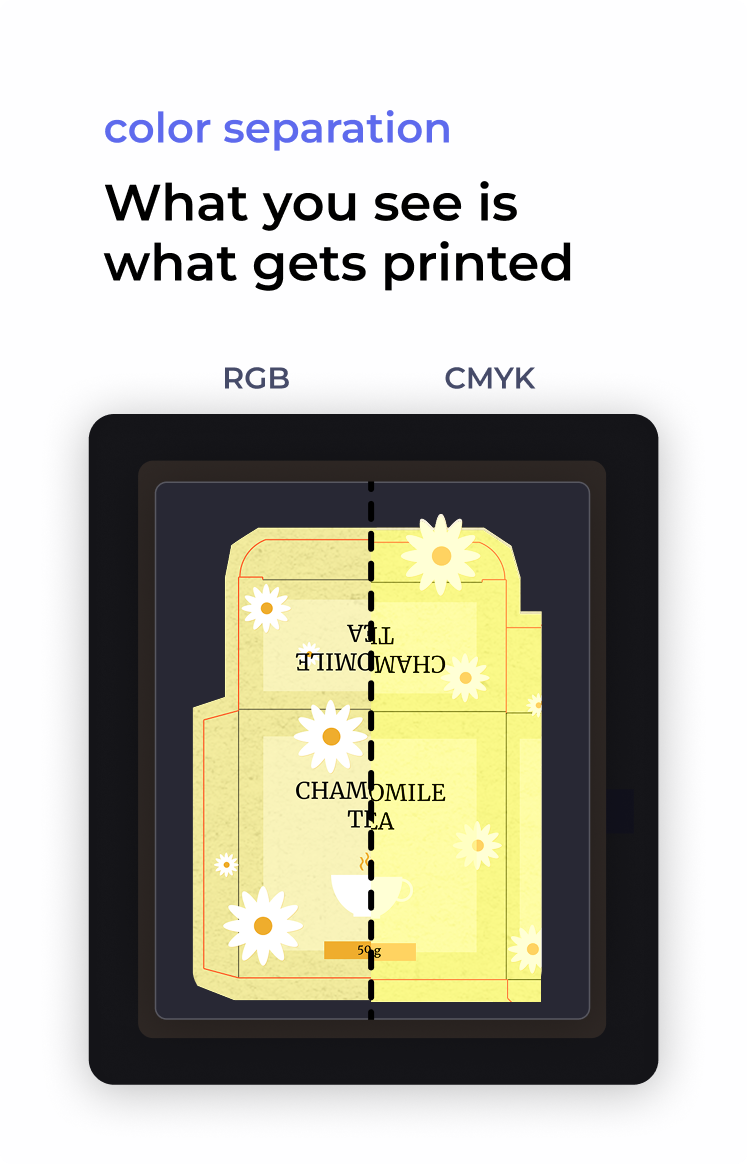
Packaging dieline split into RGB and CMYK views for color separation

Review checklists

Make sure every spec item is ticked before approval

Build custom checklists for what every carton has to get right: the nutrition panel, the barcode, the recycling marks, or the retailer’s mandatory copy. Send them to internal and external reviewers, who see the checklist from the moment they open the proof. That way they work through it during the review, instead of approving a carton after a glance at the front.
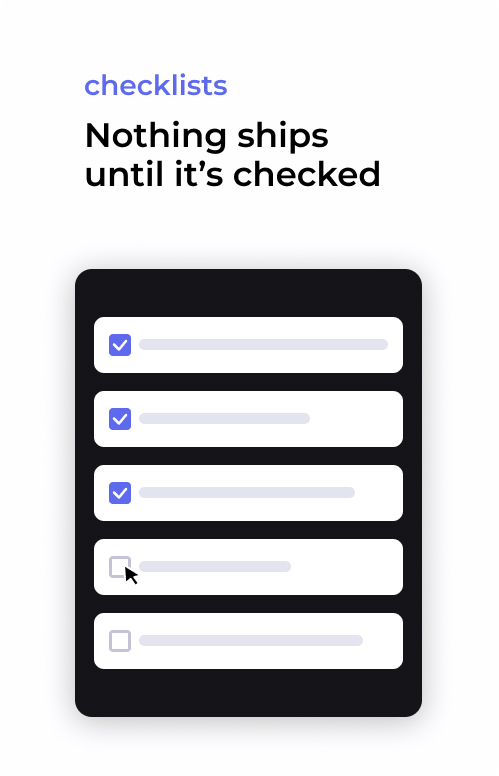
Review checklist with spec items checked off before approval

Reference and AI
compliance checks

Check artwork against the retailer spec before anyone opens it

Attach the retailer’s packaging spec, brand guidelines, and approved copy deck as reference files to the asset or the whole project. Then let ABC Reports do the first pass: it compares the artwork against those documents and flags what doesn’t match, like a missing allergen line, a wrong net weight, or an outdated logo.
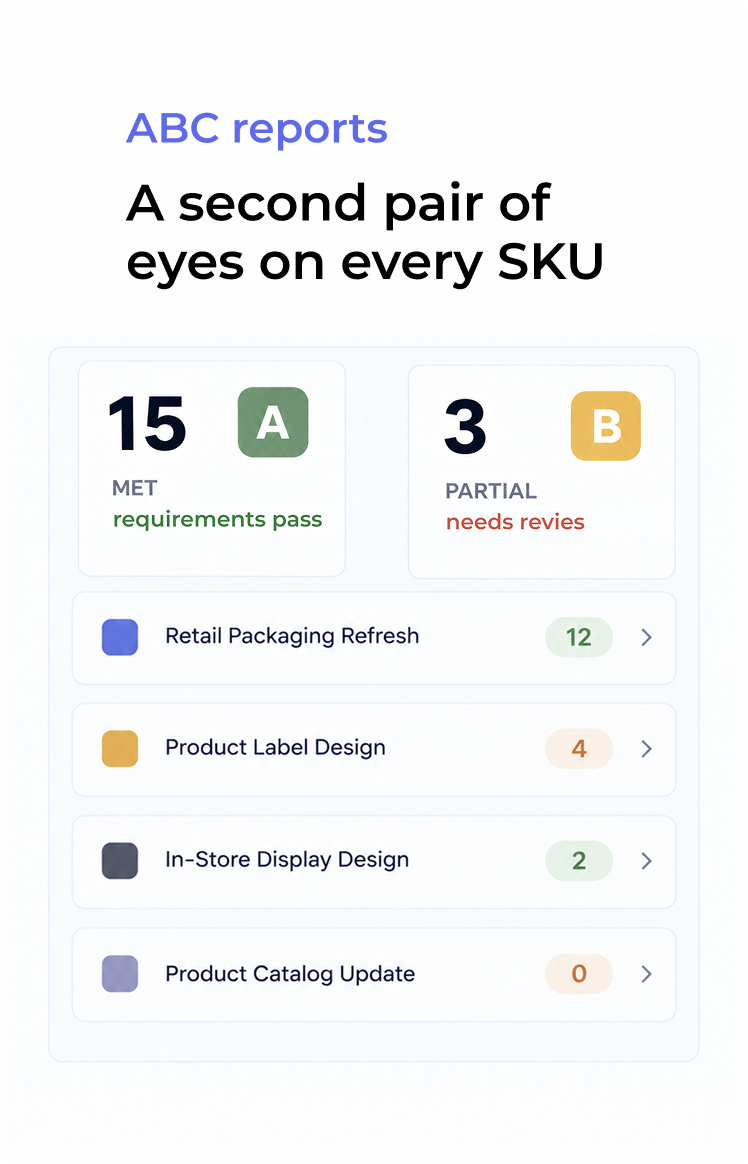

ABC report flagging artwork issues before sign-off: net weight and brand colors passed, allergen statement missing

How artwork workflow management works

Person reviewing design work
Watch how it works
1
Upload the artwork
Add cartons, labels, displays, and product images in AI, PDF, TIFF, or PSD, or send them straight from Adobe CC or Figma. Attach the retailer spec and dieline as reference files.
2
Route it through review
Assign review groups for marketing, regulatory, and production. External retail buyers, co-packers, and printers can open a link and annotate without creating an account.
3
Compare, approve, and release
Check every revision in 4 compare modes, collect each sign-off, and download the detailed proof report before the file goes to print.

Who uses artwork proofing in retail and manufacturing?

Consumer brands and CPG manufacturers

A range refresh can mean forty SKUs changing at once, each with its own claims, sizes, and markets. With Approval Studio, you can keep each product line’s packaging artwork in its own project, compare every variant against the master, and lock artwork only when every review group has signed off, so the launch date doesn’t depend on someone’s inbox.

Retailers and private label teams

Private label artwork comes from dozens of suppliers, and every one has to meet your packaging spec. Share one review link per supplier, attach the spec to every project, and keep a timestamped record of who approved which version, so a wrong label on the shelf has a clear answer instead of an argument.

Manufacturers and contract packers

Supplying several retailers means several specs, several approval chains, and print deadlines in the same week. To avoid chaos, keep each customer’s artwork, reviewers, and version history separate, let their teams sign off directly through a link, and always know which version was cleared for which production run.

E-commerce and custom product sellers

When every order is a custom product, proofing has to keep up with checkout. With our Shopify integration, each order that needs a proof becomes a project in Approval Studio automatically, and the customer signs off on the design before anything goes to print.

News/ Related articles

View all

Plans to Fit Every Team

Cheaper than missed deadlines and chaotic stressful workflow

LITE

Fast review tool perfect for freelancers and small teams.

$12

per user / month

14-day free trial
Unlimited reviewers & projects
5 users included
5 GB storage space
5 annotation shapes
4 comparison modes
Live chats in review tool
Reporting & project history

MOST POPULAR

PRO

Project management tool for medium and large businesses.

$32

per user / month

14-day free trial after dem
All Lite Package features +
5 users included
5 GB storage space
Email support
User groups
Smart notifications
Adobe CC Integration

PRO XL

More seats, lower price per user. Same tools, bigger team.

$20

per user / month

14-day free trial after demo
All Lite Package features +
15 users included
30 GB storage space
Task management system
User groups
Smart notifications
Adobe CC Integration

FAQs

What is artwork workflow management?
It's the process of moving product artwork, like packaging, labels, displays, and product images, from first draft through review, compliance checks, and sign-off to production. Approval Studio supports it with approval workflows, version comparison, and a full audit trail, so every decision on a SKU is documented.
What's the difference between artwork workflow management and an artwork management system?
An artwork management system, or label management software, covers the whole lifecycle, including content creation, translations, regulatory submissions, and printer handoff. Artwork workflow management in Approval Studio focuses on the review and approval part of it: getting the right people to check the right file and recording who approved what. It's faster to set up and fits alongside the tools you already use.
What does an artwork workflow look like?
A typical artwork workflow has three to five stages, for example, design, marketing, regulatory, and production or the printer. Stages can run one after another or at the same time. In Approval Studio, you build the workflow once, reuse it for every product line, and each stage notifies the next one automatically.
Who needs to approve product packaging and labels?
Usually the brand or marketing owner, regulatory or quality, the category or product manager, production or supply chain, and often the retail buyer and the printer. In Approval Studio, you group these people into review groups and decide per project whether one sign-off is enough or every group has to approve.
Can suppliers, retail buyers, and printers review artwork without an account?
Yes. External reviewers can review, annotate, and approve through an email invite or a short link, without logging in or installing anything. Their comments and approvals go into the same audit trail as your team's.
How do I make sure a change went into every SKU?
Use version comparison. Approval Studio has four compare modes (Side by Side, Toggle, Fader, and Difference) that show exactly what changed between rounds, so you can confirm the new claim or price is on every variant before you approve.
Can I check barcodes and print colors in Approval Studio?
Yes. The barcode scanner reads 15 barcode types directly on the artwork, and the on-screen ruler checks placement. Color separation shows CMYK, spot, and Pantone channels with an overprint preview.
Which file formats can I review in Approval Studio?
Approval Studio supports AI, PDF, TIFF, PSD, JPG, PNG, and other common artwork and print formats, plus video, so packaging, labels, displays, and product content can all be reviewed in one tool. You can also send files straight from your design environment via Adobe CC or Figma integrations.
Does Approval Studio connect to Shopify?
Yes. The Shopify integration creates a project in Approval Studio when a customer orders a product that needs a proof, so the design gets approved before production. You can filter which products and SKUs trigger a project.

One artwork workflow for every product, every market, every print run