Online proofing for marketing teams on a launch deadline

Even one campaign means banners in ten sizes, a video cut, social posts, and a landing page, all with different reviewers. Approval Studio puts every asset and every reviewer in one place, so feedback lands on the right file, changes get compared, and the campaign goes live on the date you promised.

Most campaigns miss launch day somewhere in the review stage

Online proofing for marketing is the process of reviewing, annotating, and approving campaign assets, like ads, banners, videos, social posts, and landing pages, before they go live. In a 2026 survey by XR and MX8 Labs, 98% of marketers admitted to launching campaigns late. Often the delay comes from feedback scattered across emails, chats, and shared folders. Approval Studio keeps every asset, version, and sign-off in one place, so reviews move as fast as your team does.
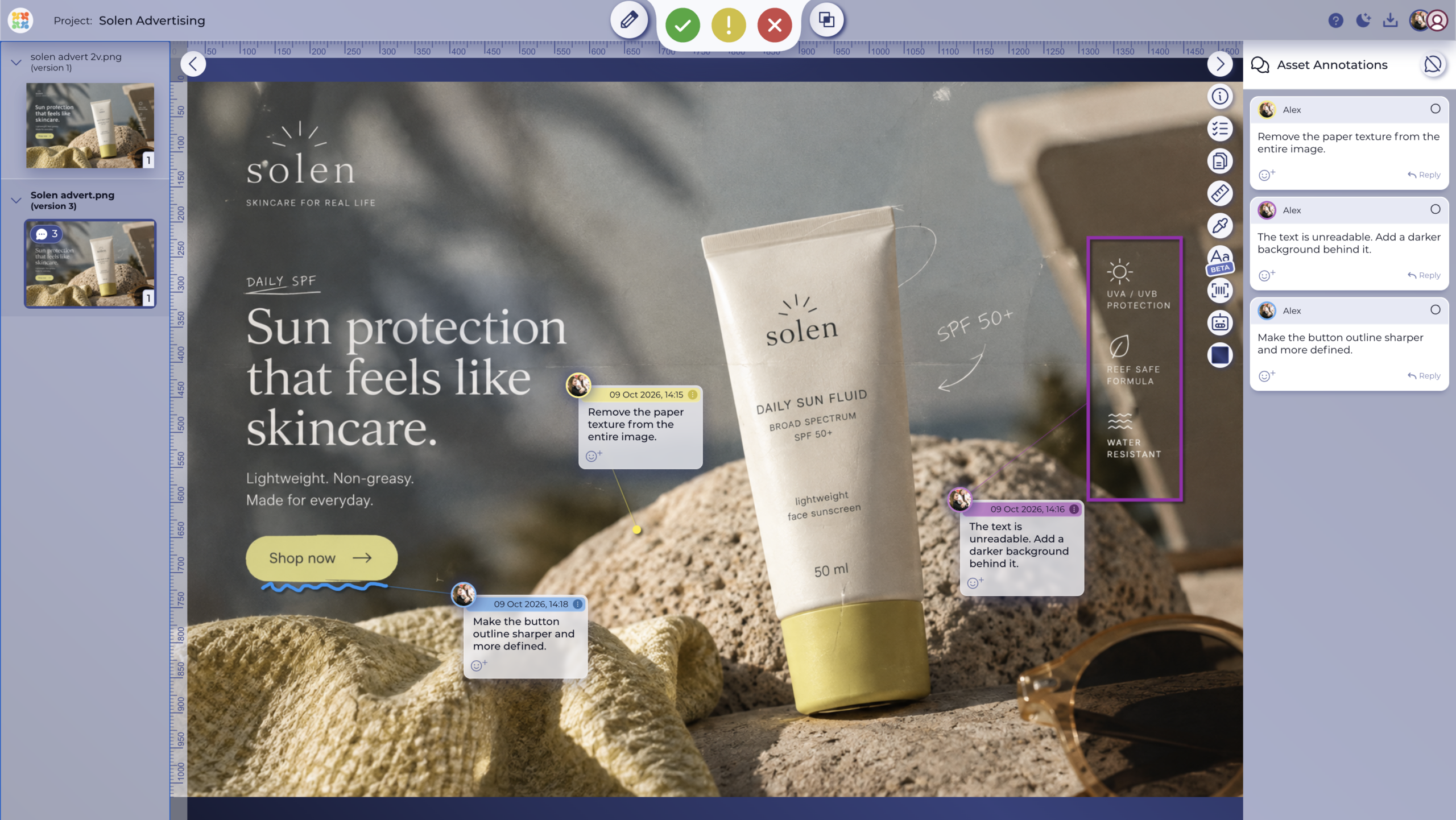
Campaign banner with pinned comments and approvals WITH APPROVAL STUDIO
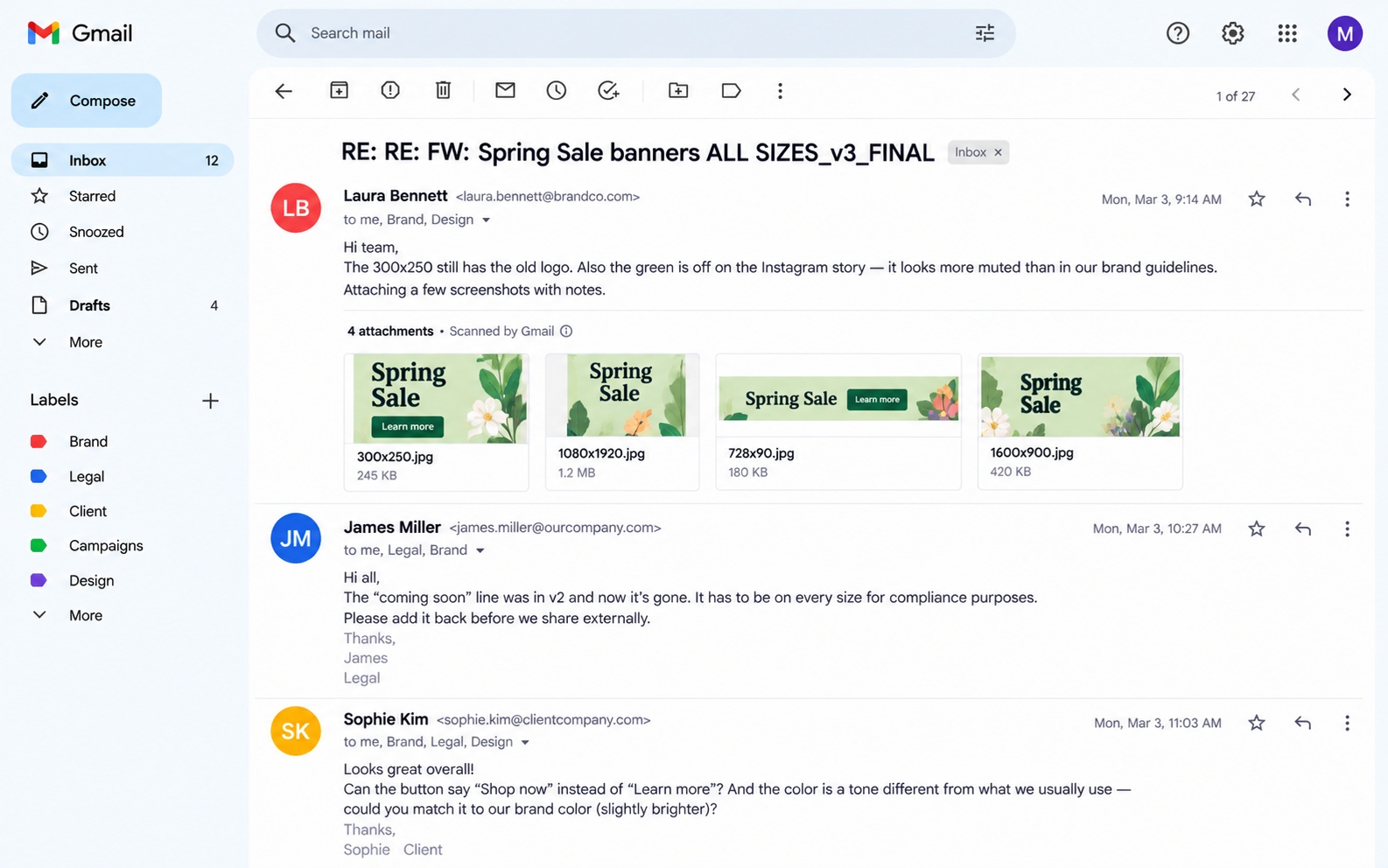
Spring sale feedback scattered across email BEFORE
VS

Drag to compare

Marketing proofing software that keeps every campaign asset on track

Campaign approval workflows

Move every asset through brand, legal, and the client in the right order

A campaign asset rarely needs just one yes. Set up a campaign approval workflow with review groups for creative, brand, legal, and the client. Run the stages in sequence or in parallel and add due dates, so the asset moves on only after the stage before it signs off, and nobody holds up launch day by accident.
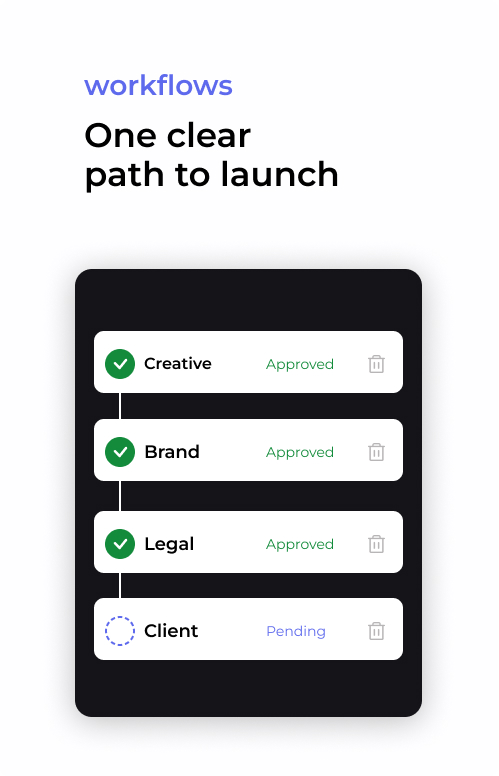
Campaign approval workflow stages

Version comparison

See exactly what changed between review rounds

Compare asset versions with Side by Side, Toggle, Fader, or Difference, and check that the new headline made it into every ad size and the pricing is intact. Every version stays in the asset history, and with “Share Latest Version Only” your client always opens the current proof.
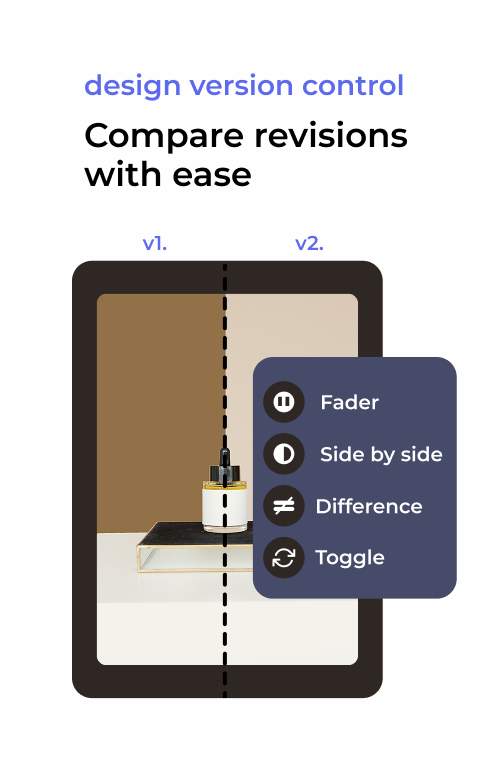
Asset versions compared side by side

Multi-format and video review

Review the banner, the brochure, and the video ad in one tool

Campaigns never come in a single format. Approval Studio opens images, PDFs, design files, and videos in the same review tool. We support high-resolution files so you don’t need extra steps to export anything. And when you review a video ad, pause on the exact frame and leave a time-stamped comment.
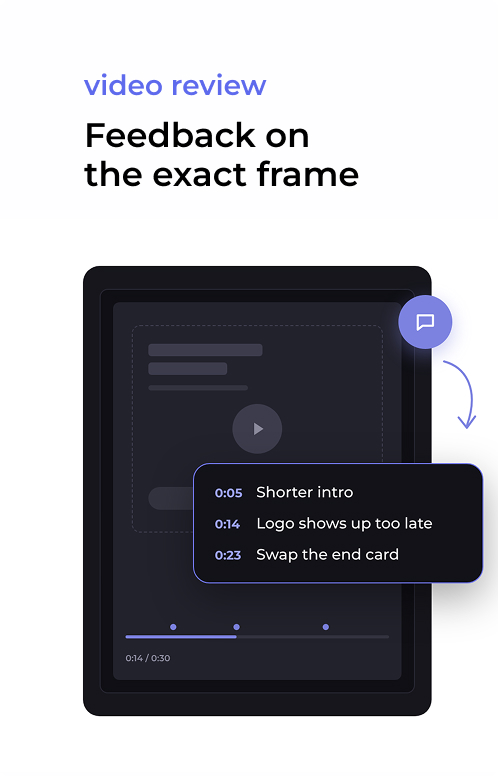
Video timeline with comment markers

Copy checks

Catch typos in the layout before your customer does

Run the spellchecker on the text inside the layout. That way you catch typos in headlines, body copy, and small print without copying anything out of the file. Add campaign words like product names and hashtags to the dictionary, so they stop showing up as errors. When the campaign runs in more than one market, switch the language and check each version.
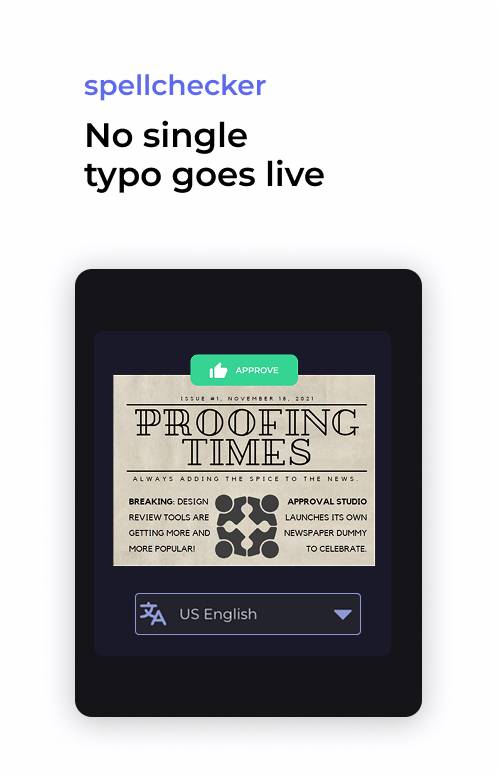
Spellchecker flagging a typo

Landing pages and websites

Proof the landing page together with the ads that send traffic to it

A campaign doesn’t end at the banner. With website proofing, you paste a staging or live URL into Approval Studio and review the page right next to the rest of the campaign. Group the landing page, checkout, and thank-you page into one proof, switch between desktop, tablet, and mobile views, and pin comments on the exact element. Once everyone approves, the proof report records every sign-off, just like it does for a PDF.
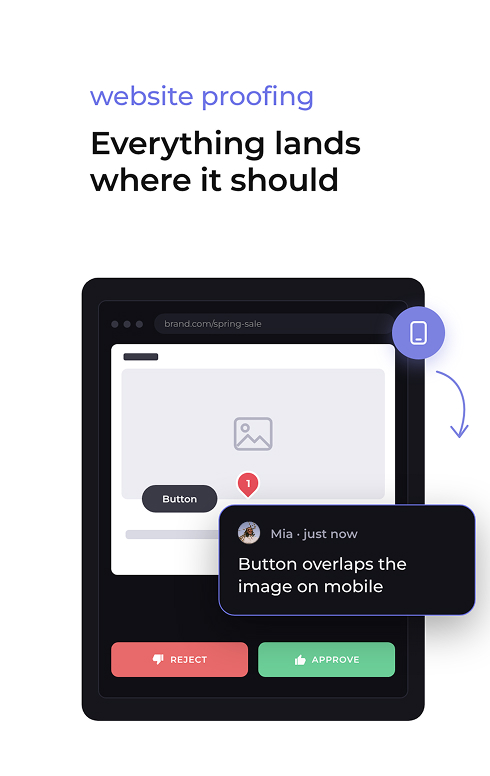
Landing page proof with comment

Reference and AI compliance checks

Check every asset against the brief before anyone opens it

Attach the brief, brand guidelines, and approved copy as reference files to the asset or the whole project, so every reviewer can check against the source. Then let ABC Reports do the first pass. It compares the asset against those requirements and flags anything that doesn’t match, like a wrong logo version, a missing legal line, or a changed CTA.
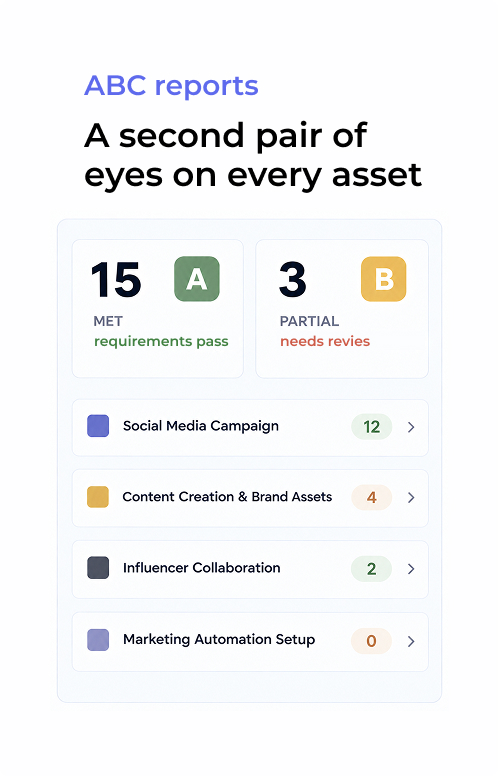

ABC report checks against brief

How marketing proofing software works

Marketing team reviewing campaign assets in Approval Studio
Watch how it works
1
Upload the campaign
Add banners, videos, PDFs, and social posts, or paste a landing page URL. Attach the brief and brand guidelines as reference files.
2
Send it to review
Assign review groups for brand, legal, and the client. External reviewers open a link and annotate without creating an account.
3
Compare, approve, and launch
Check every revision in compare modes, collect each sign-off, and download the proof report before the campaign goes live.

Who uses marketing and advertising proofing software?

Advertising and creative agencies

Every client wants to see the work, and every client gives feedback in their own way. Send one review link per campaign, keep each client’s projects, reviewers, and versions separate, and when someone asks “who gave the final approval”, show them the timestamped sign-off instead of searching your inbox.

In-house marketing teams

Brand, legal, product, and leadership all want a say before launch. Review groups and checklists make it clear who approves what, and you decide how many sign-offs an asset needs before it’s locked. So your marketing approval process has a clear finish line instead of one more “quick look”.

Performance and social media teams

When one concept turns into twenty sizes across three platforms, reviewing each file separately eats up days. So upload all the variants into one project, compare them against the master, and approve the whole set in a single round. That way new creatives get into testing on time.

Multi-market and franchise brands

Every local version of a campaign is one more chance for the wrong price, the wrong language, or the wrong legal line. Switch spellchecker languages per market, let regional partners review their own versions through a link, and keep a clear record of what went live where.

News/ Related articles

View all

Plans to Fit Every Team

Cheaper than missed deadlines and chaotic stressful workflow

LITE

Fast review tool perfect for freelancers and small teams.

$12

per user / month

14-day free trial
Unlimited reviewers & projects
5 users included
5 GB storage space
5 annotation shapes
4 comparison modes
Live chats in review tool
Reporting & project history

MOST POPULAR

PRO

Project management tool for medium and large businesses.

$32

per user / month

14-day free trial after dem
All Lite Package features +
5 users included
5 GB storage space
Email support
User groups
Smart notifications
Adobe CC Integration

PRO XL

More seats, lower price per user. Same tools, bigger team.

$20

per user / month

14-day free trial after demo
All Lite Package features +
15 users included
30 GB storage space
Task management system
User groups
Smart notifications
Adobe CC Integration

FAQs

What is online proofing for marketing?
It's a way to review, annotate, and approve campaign assets like ads, videos, social posts, and landing pages in one shared workspace instead of email threads. Approval Studio adds version comparison, approval workflows, and a full audit trail, so every decision on a campaign asset is documented.
What is the marketing approval process?
It's the path an asset takes from first draft to launch: internal creative review, brand and legal checks, client or stakeholder sign-off, and final approval. Approval Studio supports each stage with user management, due dates, and version tracking, so an asset only moves forward once the right people approve it.
What does a campaign approval workflow look like?
A typical campaign approval workflow has three to five stages, for example creative, brand, legal, and client. Stages can run one after another or at the same time. In Approval Studio, you build the workflow once and reuse it for every campaign, and each stage notifies the next one automatically.
Who needs to approve marketing materials?
Usually the creative lead, the brand team, legal or compliance, the product owner, and the client or marketing director. With Approval Studio, you group these people into review groups and set the rules per project, whether one sign-off is enough or every group has to approve before the asset is locked.
How do you proof a marketing campaign before it goes live?
Review every asset against the brief, check copy and legal lines, compare each revision with the previous one, and collect formal sign-off. And don't forget about the landing page: Approval Studio's website proofing lets you review it on desktop, tablet, and mobile in the same project as the ads.
Can I proof a website or landing page as part of a campaign?
Yes. Paste a staging or live URL into Approval Studio, add linked pages like checkout or the thank-you page to the same proof, and leave comments on the exact element. Reviewers approve the page the same way they approve a banner, and the PDF proof report includes it.
Can clients review ads without an account?
Yes. Clients, freelancers, and partners can review and annotate through an email invite or a short link, without logging in or installing anything. Their comments and approvals still go into the same audit trail as your team's.
Which file formats can marketing teams review in Approval Studio?
Approval Studio supports images, PDFs, design files like AI and PSD, videos, and live web pages, so print ads, digital banners, video cuts, and landing pages can all be reviewed in one tool. And with our Adobe CC extension and Figma integration, you can send files for review directly from the design environment.
How do I make sure every ad size got the latest change?
Use version comparison. Approval Studio has four compare modes (Side by Side, Toggle, Fader, and Difference) that show what changed between rounds, so you can confirm the new headline or price is on every variant before you approve.

Marketing proofing that gets campaigns out the door on time