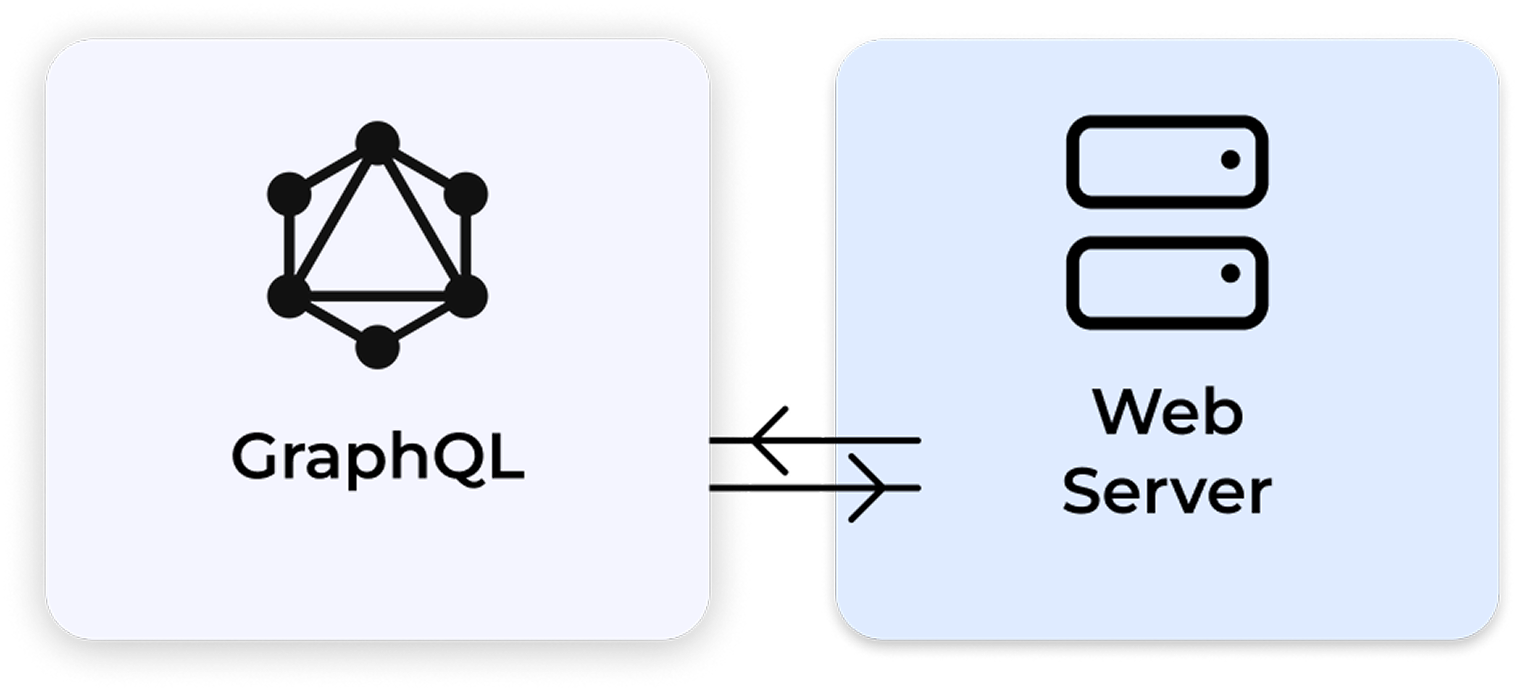
The Approval Studio GraphQL API gives you a single, flexible endpoint to query exactly the data you need. It returns projects, assets, annotations, tasks, or users in one request, without over-fetching or multiple round-trips. So, if you’re building a custom dashboard, a complex reporting tool, or an integration that needs to read many related resources efficiently, GraphQL is the better choice over the REST API.
The GraphQL API gives you a single, flexible endpoint to query and mutate exactly the data you need across every major resource in Approval Studio
Projects
Create, update, and track every project, all through your own tools.
ERP, and project management tools (Jira, Asana)
Assets
Bring assets from a URL, see their status, and organize your library.
DAM platforms, PIM systems, and cloud storage
Tasks
Set your tasks, then act on feedback instantly and within one platform.
Workflow automation, project management tools
Tasks
Look up team members and account access, all with your user data in sync.
HR systems, SSO provisioning, onboarding tools
Reference Documents
Attach specs, briefs, and standards directly to your projects for context.
Doc management, standards, and requirements libraries
Webhooks
Get notified and trigger instant actions in your other tools.
Slack alerts, email triggers, ERP sync
What Should You Choose: REST API vs GraphQL API
In simple terms, if your integration writes data or reacts to events, use REST. If your integration reads and displays data (dashboards, reports, sync), GraphQL will be faster and cleaner.
REST API
GraphQL API
Best for
Simple integrations, automation scripts, or systems already built around REST
Modern apps that need flexible data access, such as dashboards or custom tools
How it works
Your app sends separate requests for different things (projects, assets, tasks, etc.)
Your app sends one request asking exactly for the data it needs
Workflow automation
For automating specific actions like creating review tasks, uploading assets, or managing projects
For building flexible automations that pull and use data from multiple places (projects, users, tasks, etc.)
File uploads
✓ Supports asset and document uploads
✗ Uploads handled through REST
Stability
v1.33 — stable, fully supported
v0.20 — production-ready, actively developed
Ease of use
Easy to learn and implement
More powerful but requires GraphQL knowledge
REST API
GraphQL API
Best for
Simple integrations, automation scripts, or systems already built around REST
Modern apps that need flexible data access, such as dashboards or custom tools
How it works
Your app sends separate requests for different things (projects, assets, tasks, etc.)
Your app sends one request asking exactly for the data it needs
Workflow automation
For automating specific actions like creating review tasks, uploading assets, or managing projects
For building flexible automations that pull and use data from multiple places (projects, users, tasks, etc.)
File uploads
✓ Supports asset and document uploads
✗ Uploads handled through REST
Stability
v1.33 — stable, fully supported
v0.20 — production-ready, actively developed
Ease of use
Easy to learn and implement
More powerful but requires GraphQL knowledge
Fetch only what you need
Plug into any platform
Build custom reports
Keep your stack in sync
Approval Studio GraphQL API Use Cases
Here are the most common ways teams use the GraphQL API
Solution: A custom internal dashboard queries the GraphQL API every 30 seconds: projects + assets + approvalStatus + assignee in one request. Cards are color-coded by status. Clicking opens the Approval Studio review tool directly. The entire view refreshes without page reloads.
Solution: A scheduled script (cron job) queries the GraphQL API on Friday at 4pm: client projects + asset statuses + annotation counts + proof report links. The script generates a formatted PDF, which the account manager reviews and hits Send.
Solution: A sync script polls the GraphQL API hourly and queries approvalStatus for all active assets. When status changes to 'Approved', it calls the DAM API to update the asset's metadata field. The GraphQL query fetches only the fields needed (id, approvalStatus, updatedAt).
Solution: A custom internal dashboard polls GET /projects and GET /assets/{id}/annotations to display live status across all projects. Color-coded rows show: green (approved), amber (in review), red (change requested). Clicking a row opens the Approval Studio review tool via direct link.
Solution: The Shopify store backend creates an Approval Studio project via REST API when artwork is submitted. The GraphQL API is polled every few minutes to check approvalStatus. When the asset is marked Approved, the backend automatically publishes the Shopify product variant.
Solution: custom internal dashboard queries the GraphQL API every 30 seconds: projects + assets + approvalStatus + assignee in one request. Cards are color-coded by status. Clicking opens the Approval Studio review tool directly. The entire view refreshes without page reloads.
Solution: A scheduled script (cron job) queries the GraphQL API on Friday at 4pm: client projects + asset statuses + annotation counts + proof report links. The script generates a formatted PDF, which the account manager reviews and hits Send.
Solution: A sync script polls the GraphQL API hourly and queries approvalStatus for all active assets. When status changes to 'Approved', it calls the DAM API to update the asset's metadata field. The GraphQL query fetches only the fields needed (id, approvalStatus, updatedAt).
Solution:
A custom report queries the GraphQL API: all annotations across all projects in a date range, grouped by project, asset, and reviewer. The data feeds into a BI tool (Metabase, Power BI) or a custom chart. Here, the REST API would require dozens of sequential calls.
Solution: The Shopify store backend creates an Approval Studio project via REST API when artwork is submitted. The GraphQL API is polled every few minutes to check approvalStatus. When the asset is marked Approved, the backend automatically publishes the Shopify product variant.
GraphQL API version v.0.40 (18-5-2026)
Click the button below to view the reference document for Approval Studio GraphQL API as HTML or download it as PDF.
Is the GraphQL API stable enough for production use?
Yes. Version 0.20 is production-ready and actively used by integrations in production environments. The v0.x numbering reflects that we are still adding new types and fields — existing queries will not break between minor versions. Breaking changes will be communicated with advance notice.
Can I use GraphQL for write operations (upload files, create tasks)?
Yes, the GraphQL API supports both read and write operations. You can use it to upload assets, create projects, assign tasks, and register webhooks via mutations. Another option is to use the REST API for that, since they both use the same authentication token.
Do I need to know GraphQL to use it?
Basic GraphQL syntax is straightforward. If you know JSON and HTTP, you'll be writing queries within 30 minutes. The interactive Playground provides full schema documentation and auto-completion.
What is the difference between the GraphQL API and the REST API?
REST API: stable v1.33, covers all operations including writes and webhooks, standard HTTP methods. GraphQL API: flexible queries, fetch multiple nested resources in one request, no over-fetching. Use REST for writing, GraphQL for reading and reporting.
Is the GraphQL API available on all plans?
GraphQL API access is available on Pro, Pro XL, and Enterprise plans. Contact support if you need access on a Starter plan.




 CLIENT INTERVIEWS




 TEAM SOLUTIONS
 WORKFLOW SOLUTIONS
 REVIEW TOOL
 PROJECT MANAGEMENT
 TOOLS & INTEGRATIONS