Graphic design proofing relies on the most unreliable asset: the client
Approval Studio doesn’t make clients more reliable. But it makes their unreliability irrelevant. Share a proof link; they annotate directly on the file, and their approval is timestamped when it arrives. Easy for you and pleasant for them.
Graphic design proofing is the structured process of reviewing, annotating, and approving design files before they reach production. Approval Studio gives graphic designers a dedicated proofing space to collect precise client feedback, manage revisions, and reach sign-off faster without confusing email chains.
BEFORE
WITH APPROVAL STUDIO
VS
← Drag to compare →
Design proofing software that works in your favor
Here’s how online proofing software for designers works
Watch how it works
Upload and Share
Upload a file without converting it, and share it via email or shortlink to the client.
Feedback and Rework
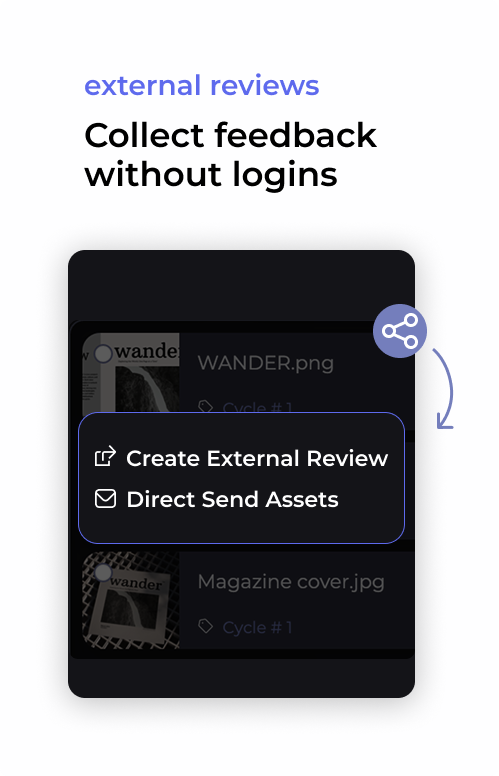
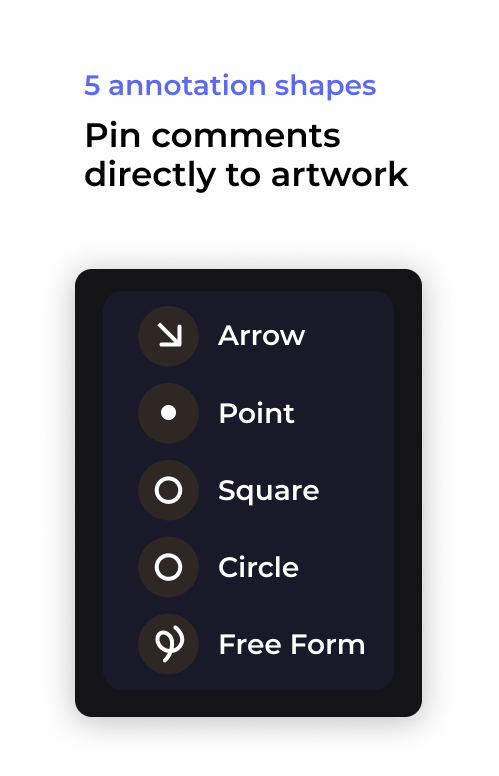
Clients annotate it without logging in, and you get a notification as soon as they approve or reject.
Approval
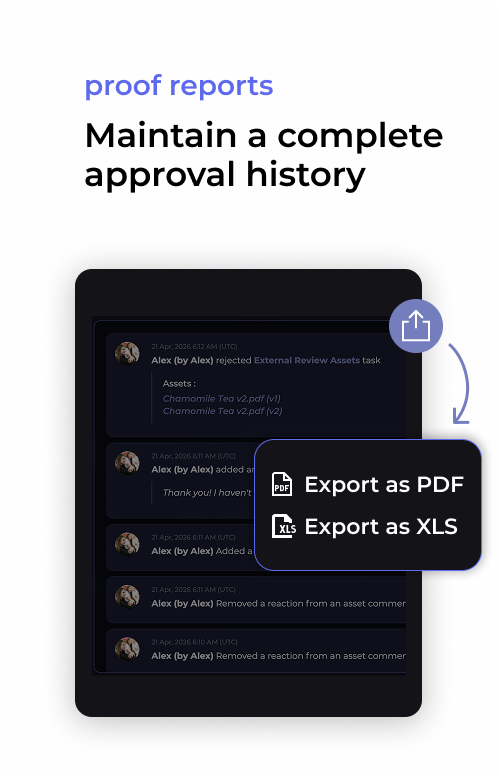
After uploading a new version, you send the link again, and clients formally approve the artwork, timestamped and recorded.
Full guide on prepress: workflow, stages and process explained
Not sure what’s wrong and why the proofing cycle feels like torture every single time? We’ve researched the most common problems in a graphic design workflow and how to fix them.
Online proofing for every type of graphic designer
Freelancers & Solo Creatives
No voicemail, WhatsApp, and email at the same time. Now, all the feedback is collected in one place.
Creative Agencies
One client’s revision gets mixed up with another’s, but not in Approval Studio. Folders, tags, and workflows are made to differentiate one from another.
In-house teams
Multiple stakeholders and multiple rounds, but no one can agree on the final thing. Checklists and review groups so everyone knows what they have to approve.
Plans to Fit Every Team
Cheaper than missed deadlines and chaotic stressful workflow
Graphic design proofing is the process of reviewing a design file for errors, accuracy, and client approval before it goes to print or publication. It involves the designer sharing a proof with stakeholders, collecting structured feedback, making revisions, and obtaining a formal sign-off. Dedicated proofing software replaces email-based review with a traceable, structured workflow.
How does online proofing work for graphic designers?
Online proofing software for graphic designers works by uploading a design file to a proofing platform, which generates a shareable review link. Reviewers open the link in a browser, annotate directly on the design, and submit feedback. The designer receives all comments in one place, makes revisions, and uploads a new version for final approval — no email attachments needed.
What is the best graphic design proofing software?
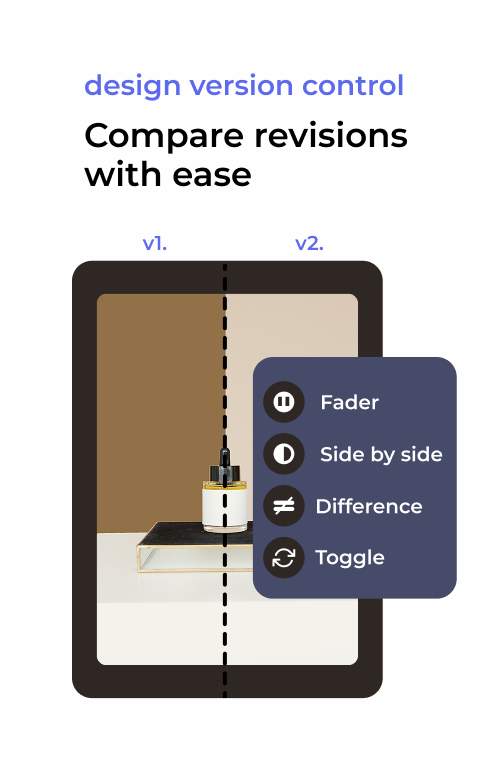
The best graphic design proofing software supports file annotation, multi-version comparison, external reviewer access without account creation, and automated approval reports. Approval Studio is purpose-built for design proofing workflows, supporting static files, PDFs, and video, with a full revision history and downloadable sign-off documentation.
How do you proof a graphic design before sending to a client?
To proof a graphic design before client delivery:
upload the file to a proofing tool,
review for spelling, color accuracy, and brand consistency,
share a proof link for client review,
collect annotated feedback in a single thread, and
implement revisions and obtain written approval before final export.
Can clients review proofs without creating an account?
Yes. With Approval Studio, you can share a proof link that allows clients to annotate and approve designs without registering for an account. This removes friction in the designer–client review process and eliminates delays caused by access barriers. Clients can leave comments, draw on the design, and submit a formal approval directly from the link.
What is the difference between design proofing and design review?
Design review is a broad term for any evaluation of a creative asset, often informal. Design proofing is a formal, structured process with a defined workflow: uploading a proof file, collecting stakeholder annotations, managing revision versions, and recording a final sign-off. Proofing tools like Approval Studio add accountability, traceability, and workflow automation that informal review lacks.
How do graphic designers manage client revisions efficiently?
Efficient revision management for graphic designers requires a central system where all feedback lives against a specific version of the file. Using design proofing software avoids the “v2_final_FINAL” problem by maintaining a numbered version history. Each revision cycle is tracked, annotated feedback is preserved, and the approved version is clearly marked, making handoffs and billing disputes simpler.
Does graphic design proofing software support digital asset management?
Some graphic design proofing tools include basic digital asset management (DAM) features such as file versioning, project organisation, and searchable asset libraries. Approval Studio focuses on the review-and-approval stage of the asset lifecycle (uploading, annotating, comparing, and approving), making it complementary to a full DAM system for teams that need both capabilities.
Show, not tell, works better in graphic design proofing



 CLIENT INTERVIEWS








 TEAM SOLUTIONS
 WORKFLOW SOLUTIONS
 REVIEW TOOL
 PROJECT MANAGEMENT
 TOOLS & INTEGRATIONS