TEAM SOLUTIONS
 WORKFLOW SOLUTIONS



 REVIEW TOOL
 PROJECT MANAGEMENT
 TOOLS & INTEGRATIONS
 CLIENT INTERVIEWS




Last updated: August 2026
If you run a design agency, I’m sure you’ve been there: one client loves the draft, another wants the logo bigger, and a third replies three days later with “looks good, just a few small changes” attached to a marked-up screenshot nobody else on the team has seen. Then we multiply that by ten active projects, and email stops being a review process and gradually becomes a second job. A quite annoying one, I’d say.
And since I’m not the only one who thinks that way, there is such a thing as creative review software. But before we get into which tool fits your agency best, let’s cover what this category actually does, why agencies need something different from what an in-house team might pick, and how the major players compare on the things that matter most: client access, branding, and version control. Buckle up!
What Is Creative Review Software?
It’s worth drawing a line between review and approval here, too, since the two words often get used as if they mean the same thing. However, review is the part where feedback gets collected and resolved, comment by comment, round by round. And approval is the final step, the moment someone with authority says yes, this is ready to ship.
Good creative review and approval software handles both, but they aren’t the same job, and a tool that’s strong at one isn’t automatically strong at the other. That distinction matters most once you, as an agency, are working with more than one client, since the review half of the process is exactly where things tend to fall apart first. Let me elaborate.
Why Design Agencies Need Creative Review Software
Agencies deal with a version of this problem that in-house teams rarely see at the same scale. So the pains below tend to show up again and again once a studio grows past a handful of clients, and they’re worth walking through one at a time:
- Managing feedback across several active client projects gets messy fast. Each client has their own habits, stakeholders, and idea of what “done” means. Therefore, a system that works for one can fall apart the moment a second or third client appears. Without a shared workspace, a project manager ends up holding all of that context in their poor head.

- Client relationships also depend more on appearance than most agencies like to admit. See, a branded, no-friction review link says something different than a messy email chain with three people replying to different versions of the same file. That’s something clients tend to notice, even if they never say so directly.
- Turnaround pressure adds to this quickly as well, since endless revision rounds eat into your agency’s margin. Consequently, every extra revision round without a system to keep feedback organized is unpaid time that was never scoped into the project.
75%
of creative collaboration now happens remotely, a shift that puts more weight on the review process itself.
Source: Filestage, 2023 link↗
- Consolidating stakeholder feedback in one place stops clients from contradicting each other across separate email chains, where the marketing manager wants one thing, and the creative director wants another. Then nobody realizes there’s a conflict until the designer is stuck between two sets of notes.

- And finally, a clear audit trail of who approved what protects the agency just as much as it protects the client. When a scope conversation turns into a billing conversation, being able to point to a timestamped comment or a recorded sign-off is worth far more than trying to reconstruct what happened from memory or a deleted email thread.

What Design Agencies Should Look For In Creative Review Software
Once you start comparing tools, it’s easy to get distracted by feature lists that read well on a pricing page but don’t actually solve an agency’s day-to-day problems. So here’s what to weigh instead, roughly in the order it tends to matter:
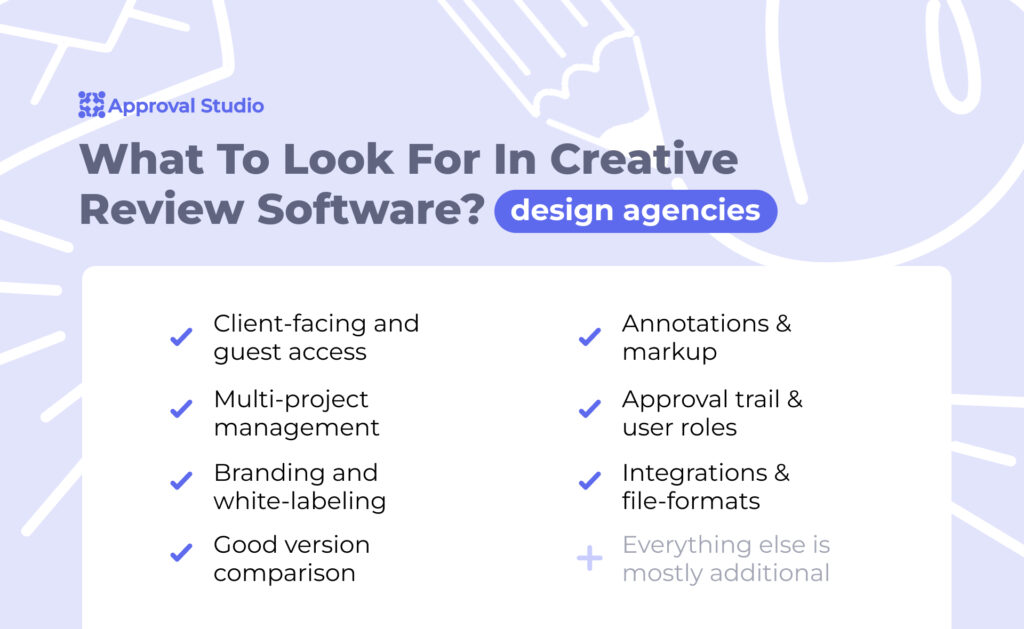
- Client-facing and guest access. Reviewers should be able to open a link and leave a comment without signing up for anything. The moment a client has to create a password to tell you the logo is too small, some of them simply won’t bother.
- Multi-project management. You need one dashboard that shows every active client and project, not seven browser tabs open to seven different review links. This is arguably the single biggest difference between tools built for in-house teams and tools built for agencies.
- Professional branding and white-labeling. The review portal should carry your agency’s look, or your client’s, depending on the engagement. A tool with someone else’s logo across the review screen undercuts the professional impression you’re trying to build.
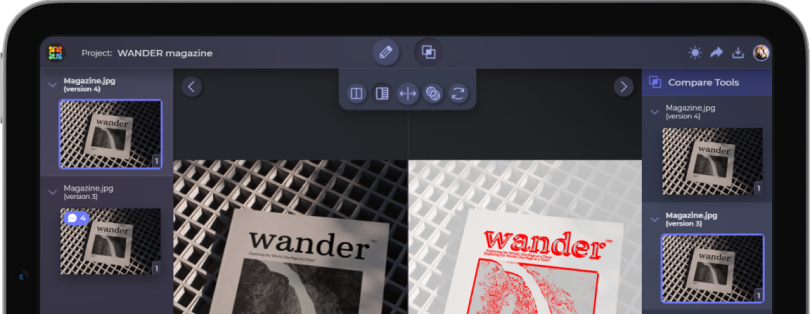
- Version comparison. Side-by-side or overlay comparison lets a client see exactly what moved between round two and round three, instead of hunting for the difference themselves.
- Annotation depth. Markup needs to work precisely across whatever formats you actually deliver: images, PDFs, video, and increasingly, live websites. A tool that only handles static images well isn’t much use to a mixed-media studio.
- Approval trail and roles. Look for structured sign-off, permission levels, and deadline reminders, so a review round doesn’t quietly stall because one stakeholder forgot to check their inbox.
- Integrations and file-format range. The tool should fit into the stack you already use, whether that’s Figma, Adobe, Slack, or a project management platform, rather than forcing you to work around it.
These same criteria are what drive the “Best For” column below, so keep them in mind as you scan the table.
Best Creative Review Software For Design Agencies In 2026
Ten tools consistently come up when agencies compare notes on this. And to be completely honest, there’s no ultimate best one. Each can be perfect depending on your requirements and size.
Approval Studio leads on branded, client-facing review and version comparison, and it’s worth seeing how that stacks up against the wider online proofing tools landscape.
Ziflow and Filestage suit larger agencies running standardized, multi-stage workflows. Meanwhile, GoVisually keeps things fast and simple for smaller studios, a trade-off covered in more depth in the GoVisually vs Approval Studio comparison.
Rounding out the list, ProofHub folds proofing into broader project management, Wipster and Frame.io are built for video-heavy workflows, and MarkUp.io lets reviewers mark up live websites directly in the browser.
| Tool | Capterra | Best for | Key strength | From | Trial |
|---|---|---|---|---|---|
| Approval Studio | 4.8 | Agencies needing branded client review and version compare | Side-by-side version comparison and external review rooms | $60/mo | 14 days |
| Ziflow | 4.8 | Larger agencies scaling automated workflows | Enterprise workflow automation, 1,200+ file formats | $199/mo | 14 days |
| GoVisually | 4.6 | Small agencies wanting fast, simple client review | Frictionless guest review and quick setup | $16/mo | Yes |
| PageProof | 4.8 | Agencies needing secure, all-format proofing | Secure no-login review and smart compare | $249/mo | Yes |
| Review Studio | 4.7 | Real-time collaborative client reviews | Live side-by-side review and guest reviewers | $15/mo | Yes |
| Filestage | 4.7 | Structured multi-step review with reminders | Staged review steps and automated chasing | $199/mo | 30 days |
| Markup.io | 4.4 | Agencies reviewing live websites and designs | Annotate live web pages, images, PDFs, and video in one link | $79/mo | 14 days |
| Wipster | 4.8 | Agencies with mixed video and design work | Unlimited free reviewers and strong multi-format review | $25/mo | 14 days |
| GoProof | 4.3 | Adobe Creative Cloud-centric agencies | Deep Adobe CC round-trip proofing | $129/mo | 14 days |
| Ashore | 4.1 | Agencies wanting automated client chase-ups | Automated approval reminders and white-label proofs | $45/mo | Yes |
Ratings come from Capterra, and starting prices and trials come from each vendor, verified in August 2026. Always confirm the current pricing tiers before you buy.
How To Choose The Right Creative Review Software For Your Agency
The best approach is to match the tool to how your studio actually works, not to the longest feature list. So here is a quick way to shortlist:
- If you are a small studio or lean on freelancers, start with GoVisually or ExpressReview for fast, low-friction client review.
- If you are a mid-size agency that wants a branded client experience and strong version compare, look at Approval Studio.
- If you run high volume or need enterprise workflow automation, consider Ziflow or Filestage.
- If your clients are security-sensitive, PageProof is the safer bet.
That said, the profile is only a starting point, not a final answer. Here are a few things worth checking before you commit to any of these:
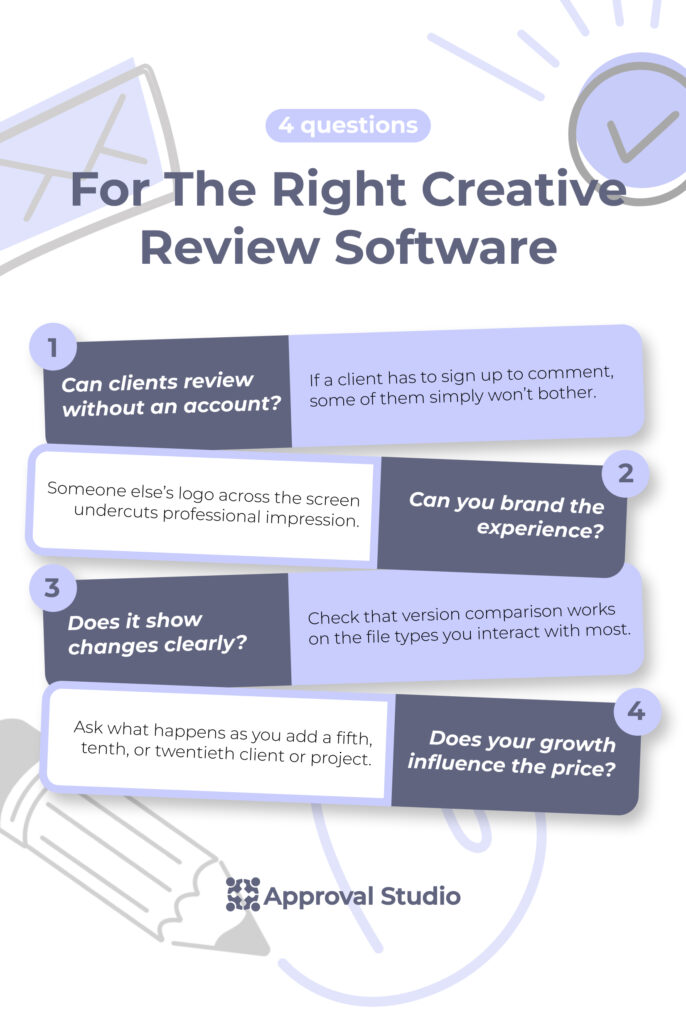
- Send a real client a guest review link during the trial, not just your own team, since that’s the experience your account actually depends on.
- Make sure the branding options go far enough that a client can’t tell they’ve left your environment.
- Check that version comparison works on the file types you interact with most and not just the ones in the demo.
- Ask what happens to the pricing as you add a fifth, tenth, or twentieth client, since that’s usually where the real cost shows up.
Important moment: everything above is about choosing a review tool, not an approval one. If your review rounds wrap up quickly but final sign-off still stalls, that’s not a review problem anymore, and swapping review tools won’t fix it. That calls for dedicated marketing approval software instead.
Final Words
To put the whole point in one sentence, the best creative review software for design agencies is the one that makes client feedback fast, professional, and easy to track across every project you run. Beyond that, the right pick really depends on how your studio works, because a small team sending quick client links needs something different from an agency pushing high volumes through automated stages.
So let your shortlist do the deciding. Try two or three tools on a real project, watch how your clients react to the review link, and see how many rounds each one actually saves you. And pay attention to the small things too, like whether guests can comment without an account, whether the experience stays on brand, and whether the price still makes sense once you add more projects and reviewers.
Once your review stage runs smoothly, the final approval step tends to fall into place, so your team gets to spend more time designing and less time chasing feedback.