
 TEAM SOLUTIONS
 WORKFLOW SOLUTIONS



 REVIEW TOOL
 PROJECT MANAGEMENT
 TOOLS & INTEGRATIONS
 CLIENT INTERVIEWS




Approval Studio’s Final Summer 2026 Release Is Here
Congratulations – it’s August, and we’re wrapping up the season with our final release of summer 2026! In the previous release notes, I dropped a small hint that we were preparing something special. By the way, do you read our release notes closely? They often contain a sneak peek at what’s coming next.
Anyway, the wait is over. Let’s start with the biggest feature of this release.
🌐Introducing Live Website Review
For years, our users have asked for a way to review not only graphic and video files, but live websites as well. And it’s finally here!
Starting today, you’ll see a new Add Website button in the Approval Studio interface. Simply enter a URL, give the system about a minute to process the website, and your live review will be ready.
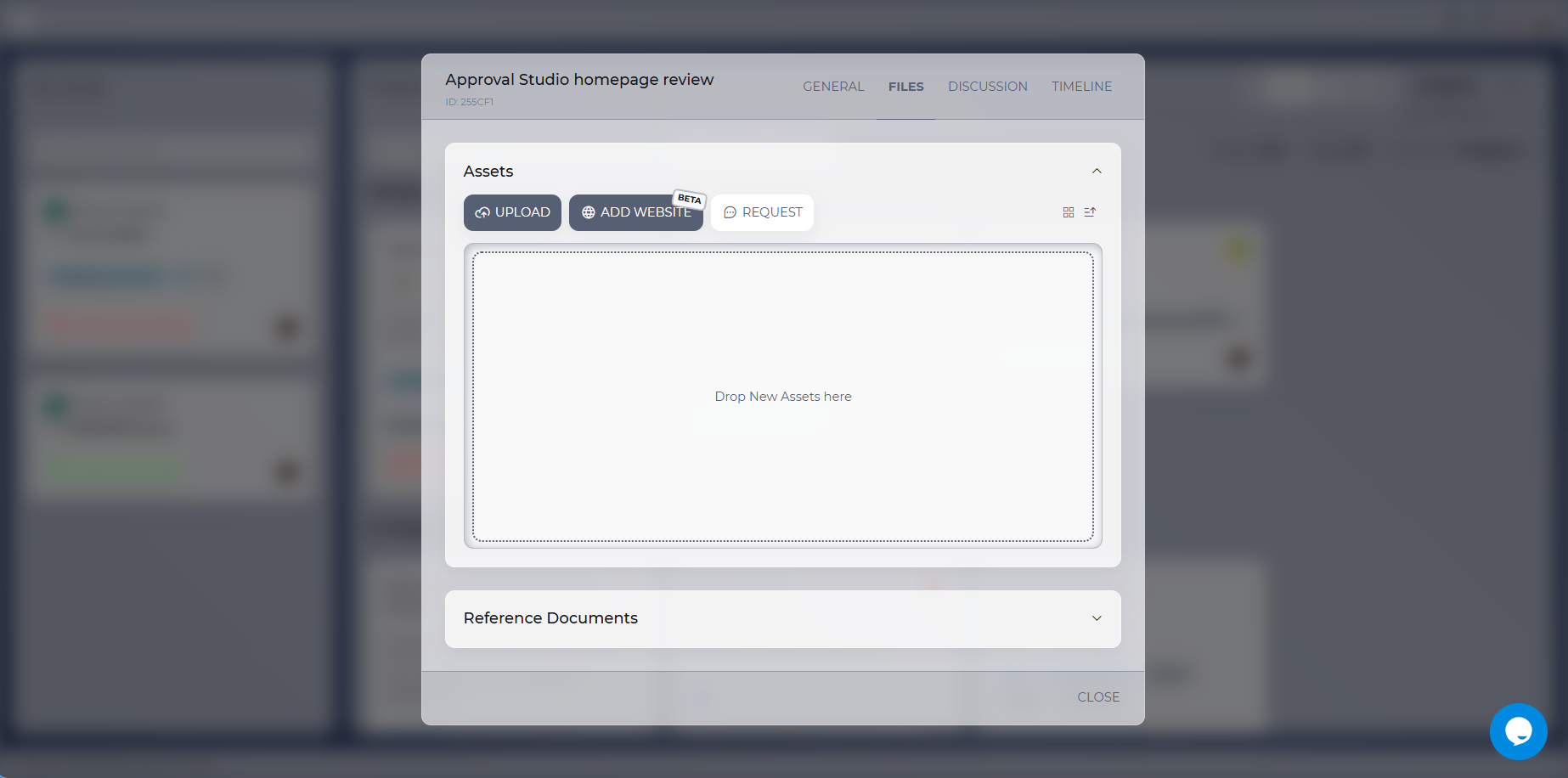
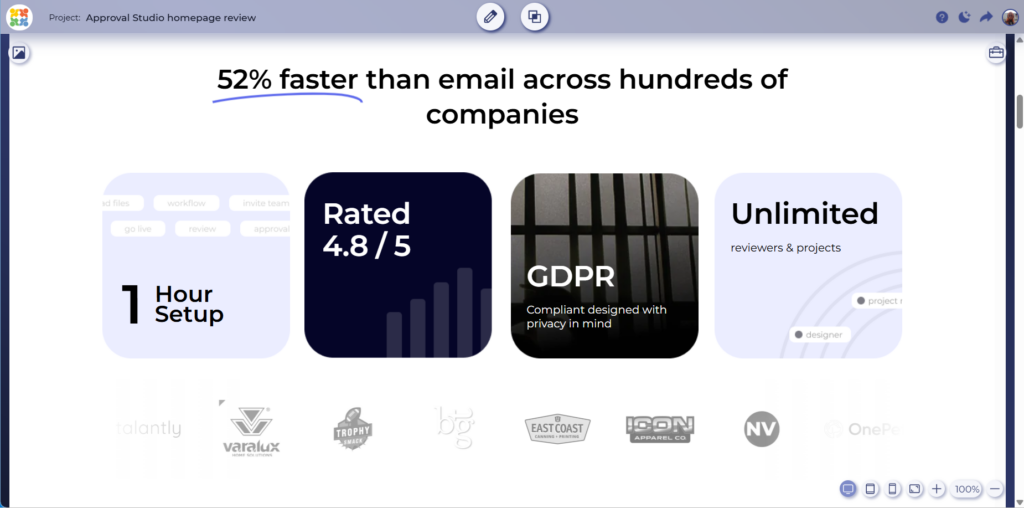
This isn’t a static screenshot. It’s a fully functional website that you can browse directly inside the review tool. If something needs to be changed, simply use the familiar annotation tools to leave clear, contextual feedback.
Live Website Review is currently in early beta, so you may encounter the occasional issue. If a website doesn’t load or behave correctly, please contact our support team and tell us what happened. Bug reports, suggestions, and ideas for improvement are all welcome – don’t be a stranger!
📄Attach Reference Documents to Tasks
Live Website Review isn’t the only improvement included in this release. We’re continuing to expand the capabilities of other Approval Studio features as well.
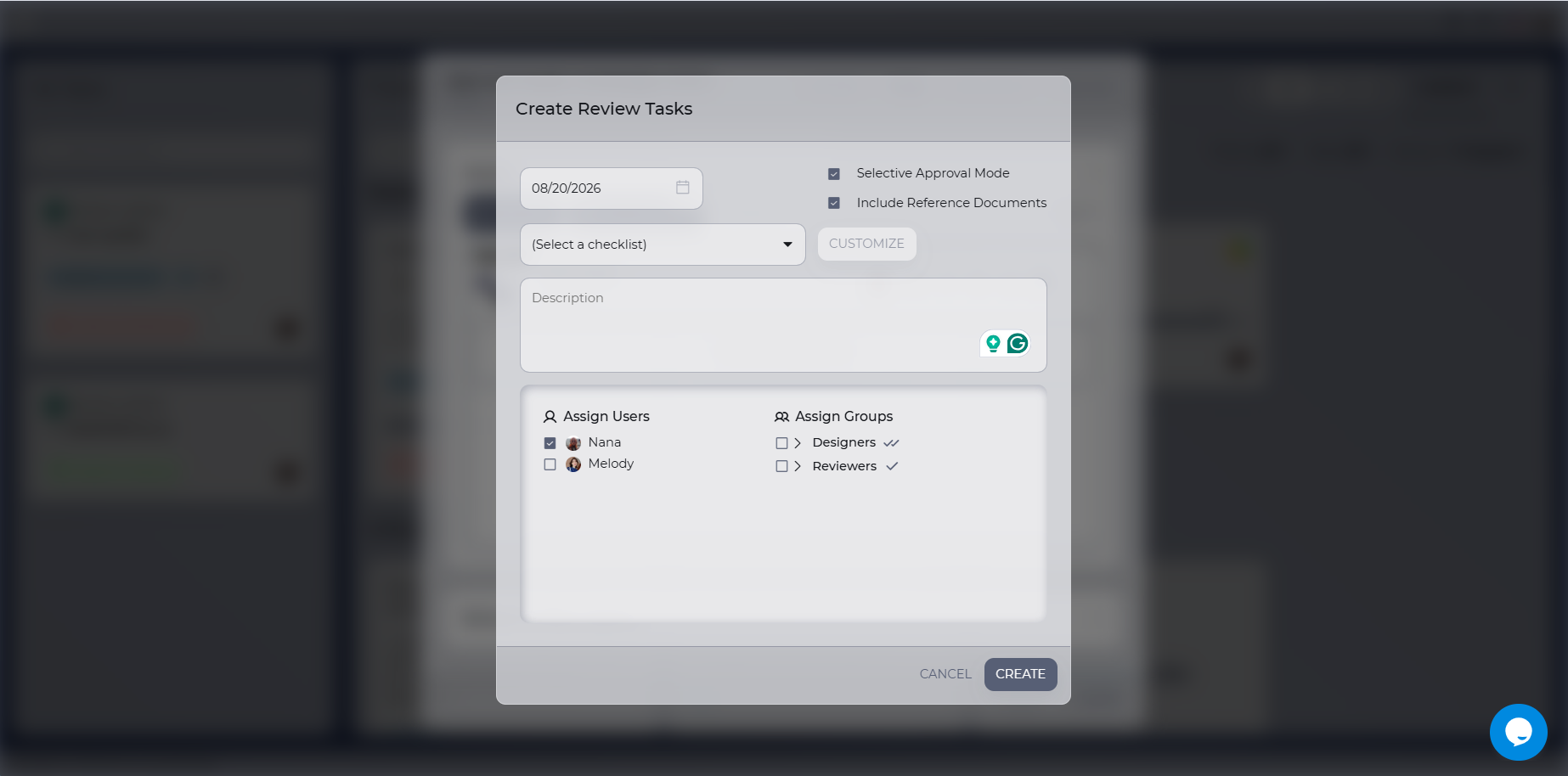
When assigning a task, you can now attach a reference document. For example, if you create a task asking a designer to upload a file, you can include the corresponding design brief so they have everything they need in one place.
🤖Compare Your Design With the Brief Using AI
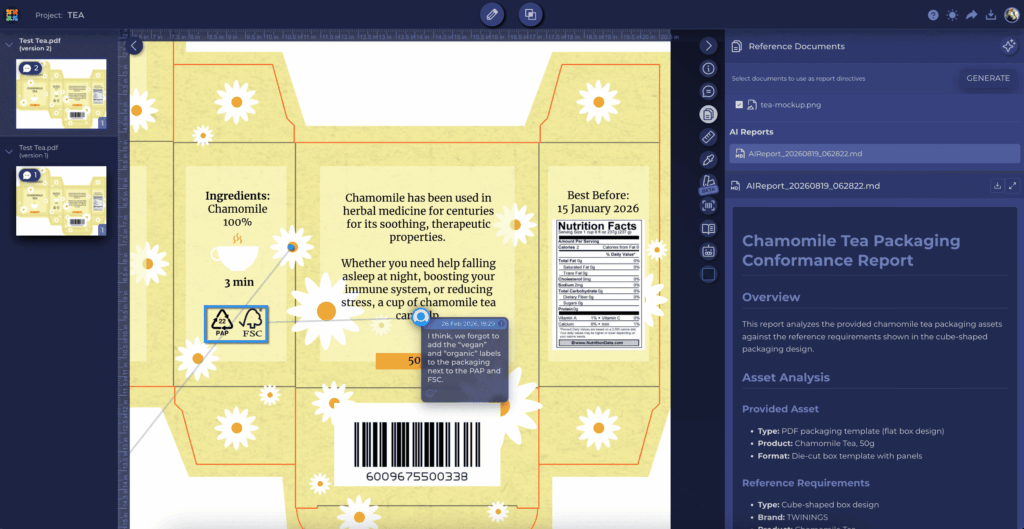
Speaking of design briefs – have you tried our new AI-powered reference comparison feature? It’s available with PRO plans and higher.
Open the reference documents section in the review tool, click the AI button, and select a reference document. Approval Studio will generate a report showing how closely the submitted design follows the brief or another reference file.
It’s a quick way to identify inconsistencies, missing requirements, and areas that may need another look.
🏷️Custom Tags in Email Subjects
We know how much you love customizing your Approval Studio emails.
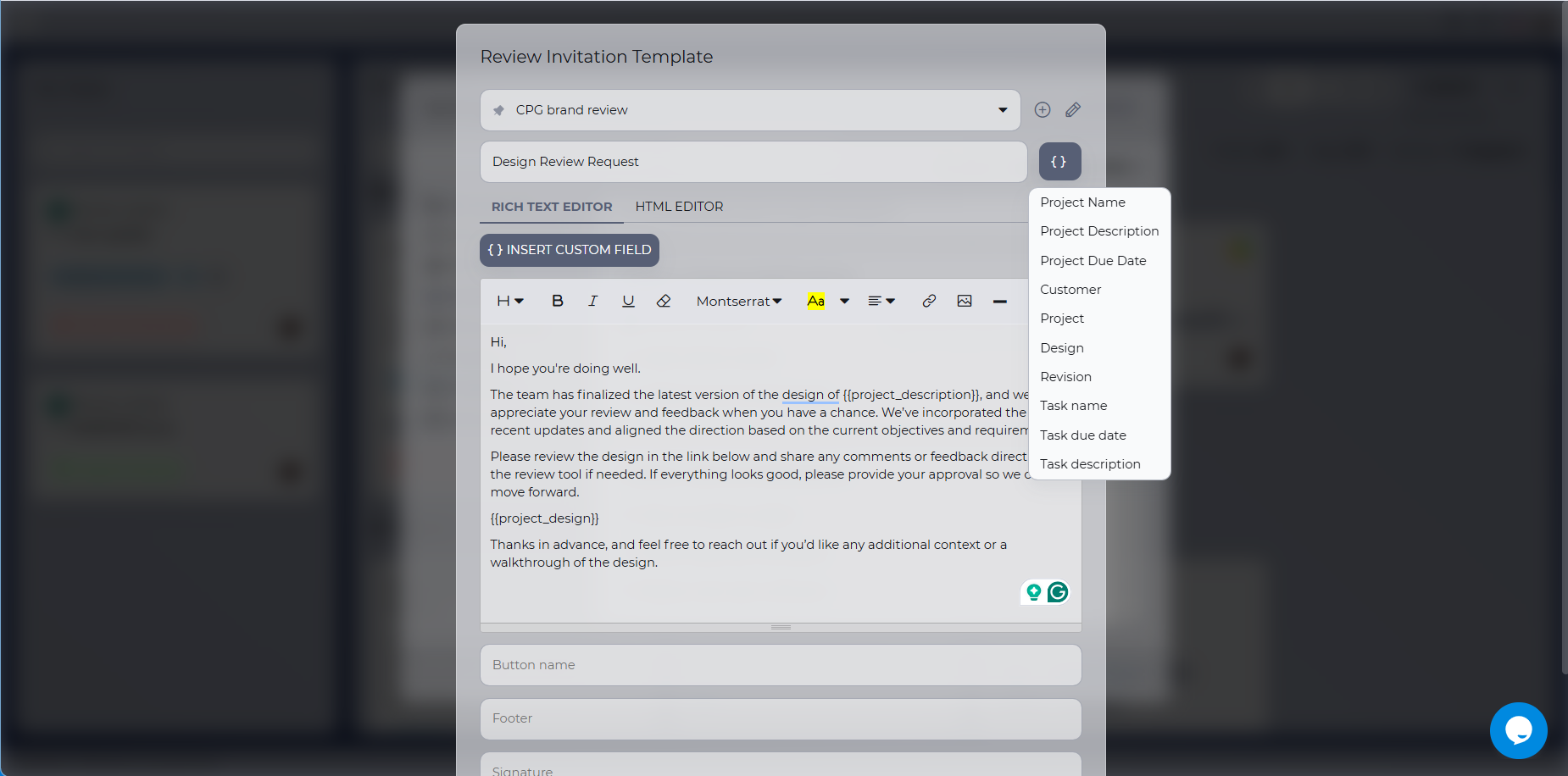
For some time, you’ve been able to use custom variables throughout your email content – but not in the subject line. That limitation is now gone. Custom tags can be added to email subjects, giving you more control over your notifications and making your email customization options broader than ever.
🤫And Now for Another Secret…
The purpose of this release isn’t only to introduce new features and fix bugs – important as those things are. We’ve also added new backend capabilities that aren’t visible to users just yet.
Want to know more? Keep following our release notes, and you’ll discover the awesome new features coming in the next release. I promise: it’s going to be something big.
❤️Thank You for Being Part of Our Story
Traditionally, I’d like to thank everyone who continues to join us in this never-ending story of building the best review tool possible.
Thank you for your suggestions, ideas, bug reports, and every other piece of feedback you share with us. Over the past month, we’ve introduced integrations with Photoshop, InDesign, Figma, and more – with additional integrations coming soon.
All of these improvements started with your requests and ideas. Thank you for helping us make Approval Studio better.
See you in the next release!
The Approval Studio Team🎉
