The Shopify proofing app that turns every custom order into an approved design

Collaborate with Shopify customers and have custom orders automatically land in Approval Studio as projects with the order number and customer details attached. Upload the mockup, let the customer comment right on it, and send to print only what they approved.

Custom orders go wrong because of poor communication

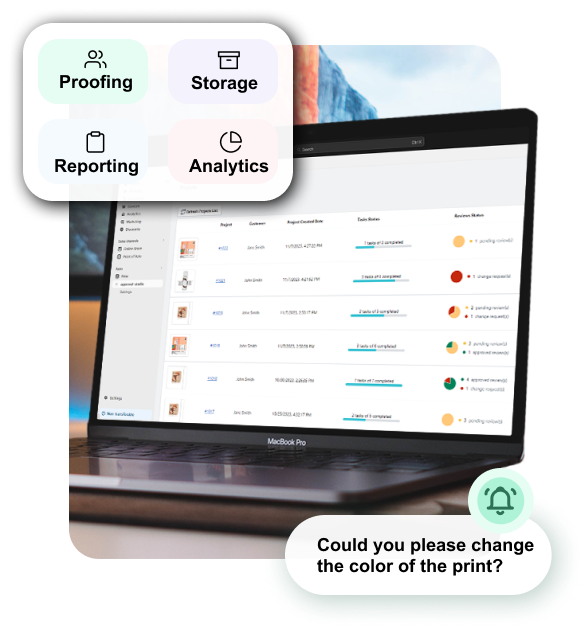
Custom order proofing is the step where a store sends the customer a mockup of their personalized product and gets approval before printing. As on-demand printing grows by 23.6% each year, so does the number of proofs you have to chase across emails and messages. Approval Studio keeps every proof, comment, and approval attached to its Shopify order.

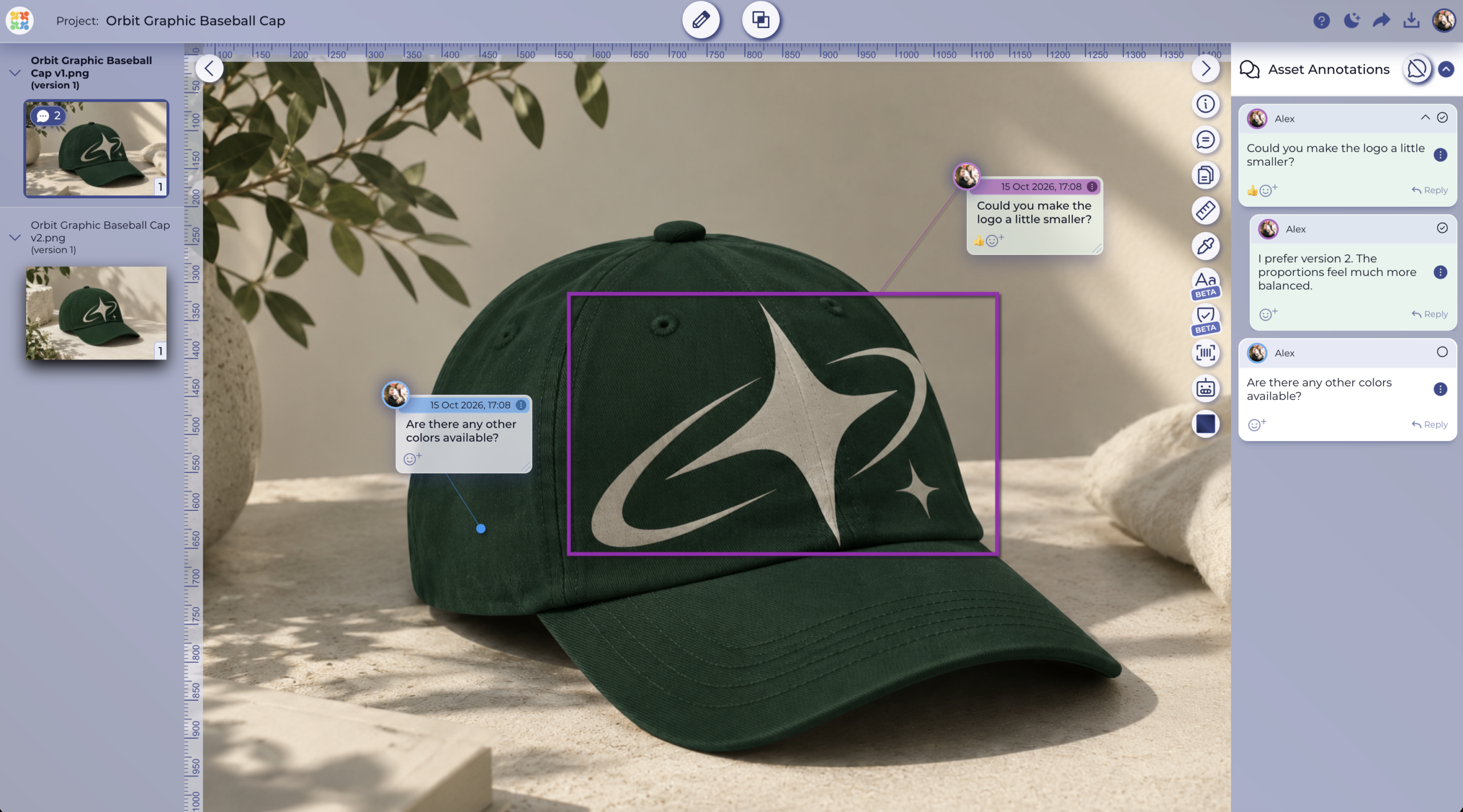
Logo file with pinned reviewer comments and approval status in Approval Studio WITH APPROVAL STUDIO
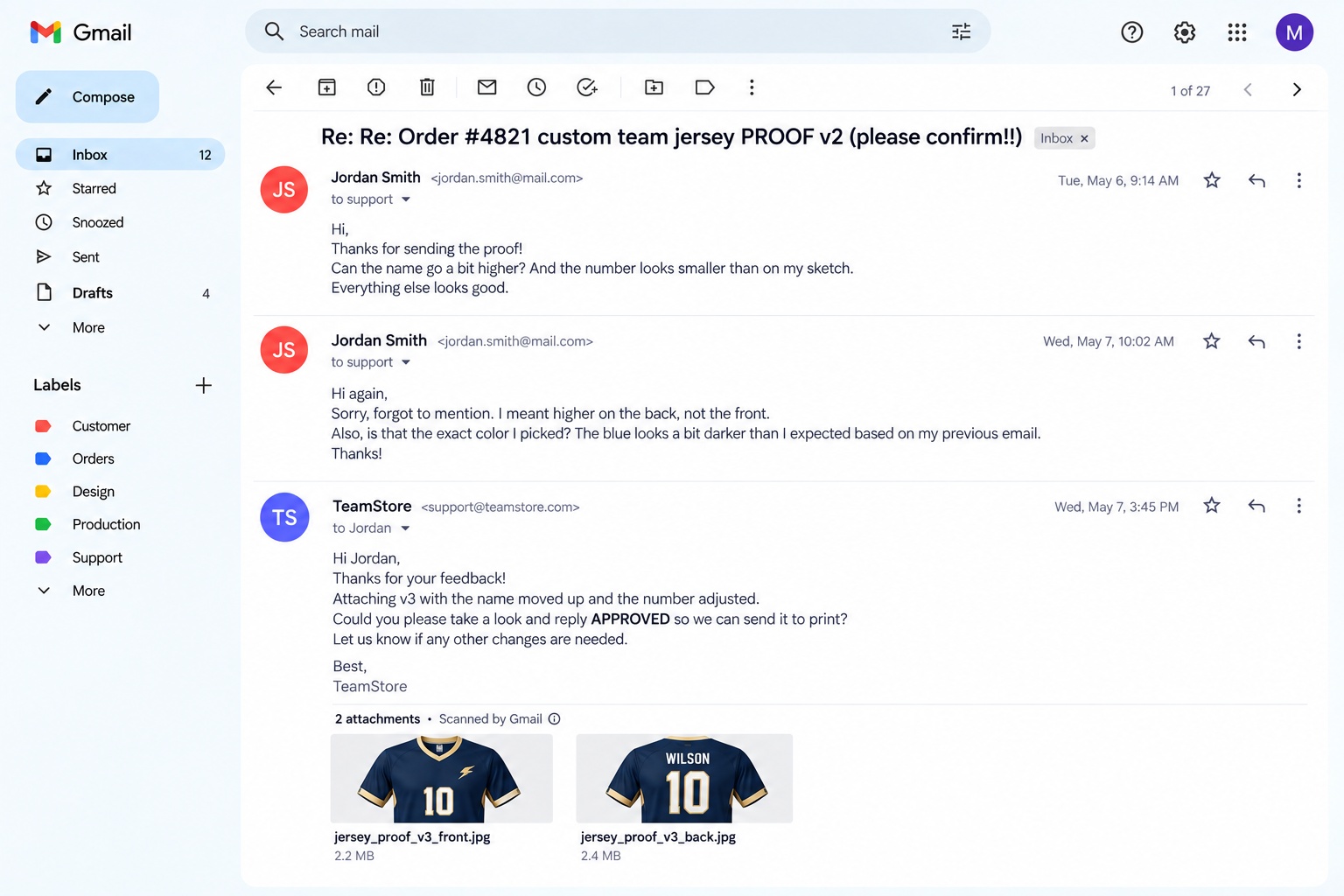
Scattered logo feedback in a Slack thread with no version attached BEFORE
VS

Drag to compare

Print proofing software built around your Shopify orders

Order to project
automation

Every paid order arrives ready for proofing

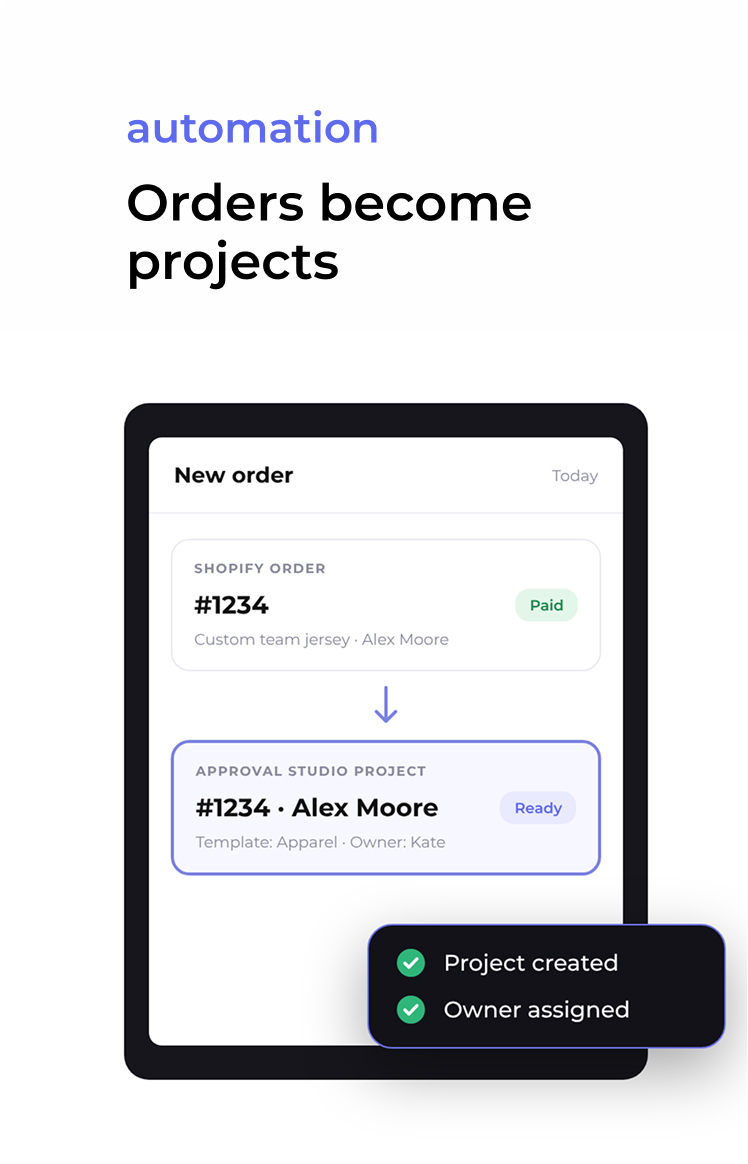
Choose which orders should become projects, and Approval Studio creates them for you with the order number, customer name, and order details attached. Pick a project template, set a default project owner, and decide which workspace sees the project, so a new order is already organized before you even open it.

Shopify order #1234 for a custom team jersey turning into an Approval Studio project with the same order number and customer name

File Upload block

Collect the customer’s artwork before checkout

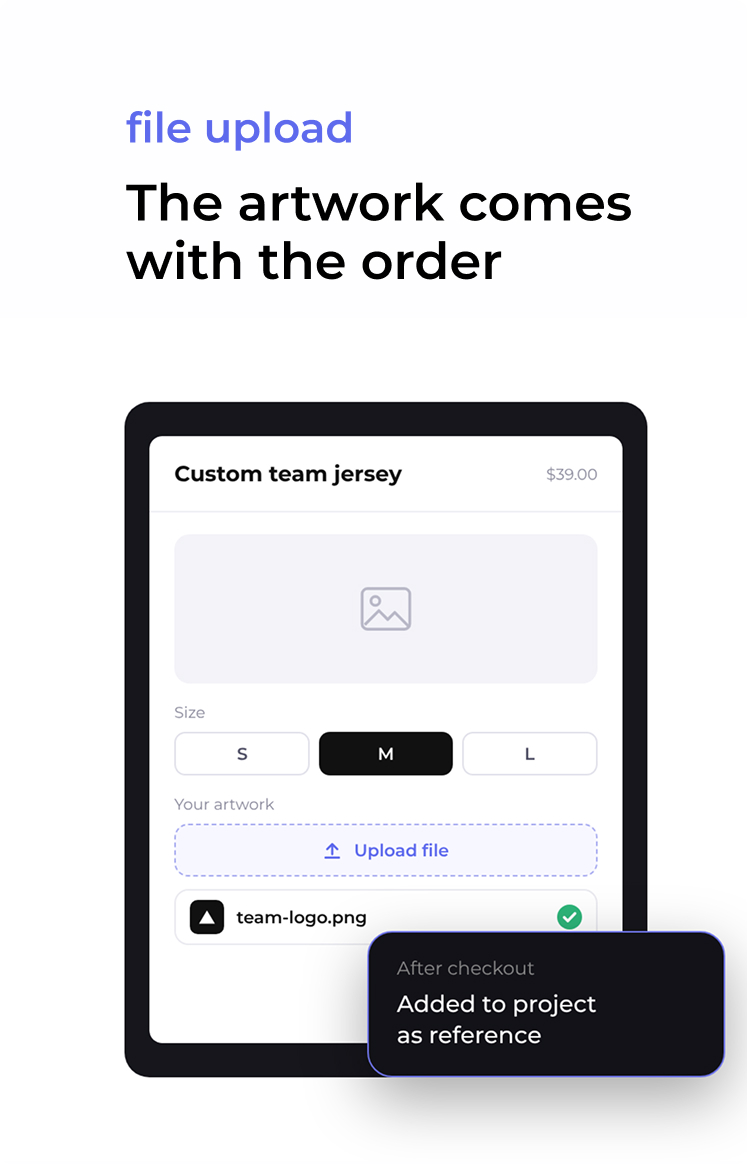
Add the File Upload block to your product page in the theme editor, and customers can attach their photo, logo, or sketch while ordering. After checkout, the file lands in the Approval Studio project as a reference document, so you never have to ask yourself. The block works with Online Store 2.0 themes.

Shopify product page with an Upload file button under the variant picker and an uploaded logo thumbnail

Trigger-based
workflows

Decide what happens after every upload, approval, or rejection

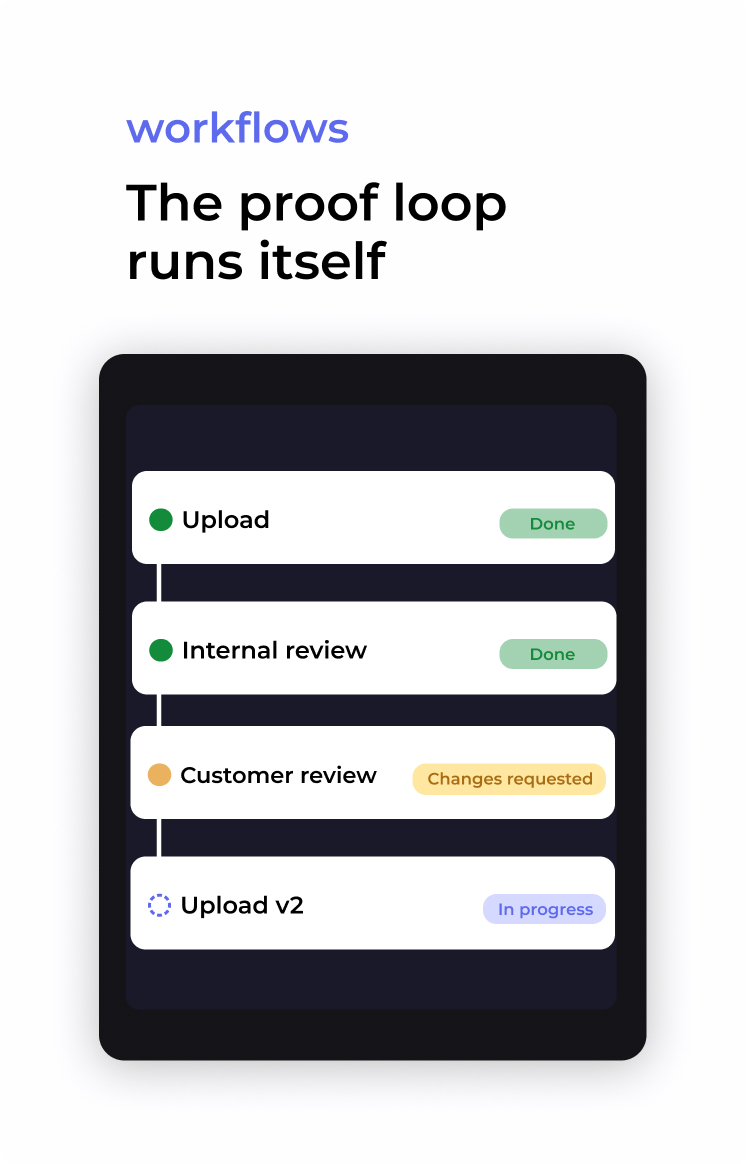
Turn on the tasks your shop needs: internal or external asset upload, internal review, external review, and reference document upload. Each one can start automatically, with its own assignee, due date, and comment. That way, your proofing works like print-on-demand automation software, and you only step in when something needs a decision.

Proof loop: upload done, internal review done, customer review with changes requested, upload v2 in progress

Customer review
without an account

Let customers point at exactly what they want changed

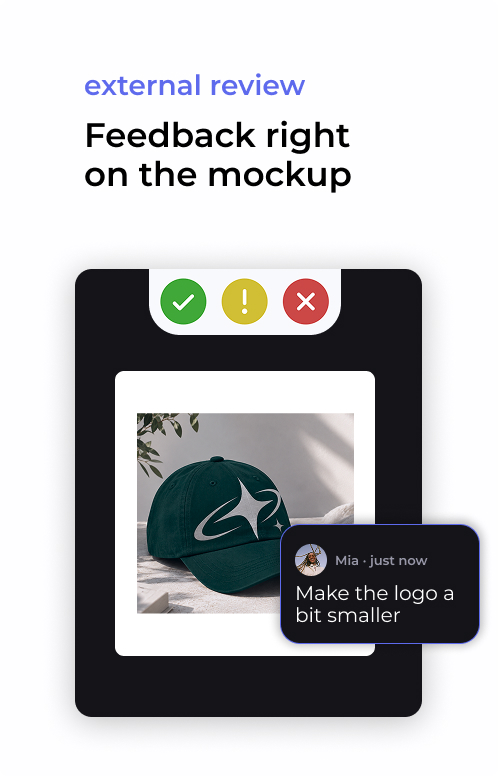
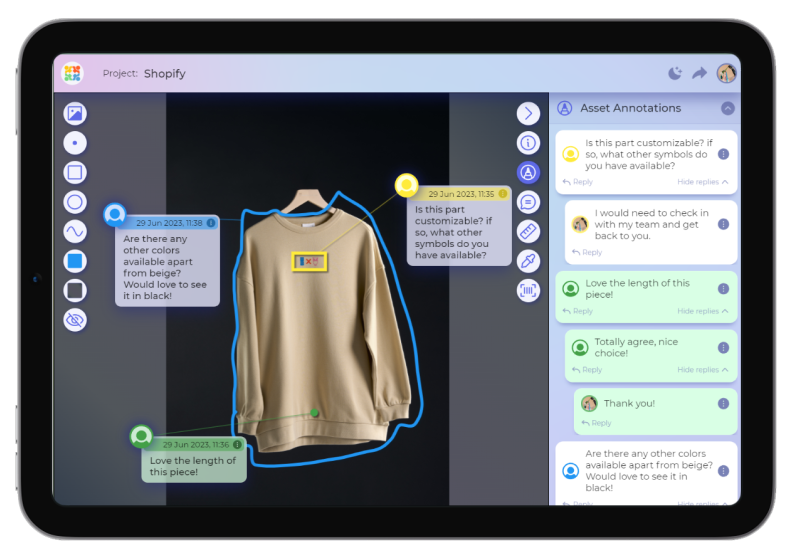
Your customers open the proof external review from an email link, with no registration or app install. They pin comments, draw shapes, and mark the exact spot on the mockup, so you receive clear instructions. You can also protect the link with a password and pick the language of the email.

Customer marking up a product mockup on a phone with a drawn shape and a comment asking to make the photo a bit bigger

Order tags in Shopify

See every proof status from your Orders list

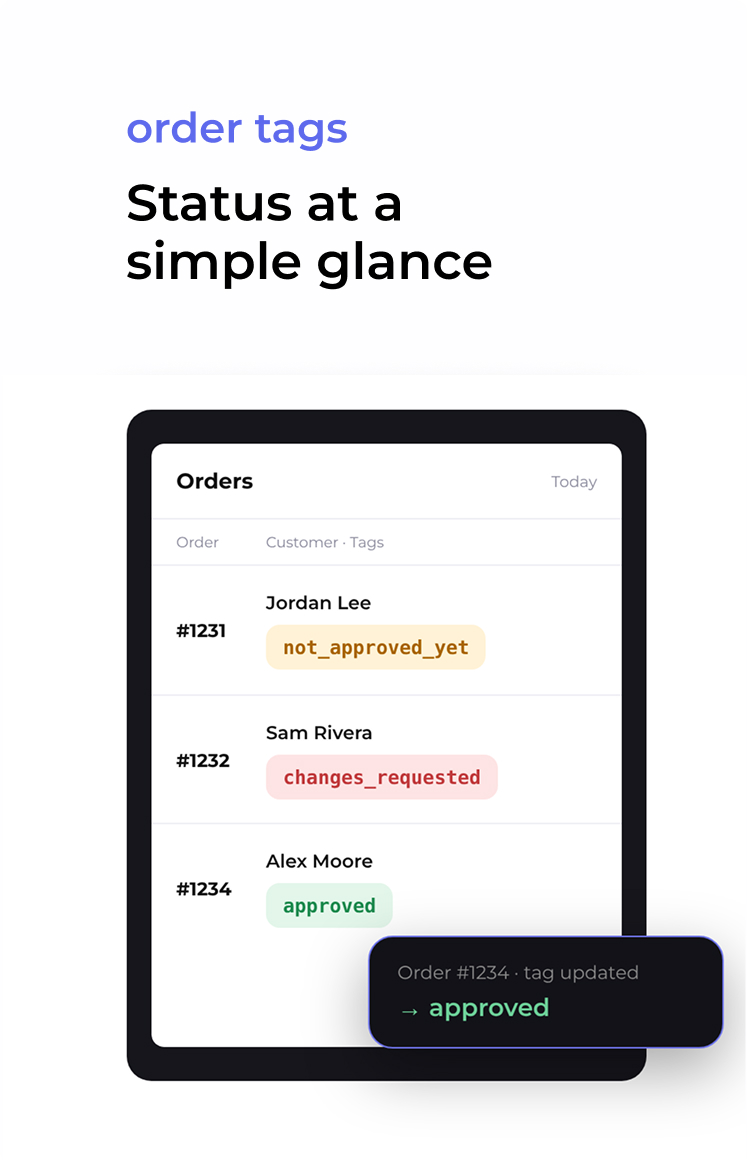
Approval Studio adds custom tags to the order in Shopify, like not_approved_yet or approved, depending on where the project is. You name the tags yourself (up to 40 characters each), so they match how your team talks. One look at the Orders list tells you which designs moved overnight, without opening another app.

Shopify Orders list with rows tagged not_approved_yet, changes_requested, and approved

Version comparison

Confirm the requested change made it in, and nothing else moved

Compare mockup versions in Side by Side, Toggle, Fader, or Difference mode. So when a customer asks for a different font on the name, you can check that the font changed while the spelling, size, and placement stayed exactly the same, and only then send the proof back.

Two design versions compared side by side with four compare mode options

Who uses a proofing app for Shopify?

Print on demand stores

When you sell personalized products at volume, every order is a small design project with its own deadline. Approval Studio creates the project, starts the tasks, and tracks the approval for you, so print-on-demand proofing keeps pace with your sales.

Custom apparel and merch shops

Names, numbers, colors, and print placement are where most reprints come from. Customers mark changes directly on the shirt or hoodie mockup, and you compare versions to make sure the fix landed before the order goes to production.

Sticker, label, and sign shops

Size, cut line, and readability matter as much as the design itself. Share the proof, collect a clear yes on the right version, and keep a record of what the customer approved in case a question comes up after delivery.

Personalized gifts, trophies, and engraving

A typo in an engraved name can’t be easily fixed after the fact. So send the customer a proof that clearly shows the text, collect their custom design approval in one click, and keep every round on record next to the Shopify order.

How to set up the Shopify proof approval integration

Shopify integration setup steps
Watch how it works
Install the app
Find Approval Studio Integration in the Shopify App Store, install it, and log in to your Approval Studio account or start a 14-day free trial.
Configure triggers and tags
Choose which orders create projects, which tasks start automatically, and which tags show up in your Orders list.
Add the File Upload block
Drag the block onto your product page in the theme editor and save the template. Now, when a client places an order, a project will land automatically.

What our customers say

Shopify store Custom sports gift shop

TrophySmack

Approval Studio has been a game changer for us at TrophySmack. We deal with a lot of custom designs, and before this, our proofing process invloved alot of back and forth emails, screenshots, and random apps. Now everything sits in one clean workflow. Creating a project by order number, uploading the design, and sharing proofs straight with the customer is fast and easy. The best part is getting feedback directly on the mockup instead of trying to decode what “move that thing a little to the left” means. It cut miscommunication, saved our design team time, and made the customer experience smoother. If you run a Shopify store with custom or print-on-demand items, this tool just makes life better.

TrophySmack

Shopify Store · Custom Sports Gifts

“The Best Part Is Getting Feedback Directly On The Mockup”

All of the products at Flutterbye Prints are custom designs that require approval from the customer. Approval Studio has been really great for getting a lot of proofs out quickly and it's an easy interface for the customers. Their team has been great to respond to questions I've had and quickly fixed a bug that I found. Like any app it has little quirks I would change, and it can be a little clunky to get everything set up, but overall I would highly recommend.
Flutterbye Prints

Custom print artwork

My shop has been using Approval Studio for a little over 2 years now and it has been a truly wonderful experience. Andrew and team are very attentive to our needs - even if they can be pretty unique at times - and have always been extremely responsive in the very rare instance where we may have an issue. 10/10 would recommend to anyone who needs a no frills high volume proofing solution for customized products on Shopify!

Slapco

Custom stickers and decals

News/ Related articles

View all
Proofing POD designs in Shopify

How to Proof POD Designs in Shopify?

A walkthrough of the Approval Studio Shopify integration, from trigger settings and order tags to a real proofing loop between a designer, a store manager, and a customer.

Read more

Plans to Fit Every Team

Cheaper than missed deadlines and chaotic stressful workflow

LITE

Fast review tool perfect for freelancers and small teams.

$12

per user / month

14-day free trial
Unlimited reviewers & projects
5 users included
5 GB storage space
5 annotation shapes
4 comparison modes
Live chats in review tool
Reporting & project history

MOST POPULAR

PRO

Project management tool for medium and large businesses.

$32

per user / month

14-day free trial after dem
All Lite Package features +
5 users included
5 GB storage space
Email support
User groups
Smart notifications
Adobe CC Integration

PRO XL

More seats, lower price per user. Same tools, bigger team.

$20

per user / month

14-day free trial after demo
All Lite Package features +
15 users included
30 GB storage space
Task management system
User groups
Smart notifications
Adobe CC Integration

FAQs

What is a Shopify proofing app?
It's an app that connects your store to an online proofing tool, so you can send customers a mockup of their custom product, collect feedback on it, and get approval before printing. Approval Studio Integration creates a project for each order, shares the proof through a link, and syncs the approval status back to Shopify as order tags.
How does artwork proof approval work for custom orders?
The store uploads a mockup, the customer reviews it, and either approves it or requests changes, and the cycle repeats until the design is approved. In Approval Studio, each step can start automatically: a rejection creates a new upload task for the designer, and an approval moves the order forward.
Do my customers need an account to approve a proof?
No. Customers open the proof from an email link, leave comments and drawings on the mockup, and approve or reject it without registering or installing anything. Their feedback still goes into the project history next to your team's comments.
Is the Approval Studio Shopify app free?
Yes, the Approval Studio Integration app is free to install for Approval Studio users. To use it, you need an Approval Studio subscription, and you can try it free for 14 days.
Can customers upload their own artwork when they order?
Yes. With the File Upload block on your product page, customers attach a photo, logo, or sketch before checkout, and the file appears in the order's project as a reference document. The block works with Online Store 2.0 themes.
How is Approval Studio different from other online print proofing software?
Most print proofing tools are built for print shops that take orders by email. Approval Studio connects to Shopify directly, so orders turn into projects automatically, and you still get professional review tools on top: annotations, version comparison, approval workflows, and a full history of every proof round.
Can I track proof status without leaving Shopify?
Yes. Approval Studio adds custom tags to your orders based on the project status, and you can also follow progress from the integration menu inside the Shopify admin.
Can I connect the Shopify integration to other tools?
Yes. Combine it with our Zapier integration to route project updates into tools like Notion, or use the REST API to build your own automation around your orders.

Pharma artwork approval that stands up to an audit

Review Shopify custom prints and designs

Collaborate with Shopify clients on your custom design prints and deliver faster with seamless API integration by Approval Studio — best review tool for Shopify print custom products.

Create Projects

Project, in other words, is your order number. Have all the files and customer information attached to it.

Get Feedback

Upload the proof into your order/project via our Approval Studio Shopify plugin to get precise feedback.

Approve or Reject

Have your client approve or request changes for the design with the comments on the mockup.

What are the benefits for Shopify sellers?

Have you ever had a situation when you need your Shopify client to review their custom print or design, but the only way to do is to send it via email? You have to use many separate apps and your Shopify proof management process drags. Approval Studio has a solution — online collaboration tool for Shopify sellers.

Upload Shopify proofs, share, and get feedback via our official plugin.

Your chosen orders are auto-converted into a project in Approval Studio.

All order information (number, customer name, etc.) is transferred to the project.

How does Shopify integration work?

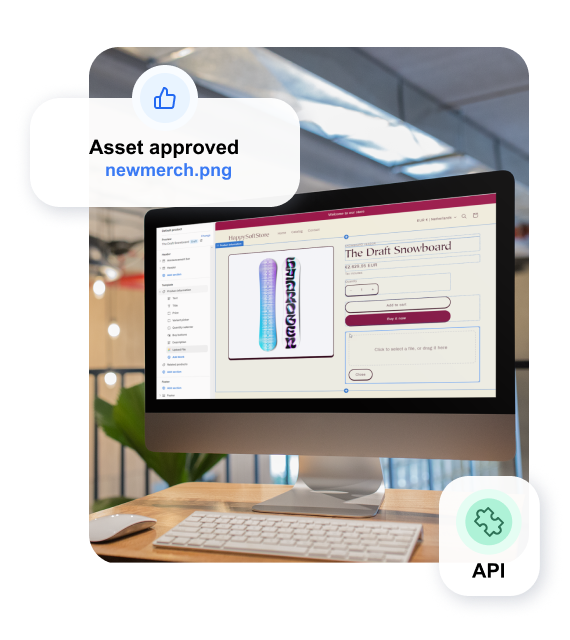
Approval Studio uses its official plugin to connect with Shopify and share the data between the two apps. API-based triggers link your Shopify print store with our online proofing tool and let you use action-based design review workflow to process customer order proofs. The basic upload > review > decision steps can be adjusted. 

Quick Shopify plugin integration for seamless client collaboration.

Trigger-based automation to determine the next project steps.

Access to Approval Studio features directly from your Shopify store.

How do I install the Integration?

Each Shopify POD shop is unique, so we need to set up unique parameters to make your integration with our online review app work. Fill in the form below and we will help you set up your design review workflow to sign off the files, create custom orders, collaborate with clients, and improve your custom order approval process overall!

Free personal demo session for every new tenant.

Email and chat support to help you out on the way.

Constant feedback exchange to improve your experience.

What Our Customers Say

Here’s a couple of reviews from our customers who have optimized their design review process with Approval Studio Shopify Integration

 
alt=""

The all-in-one print review plugin for Shopify

alt=""

Automated and action-based workflow

alt=""

Quick and seamless custom order

processing

alt=""

Order data is auto-transferred to the proof tool

The only Shopify proof app you’ll ever need.