
 TEAM SOLUTIONS
 WORKFLOW SOLUTIONS



 REVIEW TOOL
 PROJECT MANAGEMENT
 TOOLS & INTEGRATIONS
 CLIENT INTERVIEWS




🍂 Autumn Is Here, and So Is a Big New Approval Studio Release!
Hello again! The leaves are falling, the coffee is getting stronger, and the new version of Approval Studio is officially live. 🎉
In our August release notes, I promised you a secret. I said we had added new backend capabilities that weren’t visible to users just yet, and that the next release would be something big. Well, I keep my promises. This release is one of the largest we’ve shipped this year, and, as always, most of it came straight from your requests.
Let’s start with the secret.
🔍 Meet FDA Design Validation (Beta)
If you work with food, dietary supplement, or cosmetics packaging for the US market, you know how much time goes into checking labels against FDA rules. Is the net quantity statement in the right place? Are all the allergens declared? Is the barcode readable, with enough quiet zone around it?
Starting with this release, Approval Studio can help you check all of that directly in the Review Tool.
Open your packaging artwork, switch to FDA Design Validation, and Approval Studio will check the design against US FDA labelling rules: 65 checks across food (including dietary supplements), cosmetics, and barcodes. Every result is shown as Pass, Fail, Warning, or Manual review, and you can click a result to jump straight to the area of the artwork it refers to. The detected zones are highlighted on the canvas, and you can even change their color to make them easier to see on your design.
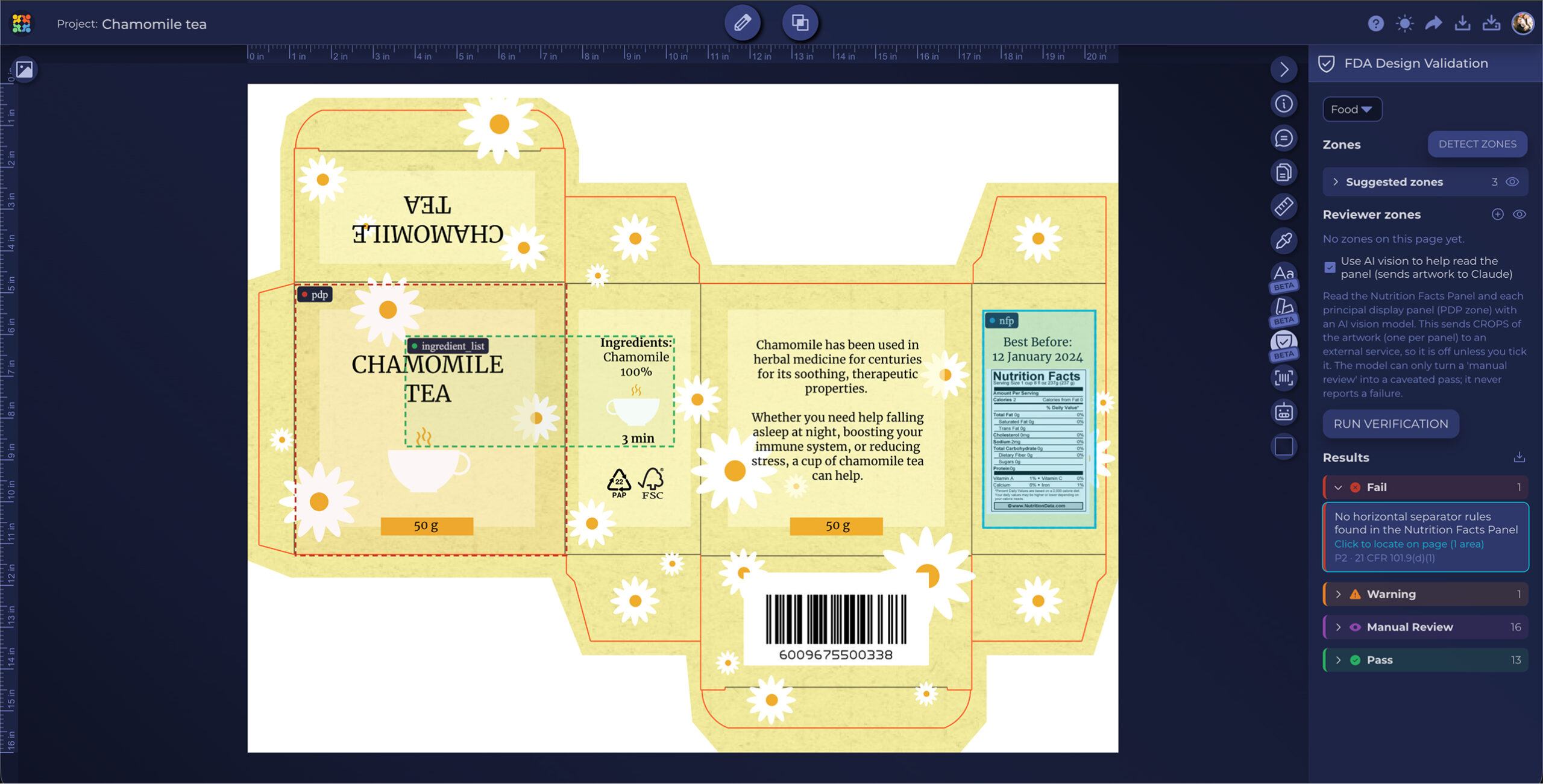
A few details we’re especially proud of:
- It knows its limits. If a page isn’t covered by US FDA rules, you’ll see one clear “Out of US FDA scope” row instead of dozens of unhelpful results.
- You’re in control. Started a check and noticed the zone was detected incorrectly? Just cancel it. No more waiting for the process to finish.
- A report you can share. The results are saved as a report and recorded in the project timeline.
FDA Design Validation is currently in Beta and is switched on per company. Want to try it on your own artwork? Contact our support team, and we’ll turn it on for you. And please tell us what you find: every edge case you send us makes the checks smarter.
🔤 Select, Copy and Search the Text of Your PDFs
Here’s one you’ve been asking about for a long time.
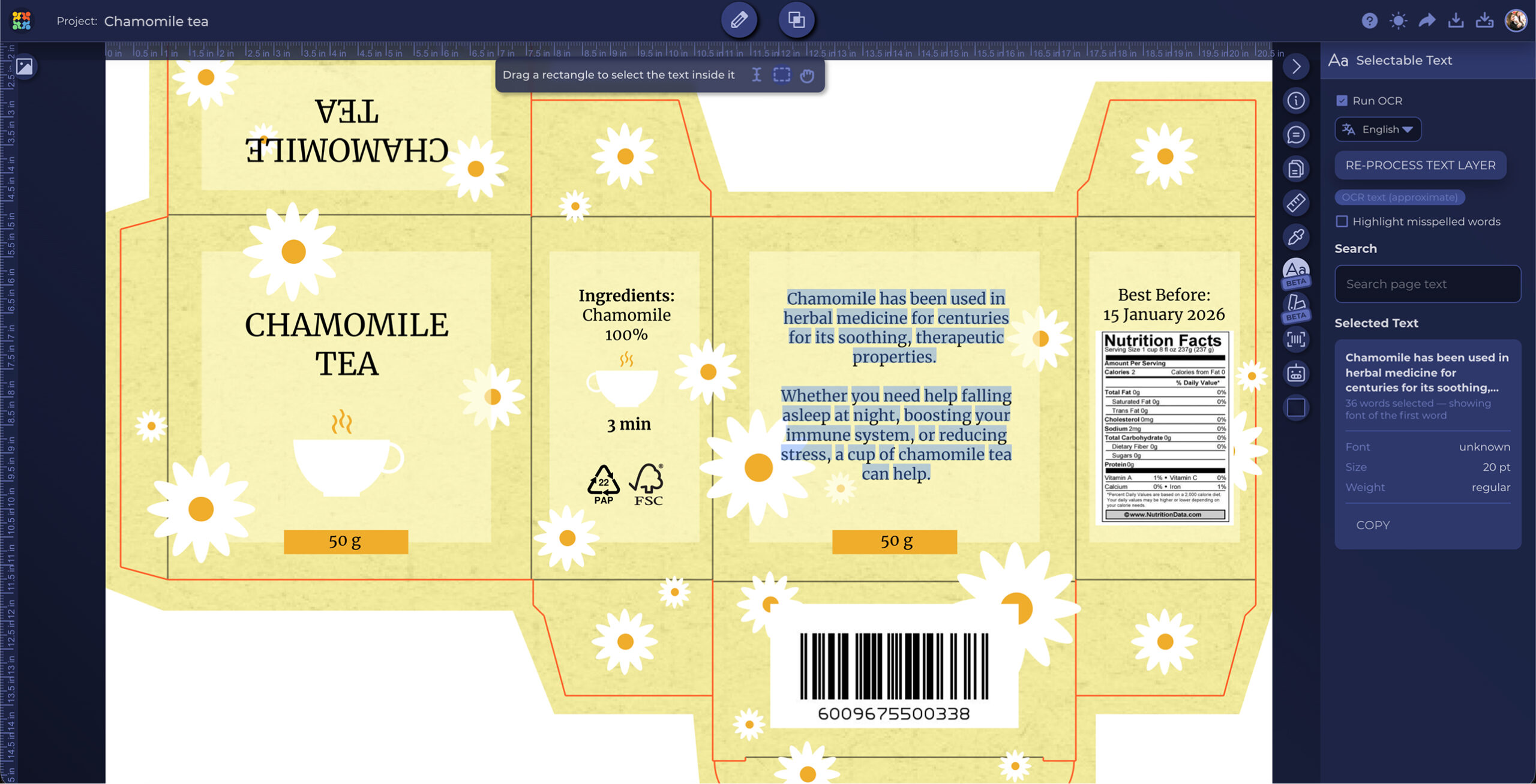
In the Review Tool, files are shown as images, so until now you couldn’t select the text on them. Not anymore. With the new selectable text mode, you can select, copy, and search the text of your PDF artwork right inside the review session, and see font information for the selected text.
Need to copy an ingredient list into an email, check the exact spelling of a claim, or find every mention of a product name? It’s now as simple as Select & Copy.
✍️ Introducing the Signed Copy
Approval is only half the story. Often you also need proof of it.
That’s why “Download with approvers” has grown up and got a new name: Signed Copy. From the Review Tool, you can download a copy of your PDF with an approval table added to it: who reviewed the file, what they decided, and when. The table now includes the Approved with changes decision as well.
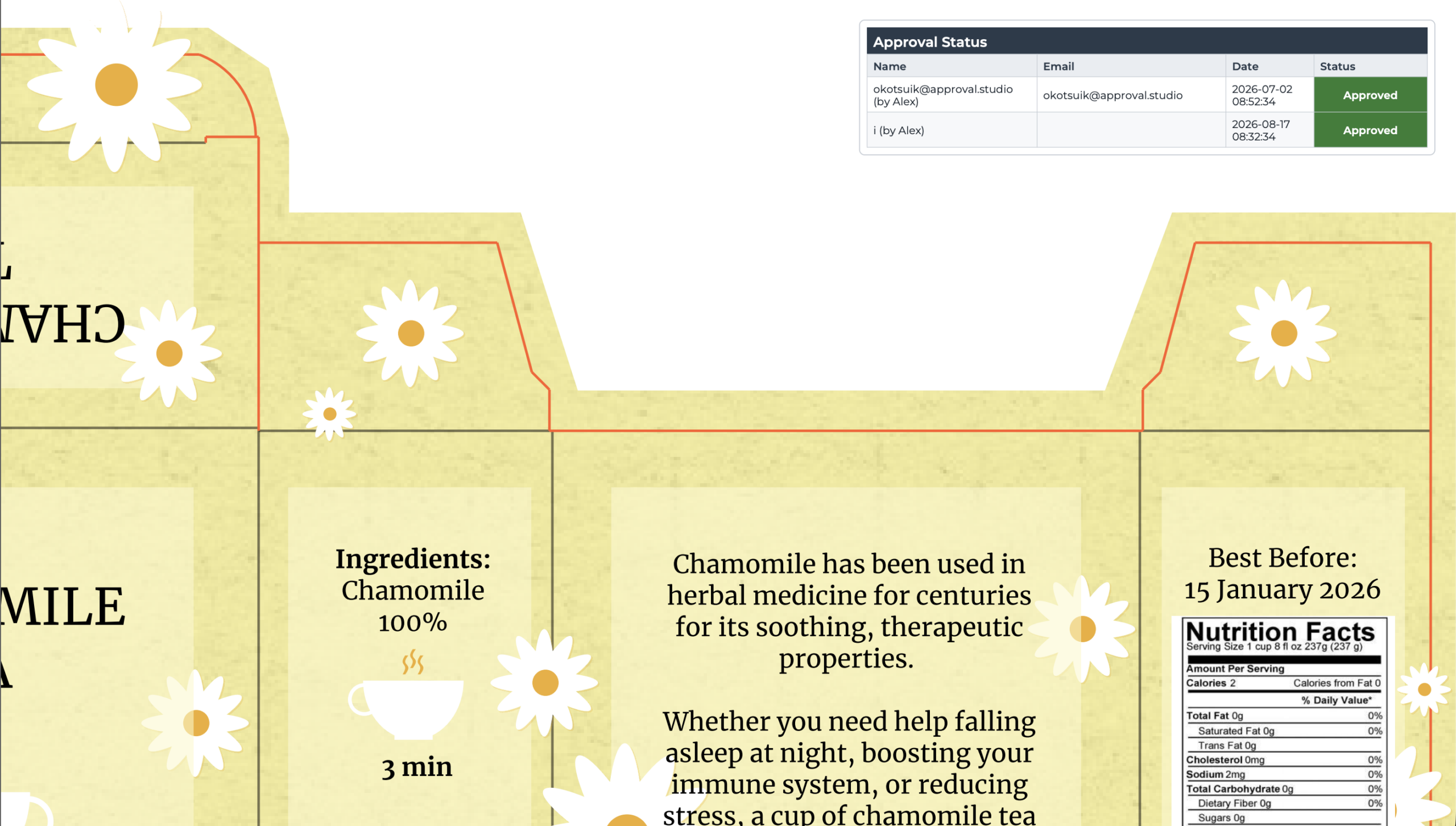
And because a signature means more with a title next to it, user accounts now have an optional Job Title field. Add it under Settings → Company Management → Users and Groups, and it will appear next to the reviewer’s name in the Signed Copy.
One more thing: when you download a whole project from the project pop-up, the archive now includes the Signed Copies of your PDF files too.
📤 Ask External Users for a New File Version
Working with external designers or agencies? This one is for you.
You can now create a new task: New Asset Version Upload. Ask an external user to upload a new version of a file, and they’ll receive an email with an Upload File button. They’ll see the requested changes in the review session available through the upload portal, so they know exactly what to fix.
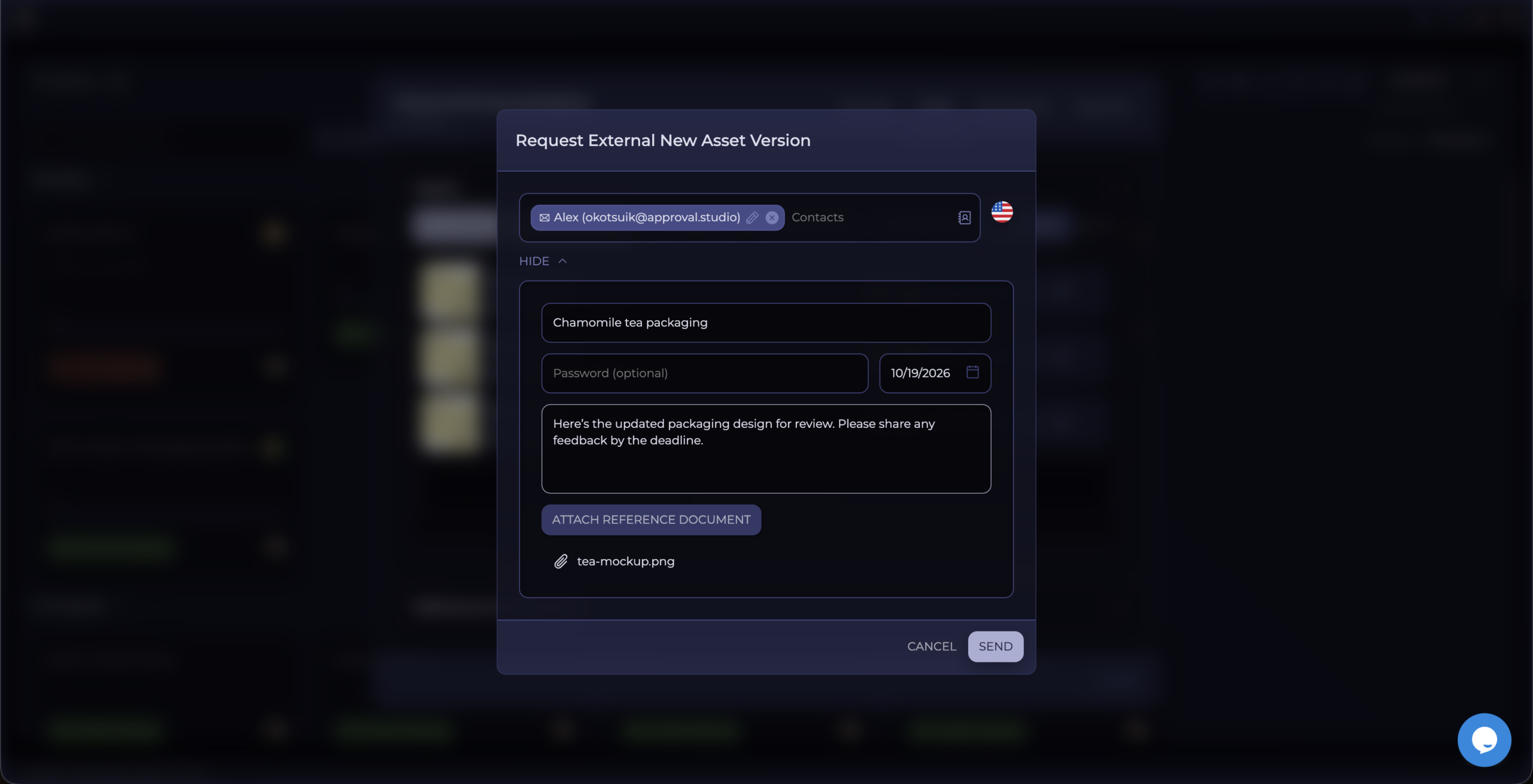
As always, the email is fully customizable. You’ll find the new template under Settings → Company Management → Notifications → Customer External Notifications → New Asset Version Request. Use our generic template or create your own.
📎 Reference Documents, Wherever You Need Them
Reference Documents keep getting better, release after release.
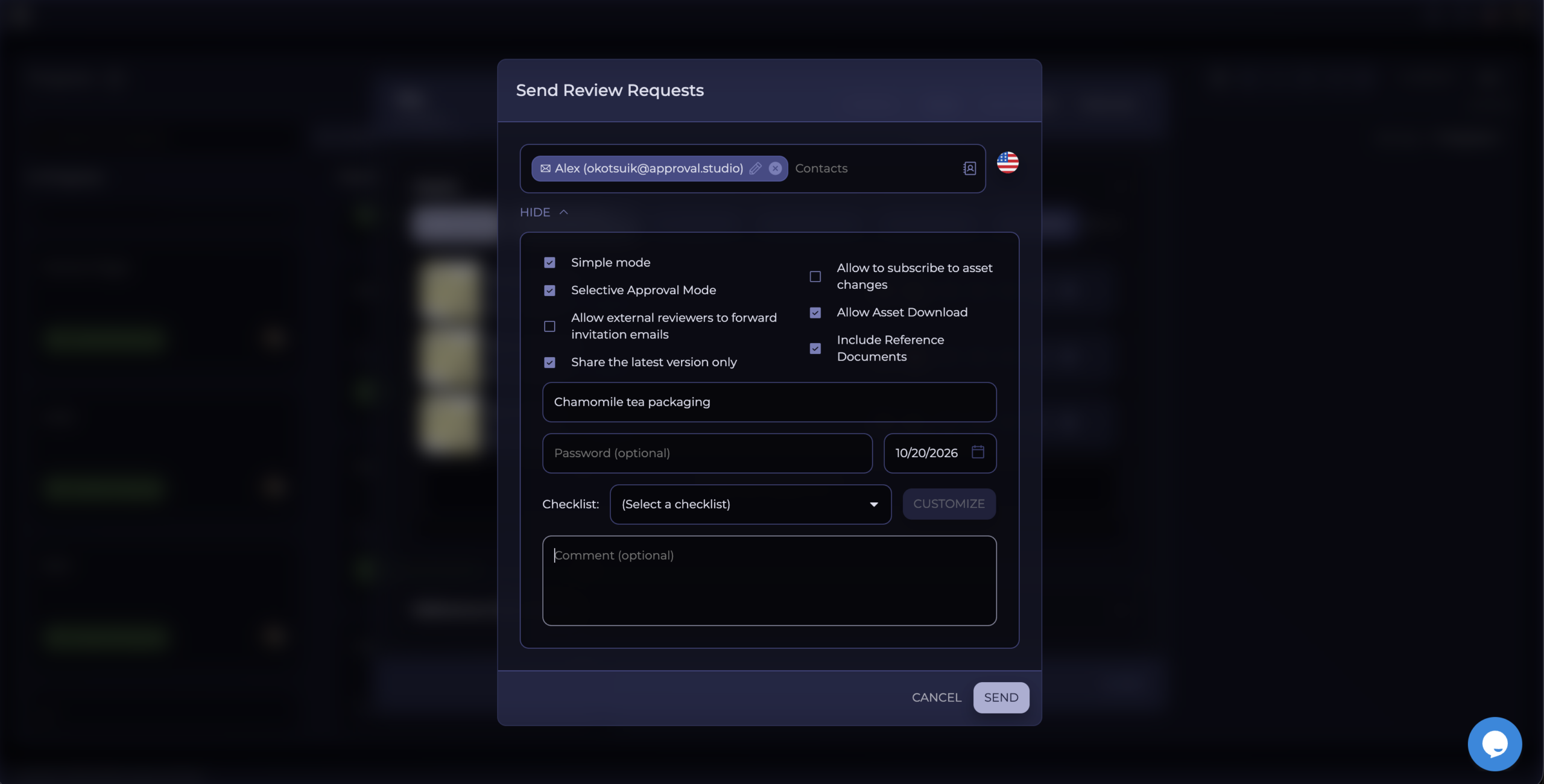
- External upload requests: tick the new “Share reference documents” checkbox when you ask an external user to upload a file. They’ll be able to download your brief, guidelines or technical notes right on the upload page.
- Workflow Automation: the “Create External Upload Asset Task” and “Internal Upload Asset Request” workflow steps can now include reference documents too, so the assignee has everything they need in the task card.
🔔 A Clearer Notifications Page
We’ve redesigned your personal notification settings. Until now, the settings for new events and for pending reminders were mixed together, and it wasn’t always clear which was which.
Now, under Settings → Personal → Notifications, you’ll find two clear groups:
- New Events Notifications: uploads, new reference documents, review requests, new versions, comments, approvals and rejections, mentions and role assignments.
- Pending Activity Digest: a summary of what is still waiting for you.
Set it up once, and get exactly the emails you want.
🌐 Live Website Review Keeps Growing
Thank you to everyone who tried Live Website Review after the August launch and sent us feedback. Here’s what’s new:
- You can now move and resize the figures of your annotations on a website.
- Annotations drawn in one browser now show up correctly in all others.
- The Eyedropper works on websites, and Selective Approval Mode now supports website reviews.
- Plus a long list of smaller fixes.
The feature is still in early beta, so please keep the reports coming!
🛠️ Plus the Usual Improvements…
As always, this release also includes plenty of smaller improvements and fixes:
- Quick Links: the link field is back, so you can see exactly which link you’ve copied before you paste it into an email.
- Friendlier error messages: when something goes wrong with AI features, you’ll now see a clear explanation instead of a technical error.
- Redesigned rejection page for invitations.
- Timeline: clearer records for annotations, review results and approved websites.
- Lite plan: fixes for checklists and approve/reject in the Review Tool.
- Selective Approval Mode: fixes for Lite companies and for short links.
- Faster saving of user profiles, sharper previews in the Review Tool, and many more bug fixes.
🧩 New Integrations
In August, we told you that more integrations were on the way. Here they are:
- Microsoft Teams: get Approval Studio notifications right in your Teams channels.
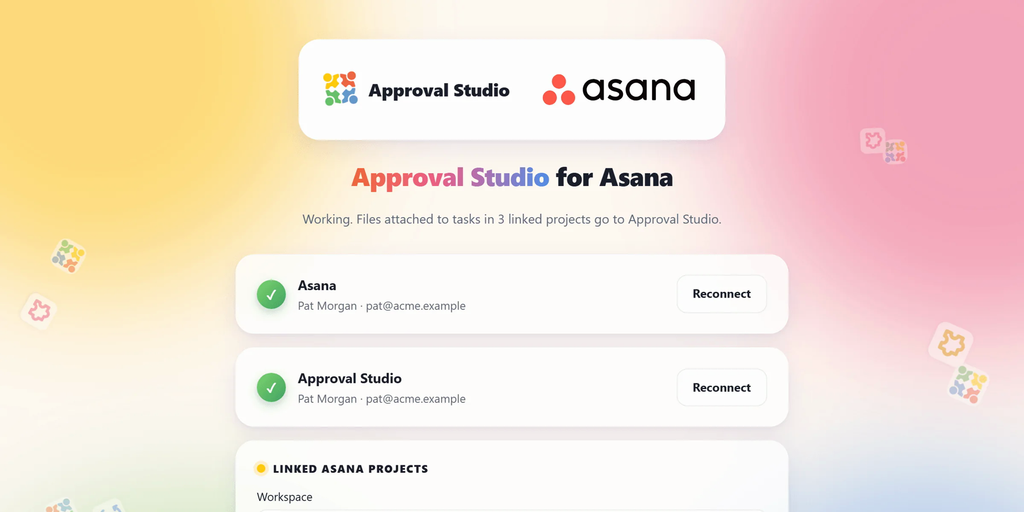
- Asana: connect Asana and Approval Studio at connect.approval.studio, and files attached to your Asana tasks go to Approval Studio for review automatically. Review decisions and comments come back to the task, and the task is ticked off when everything is approved. No installation needed.
🤫 What’s Next?
You know the tradition by now: here’s a small hint. Many of you have asked to open Approval Studio under your own company’s domain. We’re working on it. 😉
❤️ Thank You
As always, a huge thank you to everyone who shares ideas, reports bugs and tells us how you use Approval Studio. Almost every feature in this release started with a message from one of you.
So please, don’t be a stranger. Tell us what you’d like to improve, simplify or automate. Your idea might become part of the next release. 💡
Stay creative,
The Approval Studio Team 🎉
