TEAM SOLUTIONS
 WORKFLOW SOLUTIONS



 REVIEW TOOL
 PROJECT MANAGEMENT
 TOOLS & INTEGRATIONS
 CLIENT INTERVIEWS




Post is also avalible in:


Last updated: June 2026
artwork approval space has lately been flooded with AI talk. I’ve noticed this in the way vendors are announcing all this new AI for design approval process, writing blog posts about intelligent automation, and updating their landing pages with new badges.
So, be it a designer, a creative ops manager, or a brand team lead, if you work in artwork approval software, you’ve probably noticed the noise.
Does AI Harm Creative Industry?
First, I’d like to address the elephant in the room, which is how AI is perceived among creative professionals. Because, to put it short, it’s not quite welcome in the sphere.
This usually concerns generative AI that steals artists’ bread and butter, and I share the hostile sentiment here. However, that is not the side of AI I’ll be introducing in this article. This one is about how creative teams can use AI for artwork approval automation.
76%
of SBMs reported a significant performance shift after adopting AI into their workflow.
Source: Access Partnership, 2025— link↗
There are AI features in proofing tools today designed to help with repetitive, non-creative tasks. And while some of them are genuinely useful, there’s a wide gap between what’s being marketed and what teams actually experience when they sit down to use these tools. This piece is about that gap: what AI features exist right now, what they actually do, what they can’t do, and what teams should realistically expect.
What Can AI Do In Proofing Software Today
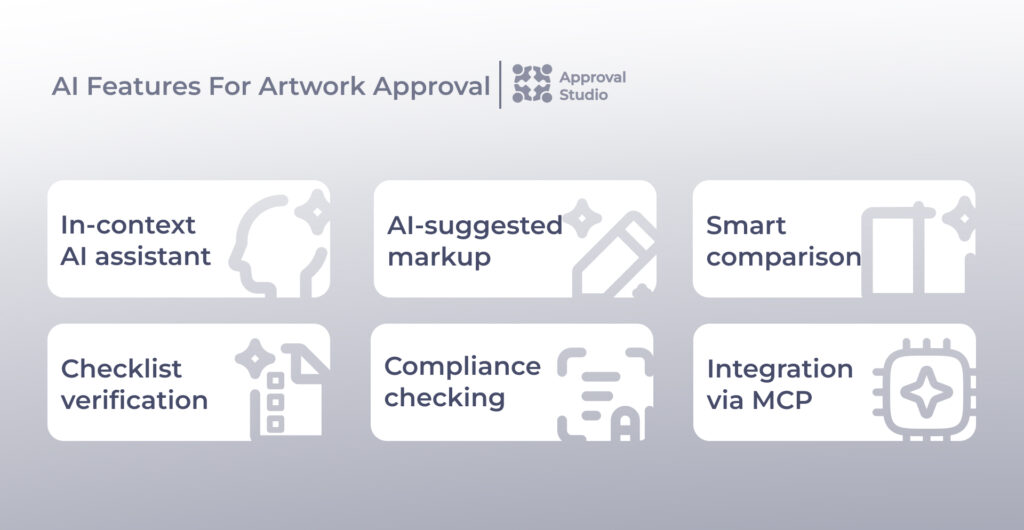
I’d like to start with establishing a clear inventory of what we’ve got on our table. As of mid-2026, the categories of AI functionality that exist in production proofing tools include AI chatbots, mark-up suggestions, smart comparison, checklist verification, compliance alignment, and MCP servers.
In-context AI assistant
Almost every online proofing tool now includes an AI chat assistant that lives inside the review interface itself. At Approval Studio, our AI assistant lets reviewers proofread copy, paraphrase feedback, or ask questions directly within the review tool, without switching to a separate tab or application.
The value here is reducing context-switching during artwork review. It’s a small feature, but it helps streamline approval workflow and is also available to a much broader range of teams.
AI-suggested markup
Another thing AI in proofing can do is analyze your asset, be it an image, a PDF, or web proofs. To put it more clearly, machine learning models highlight spelling errors, find visual inconsistencies or layout issues, and spot accessibility violations.
For example, PageProof has adopted this feature, calling it AI-suggested markup. What it does is simply give you a quick summary of automated artwork review with the issues listed for your prompt reaction.
Smart comparison
Continuing with PageProof, their Smart Compare adds an AI layer to version comparison. It reads underlying file data to flag things the human eye could miss: font substitutions between versions, color profile shifts, linked asset swaps, and dimension changes.
This is a different category of problem from AI-suggested markup. Rather than graphic design issues, Smart Compare helps catch unintended changes during revision cycles.
Checklist verification
The most substantial AI feature recently is automated checklist verification. Basically, the workflow behind it looks like this: you define a set of review criteria (logo minimum size, required legal copy, specific color values), attach that checklist to a proof, and the AI runs a pass/fail check against each item. Reviewers then confirm or override the results rather than doing the first-pass review manually.
Ziflow’s ReviewAI for Checklists is one example of such implementation. However, as of mid-2026, it works only on static assets and PDFs up to 10 pages. Video, audio, and interactive files are not supported. It’s also limited to enterprise plan customers and behind an early access gate.
Compliance checking
Such a tool as ArtworkFlow’s ComplyAI goes further in a specific direction: automated label compliance against regulatory frameworks, including FDA and EU standards, scanning for allergen statements, nutritional claims, and similar content. It simply keeps an eye on all that stuff that makes you reprint the whole batch once one word is missing.
Such a feature is especially meaningful for pharma and CPG teams. The drawback is that it’s a premium add-on, which puts it firmly in enterprise territory. However, Approval Studio’s AI-based compliance reports are available starting from PRO.
AI agent integration via MCP
And the most forward-looking development in this space is the ability to connect proofing tools directly to AI models such as Claude or ChatGPT via the Model Context Protocol (MCP).
Approval Studio’s native MCP server lets users wire the platform into AI agents and automation tools like n8n or Make, turning natural language commands into real platform actions. While it may sound complicated at first, this feature lets you plug your favorite AI tool from within directly into the artwork approval platform of your choice.
This is early technology and requires technical setup, but it points toward a future where AI operates the tool on your behalf.
Use Claude.ai in your approval process?

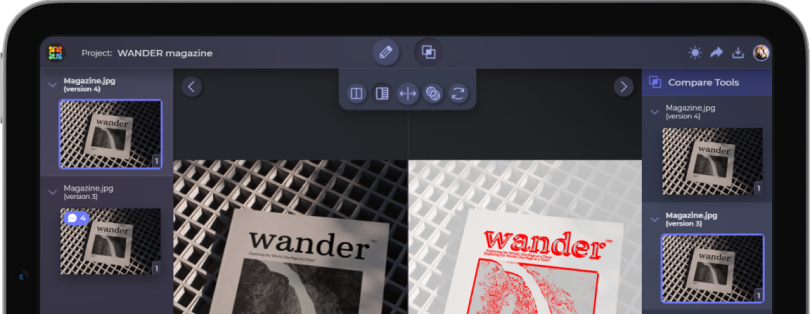
Have it built in alongside your projects and within one platform with Approval Studio!
Start a Free TrialWhat AI In Online Proofing Tools Does Well
Now, with that inventory in mind, we’re going to look at where AI currently earns its place in a proofing workflow.
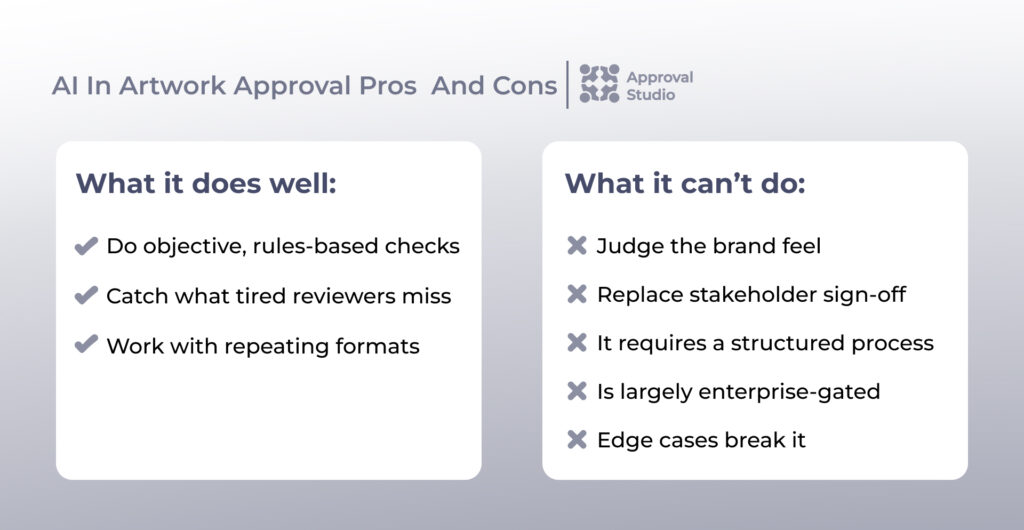
Objective, rules-based checks
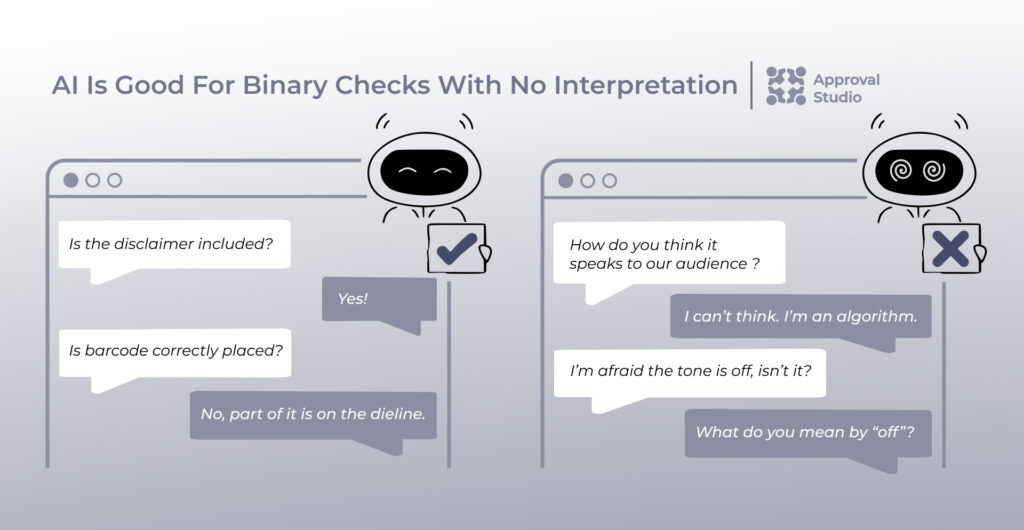
What we know for sure is that AI is most reliable when there’s a clear right answer:
“Is the barcode present?”
“Is the required disclaimer included?”
“Is the logo above the minimum size threshold?”
These questions are binary checks that require a yes/no answer with no interpretation. AI handles them consistently and at scale.
To make the contrast more prominent, here is how subjective judgment sounds:
“Does this feel premium?”
“Is the tone right?”
“Does this communicate clearly to our audience?”
These types of questions are confusing for AI and still need humans, as they probably always will. The consensus is that a mindless machine can’t think on its own. Artificial intelligence is indeed artificial because it’s trained to recognize patterns, fetch information, and follow if-then sequences.
Catching what tired reviewers miss
One thing AI does better than we is that it never gets tired (unless your subscription is not expensive enough to exclude time limitations).
A reviewer on their 35th proof of the week is a different reviewer than the one who started on proof number one. It’s only natural then that attention starts to drift. AI, however, doesn’t experience that kind of fatigue, which makes it a useful backstop for high-volume review cycles where consistency matters.
First-pass triage on repeating formats
If your team produces the same template at scale, be it product label variations, localised ad versions, or packaging across a product range, AI automation has your back. This actually tracks back to when we discussed that AI works best with clear instructions. The more standardised the output, the more value you get from automated checks against a fixed set of criteria.
For teams managing a structured review and approval process with high asset volume, this is where AI investment makes the most sense right now.
What AI In Proofing Can’t Do
This section is where the justice police steps in and sheds light on how AI flops in the artwork approval process. While AI is quite useful in the aspects we’ve mentioned above, some are better left to humans.
It can’t judge the brand feel
AI can check whether a logo meets minimum size requirements, for sure. But it can’t tell you whether the overall composition feels right for the brand, whether the photography direction is consistent with the brand’s personality, or whether the tone of voice in a headline is on-brand for this particular market. These usually require human judgment grounded in context that AI doesn’t have. Except when you don’t mind a logo that looks exactly like the 200 others that were made by AI today.
Unless you’ve invested significant time training a model on your specific brand standards (not just a checklist of rules, but the nuance behind them), AI brand approval produces a lot of false confidence. So, once again, a human does these things more efficiently and without a constant need to double-check.
It can’t replace stakeholder sign-off
Legal, regulatory, the creative director, and the client are accountable for what goes out the door, and no AI feature changes that. Human reviewers have to confirm or override every AI decision, and AI never replaces final approval. We at Approval Studio believe that’s the right approach, and it’s worth internalising that AI is a first-pass tool, not a decision-maker.
It requires your design approval process to be already structured
This is the one teams learn the hardest way. Previously, we’ve established that AI needs well-defined inputs to produce useful outputs.
Considering this, if your checklists are vague, your brand guidelines are informal, or your review criteria change week to week, implementing AI in your online proofing tool won’t clean that up and will just automate the inconsistency.
It’s largely enterprise-gated
The features that do the most, like automated checklist verification and AI compliance scanning, are typically on the highest pricing tiers or behind early access programs.
For smaller teams and agencies, the accessible AI features are more modest: a chat assistant or smarter comparison. I mean, that’s still useful, but it’s not the same as what the headlines suggest is broadly available.
Edge cases and creative exceptions break it
Obviously, rules-based AI fails at the edges. That can be seen in how a layout that’s legally compliant but structurally unusual fails a checklist designed for standard templates. Or a localized version with intentional copy differences gets flagged as inconsistent.
It all comes down to the fact that every AI system needs human oversight precisely because the real world produces situations the rules weren’t written for.

What Artwork Approval Teams Should Expect From AI
With all said and done, what would a real picture look like for your personal team? Let’s see how teams can benefit from AI in artwork approval, based on their format.
If you run high-volume, rules-based approvals
Packaging teams, CPG brands, pharma, and teams producing large numbers of localized ad variants are where AI investment makes sense today. Your team’s performance improves drastically with checklist automation and compliance scanning with clear ROI.
Once you structure your artwork review process, your team will abolish the deadweight of running the same review criteria across hundreds of assets.
If you run complex creative reviews
Multiple stakeholders, subjective feedback, and bespoke creative work are where AI assists but doesn’t transform the process. The review process improvement itself comes from structure first: clear workflows, defined roles, and version discipline. Here, a well-configured artwork approval software matters more than AI review features. Consequently, the AI layer only adds value once the foundation is solid.
If you’re a smaller agency or team
I’d recommend skipping the enterprise AI features for now. What’s important for you is focusing on a proofing tool that handles your actual approval workflow well and has a sensible path to adopting AI as the features mature.
When you’re only growing, an AI assistant built into your review tool is worth using. However, a $1,500/month compliance add-on probably isn’t.
Where Approval Studio Stands On AI
As a member of Approval Studio’s team, I state that our view is quite straightforward: AI should make reviewers faster and more consistent at the things AI is reliably good at. Although it shouldn’t be marketed as something it isn’t. We see it as a tool, not as a decision-maker.
What’s available now in Approval Studio is an AI assistant built directly into the review tool, AI-reporter tool, ABC reports, and a native MCP server that lets you connect the platform to AI agents and artwork approval automation tools. These are practical features that work within real team workflows today, without an enterprise contract or a waitlist.
Final Thoughts
Taking into account everything that’s been said today, the AI tools in artwork approval are most useful when your review process is already defined, your volume is high enough to benefit from automation, and your expectations are calibrated to what rules-based systems actually do.
The teams getting real value from it right now are the ones who’ve stopped viewing it as a transformation and started treating it as a tool.
At the end of the day, only you know best what your review process needs. And when you think of that, you can match the tool to that need and avoid paying for enterprise AI features you’re not ready to use.
Good luck out there!