TEAM SOLUTIONS
 WORKFLOW SOLUTIONS



 REVIEW TOOL
 PROJECT MANAGEMENT
 TOOLS & INTEGRATIONS
 CLIENT INTERVIEWS




Post is also avalible in:


Last updated: July 2026
So you’ve sent a design over email, and the client says that it looks good, but… And that’s the moment you get an ambiguous list of change requests that may also contradict one another. Oh, the time and mental effort it takes to get it all straight… You find yourself trying to make sense of all the email threads, burning the candle at both ends, just to find out a week later the “approved” version wasn’t even the one that got printed.
In case you relate to the situation above on any level, I recommend you stay here and hear me out on what client approval software is and how it can help keep especially difficult clients at bay. With no further ado, let’s get down to it.
What Is Client Approval Software?
Note that this is a bit different from design review tools in general, which I’ve covered in a separate guide. That article looks at the whole proofing process, mostly from your team’s side of the table. This one zooms in on the part that decides whether a project actually ships: the client approval itself.
And that distinction matters more than it sounds. Your team might be perfectly happy reviewing work in Slack threads. Clients, though, are a different story. They’re not in your tools every day; they don’t know your internal shorthand, and most of them just want to glance at something on their phone and say “yes, it’ll do” without any fuss.
So a good client approval tool needs to be just as easy for an outsider to use as it is powerful for you behind the scenes. That’s really the whole challenge in one sentence.
Why Email Isn’t Doing It Anymore (And Has Never)
I think most of us can agree that email was never built for visual feedback. While yes, it’s great for sending a file, it’s terrible at everything that happens after.
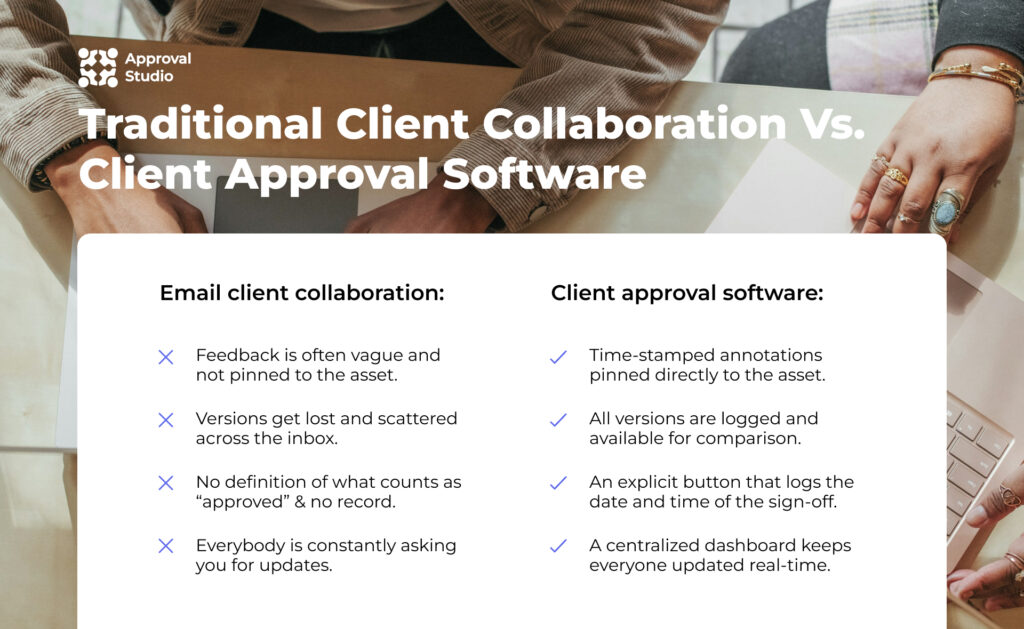
And by that, I mean:
- Feedback gets vague: the phrase “Can you fix the logo?” doesn’t tell you exactly what’s wrong with the logo in question. However, a comment pinned to the exact spot, using annotation tools, does.
- Versions get lost: email threads pile up fast, so you have to scroll back to message 67 to find the file the client was referring to. That’s the thorn in your side that automated version comparison solves on its own.
- Approvals lack definition: in all honesty, a reply that says “looks fine” isn’t a sign-off you can point to later if the client changes their mind. When you have a formal, documented approval, though, they can’t take it back that easily.
- Nobody knows what’s pending: without an organized dashboard and task tracking, you or your team end up wondering what stage of the project you’re on more often than actually working.
2
business days less (5 to 3) it took printing company Modernistic to get client sign-off after switching to a dedicated approval tool, cutting proof iterations by half along the way.
Source: How to streamline your creative review and approval process, 2026 link↗
If any of that rings a bell or causes severe flashbacks, it’s time to outgrow your inbox and switch to the tool built specifically for the circumstances you’re working in. And to provide further support to my statement, we’ll now look into the key client collaboration software features.
The Core Client Approval Features
You can find plenty of tools that call themselves client approval software, but not all of them solve the problem the same way. So here’s what I’d put on a shortlist, plus how each one earns its spot:
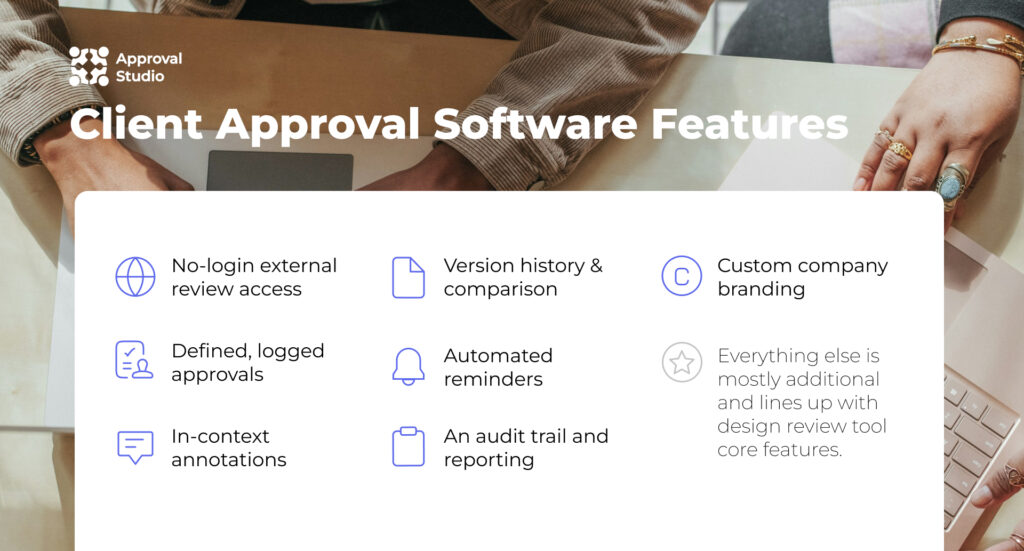
- No-login external review access, so clients open the link instead of replying to the email
- Clear “approve” or “request changes” actions that log the date and time
- In-context annotations that let clients click on the exact spot they mean
- Version history and comparison for answering “which one did we approve?”
- Automated reminders that chase clients so you don’t have to
- Audit trail and reporting for when a disagreement comes up
- Custom branding that makes the review page feel like part of your service
A few of these line up with what I covered in the design review guide, and that’s no coincidence. Good client-facing approval and good internal review both lean on the same backbone: one clear version, one place for comments, one trail of who decided what.

Client Collaboration vs. Creative Collaboration
I’d say it’s also worth pausing here on a mix-up I see a lot. People often use “creative collaboration” and “client collaboration” as if they’re the same thing. However, they cover two different parts of the process.
Creative collaboration is everything that happens inside your team before a client ever sees the work. Designers, copywriters, and project managers go back and forth, sharing drafts, leaving internal notes, and aligning on direction. It’s sometimes messy by nature, and that’s fine, because nobody outside the team is watching.
Client collaboration is what happens the moment that work leaves the team space. It’s the part where an outsider, who didn’t sit in on any of your internal discussions, needs to understand the work fast, react to it, and give you a clear answer. The tone shifts from “let’s figure this out together” to “here’s what we need from you, and here’s how to give it to us”.
The two aren’t in competition. A strong creative collaboration process is usually what produces a polished draft worth sending out in the first place. But if your client collaboration step is still stuck in email while your internal team has moved on to a specialized tool, that’s usually where projects lose momentum. However, some platforms end up handling them both.
How the Client Approval Software Compares
Tools that offer client proofing are plenty, with each having its own set of features and target audience. I’ve gathered a quick overview of what the market has to offer for different sets of requests in client approval:
| Tool | Best for | Standout feature | Free plan |
|---|---|---|---|
| Approval Studio | Teams, freelancers, and agencies that send out work to many different clients | Unlimited reviewers, who can share links (optional) with their colleagues, and a rich review tool | Yes (ExpressReview) |
| TryApprove | Freelancers and small-to-mid agencies without multi-stage workflows | Sends out a review portal link to the client automatically upon creating a project | Yes |
| Pastel | UX/UI & Web teams that review staging environments and live web content | Reviewers annotate directly in the live browser context | Yes |
| Frame.io | Agencies and post-production teams that work with video content | Time-stamped, frame-accurate comments and Adobe Premiere Pro integration | Yes |
| Planable | Agencies that work with social media and campaign content | No-login external review links for clients and an approval workflow content calendar | No (50 free posts) |
It’s worth noting that this list isn’t a ranking of any kind. The right pick for you specifically depends entirely on what you send your clients and how often, which brings us to the next part.
How to Choose the Right Approval Tool for Your Clients
Even an objectively good tool can flop if you don’t choose it carefully. So if you’re aiming for success, analyze your usual client relationships and outline a set of requirements you’d expect from a perfect client approval tool.
To help you facilitate this process, here are questions I find useful in understanding what you need:
“How tech-comfortable are your clients?”
If most of them are marketing managers who use five different platforms a day, a no-login link matters more than any fancy feature could ever. However, if they’re already comfortable with creative tools, you have a bit more room to play with.
“What kind of work are you sending over?”
Static design, video, packaging, and website proofing each need slightly different review tools. A platform built mainly for video annotation, like Frame.io, for example, won’t be a good choice for packaging proofs that need barcode checks.
“How many clients are you working with?”
Perhaps one or two clients can get by with almost anything. However, a dozen accounts across different industries call for a tool that scales without turning into a per-seat pricing headache. Or, you can find software that offers unlimited external client access.
“Does it fit into how you already work?”
If the approval tool lives completely outside your existing workflow, it won’t be a real step forward. So look for API, MCP servers, or integrations with whatever you already use to manage files and projects.
Finally, just like with digital review tools, the best way to find out whether it won’t flop is to run a test project. This is especially useful with the software that offers free plans or a free trial with no credit card required.


Client Collaboration Best Practices
Let’s say you’ve picked the tool, and I congratulate you on that, but won’t let you go just yet. Not before you let me advise on how to make your experience with the newly adopted software even smoother and have your clients actually use the review tool:
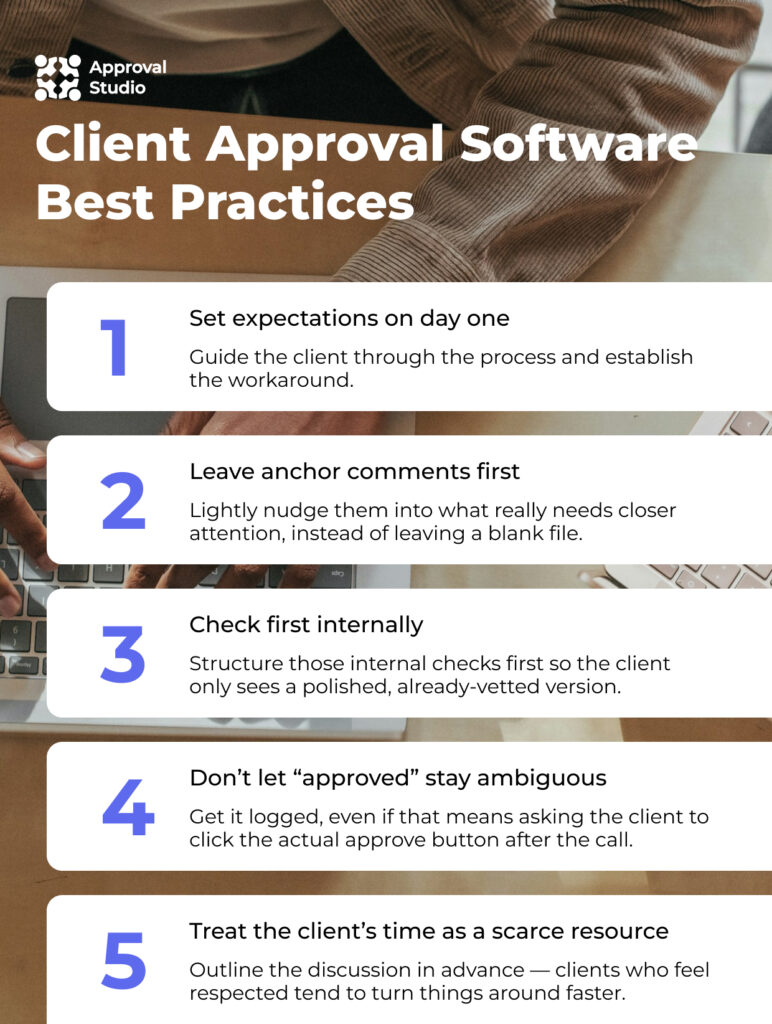
Set expectations on day one. Tell new clients upfront how the review works, where feedback goes, and what an “approval” actually means on your end. Sometimes, even a one-line note in your kickoff email saves a dozen confused replies and headaches later.
Leave anchor comments first. If you want feedback on specific things, like a tagline or a color choice, leave your own comment there first. Give them a nudge in the direction of what really needs closer attention, instead of leaving them facing a blank file.
Check first internally. If you work in a regulated industry like pharma or packaging, structure those internal checks first so the client only sees a polished, already-vetted version.
Don’t let “approved” stay ambiguous. A verbal “looks good” on a call isn’t an approval you can point back to. Get it logged, even if that just means asking the client to click the actual approve button after the call.
Treat the client’s time as a scarce resource. See, clients who feel respected tend to turn things around faster. So bundle related questions into one round of feedback instead of pinging them five separate times in one afternoon, and be merry.
This works the same whether you’re running branding projects, packaging design, or marketing and advertising campaigns. The asset changes, but the habits that keep clients engaged instead of annoyed stay pretty much the same.
Where Approval Studio Fits In
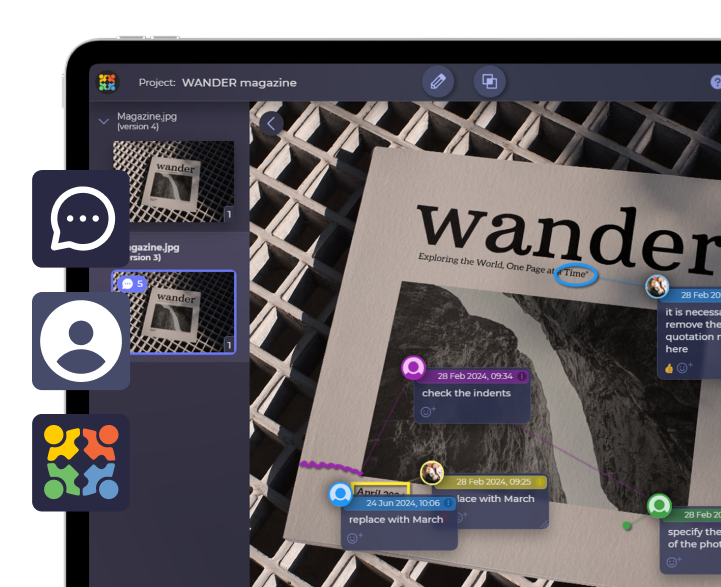
If clients are the part of your workflow that’s giving you the most trouble, Approval Studio’s client collaboration tools were built with exactly that in mind. Here, clients open a link from their inbox, no account needed, and can upload reference files, annotate the asset, or approve the final artwork right there.
A few things worth highlighting:
- Clients never need to register, so there’s no barrier between sending the link and getting a response. Besides, the number of external reviewers is unlimited, so you don’t have to worry about extra fees.
- Every comment, version, and approval is logged automatically, so you always have a record if anyone needs to double-check what was agreed. Apart from PDF reports, our analytics system includes a personal AI Reporter and a briefing Chrome extension.
- The review page and email notifications can carry your own branding, so the client experience feels like an extension of your studio, not a separate platform they’ve never heard of.
- Customizable daily reminders keep things moving without you needing to personally nudge each client at every stage of the approval process.
- Approval Studio fits smoothly into your current workflow with various integrations, such as Adobe CC, Zapier, Shopify, Slack, with both REST and GraphQL API. As a cherry on top, we also offer our native MCP server.
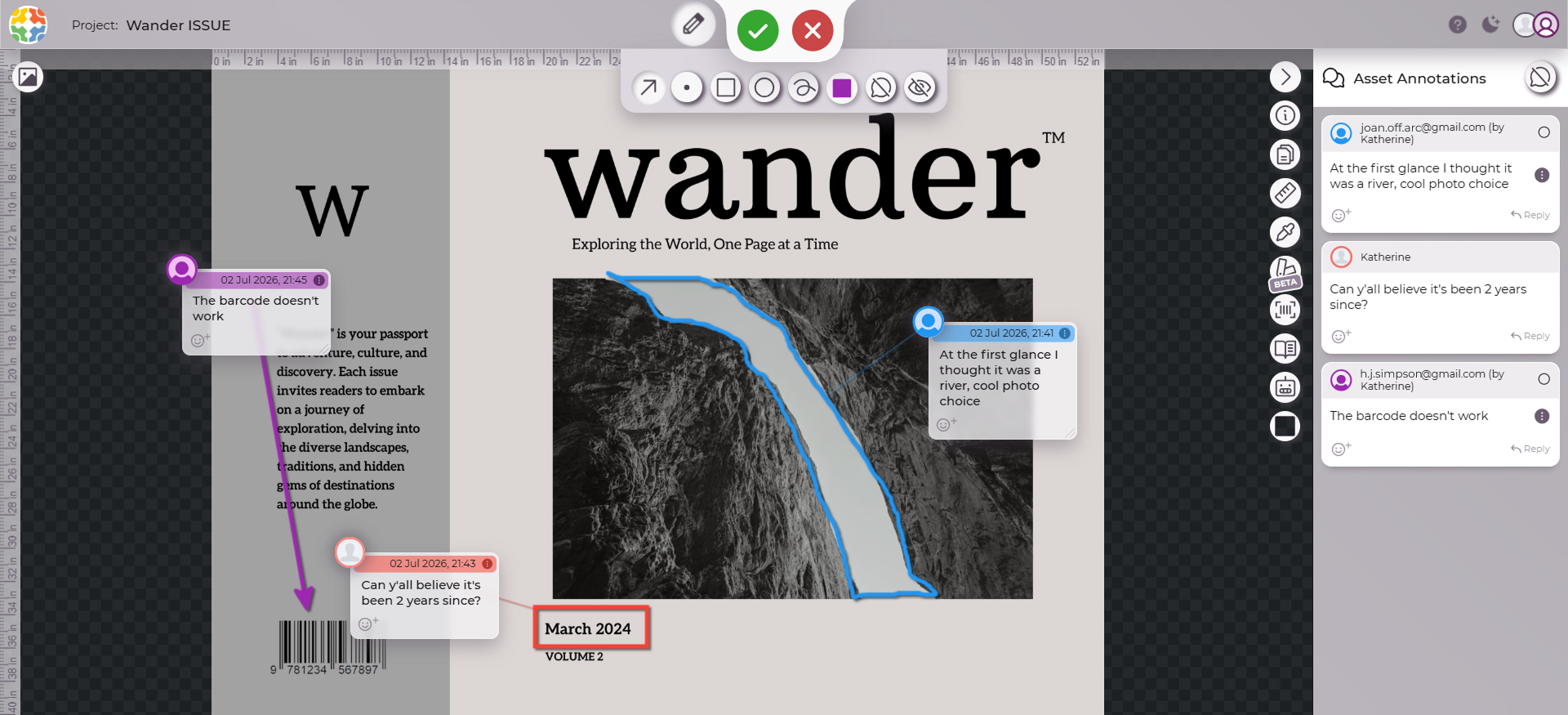
We plug into the same workflows covered in the design review tools guide and work alongside team collaboration features too, so internal review and client sign-off live in one place instead of two separate systems. Because we know that a client’s time is a scarce resource.
ExpressReview
Looking for a free tool?
If you are a freelancer and only need to get one file approved at a time, start with ExpressReview. It runs on the same review tool and is free.
Final Words
At the end of the day, client approval software isn’t about replacing email for the sake of it. Email is just not the place for such a process. Specialized client approval tools were designed so that you can make sure a yes actually means yes, and not be left guessing what a client meant three weeks after the project shipped.
Start by being honest about how your clients actually behave, not how you wish they would. Then test a tool on a real project before committing. If it makes the client’s part easier, you’ll feel it almost immediately, and so will they.