TEAM SOLUTIONS
 WORKFLOW SOLUTIONS



 REVIEW TOOL
 PROJECT MANAGEMENT
 TOOLS & INTEGRATIONS
 CLIENT INTERVIEWS




Post is also avalible in:


Last updated: June 2026
If you look into design review tools, I believe you’ll probably notice the category goes by a few different names — digital proofing software, online proofing software, design feedback tools, and creative review software. Why is it so, and how do tools from this field differ from one another?
To reduce any confusion, I suggest you read this guide on what these tools actually do, the real advantages of reviewing work in real time, the features worth prioritizing, and how the major players on the market compare, so you can pick the one that actually fits your workflow.
What Is a Design Review Tool, Exactly?
The core idea behind a design review tool (or digital proofing software, or any other term from the intro — they all are synonymous) is that it solves the same three problems:
- Scattered feedback. It’s when comments end up split across email, Slack, sticky notes, and verbal “just change this” requests, and nothing is centralized.
- Version confusion. Without a system, projects end up buried in a pile of files named things like _final, _final2, and _actually_final, and nobody’s sure which one is current.
- Approvals tracking. Did the client actually sign off, or did they just say “looks good” in a conversation that’s now impossible to reference? No records, no proof.
28%
That’s how few creative professionals actually get to spend more than half the day on creative work.
Source: The State of Creative Workflow Report, 2023 link↗
Design review software solves these by providing every project with a single source of truth: a link, a workspace, and a record of who said what and when. I’d say it’s quite important for when work needs a formal sign-off from a client or stakeholder before it goes live or to print, which can happen in creative teams, in-house marketing departments, agencies, and studios working in branding, packaging, advertising, and graphic design.
Advantages of a Real-Time Design Review Tool
I think you’ll agree that the most on-the-nose advantage of real-time file review is that feedback happens directly on the work, in the moment, instead of getting translated through email and lost in the gap between message and reply. And that, my friend, is the pillar that enriches your approval workflow with the following:
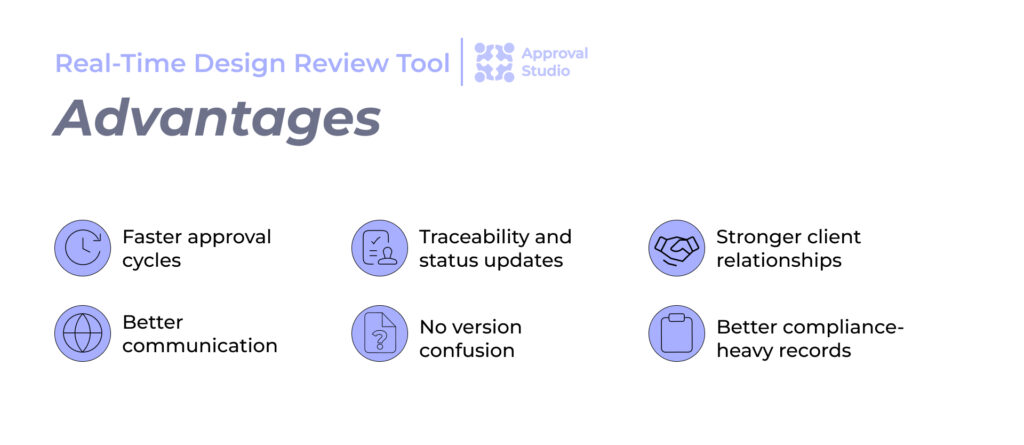
- Faster approval cycles: when a reviewer can comment the instant they see something, and the designer can respond or ask a clarifying question right there, you skip the back-and-forth delay of waiting for a reply email.
- No miscommunication: one may argue that “Move that thing a little to the left” means something different to everyone. However, a pin dropped directly on the exact pixel, paired with a written comment, removes the guesswork, leaving.
- No version confusion: real-time tools automatically track and store versions, so everyone reviews the current file each time.
- Traceability and status updates: you can see who’s actively reviewing a project, whose tasks are due, and what’s already been addressed, so you finally stop chasing people and start just checking the dashboard.
- Client collaboration strengthens since they feel more confident in a process where their feedback is clearly logged, addressed, and tracked. That transparency builds trust, especially with stakeholders who aren’t designers.
- Compliance-heavy work better records: for industries that work with packaging design, pharma, or anything requiring a documented approval trail, having a timestamped, attributed history of every comment and sign-off is often a requirement.
And I don’t mean to say that asynchronous review is obsolete. However, even if reviews still happen that way, the option to collaborate live, with comments and reactions appearing instantly, is what separates a modern design review tool from just attaching a PDF to an email.
Top Features to Look for in a Design Review Tool
Nowadays, the market is swamped with creative review software of different calibers. And by that I mean that even though they are all built around the same idea, their feature lists and pricings are what set them apart.
Some offer so much that you may catch yourself thinking if you even need those features. And that is a great point, because what features DO you really need?
While the answer may differ for each individual team, some fundamental graphic design proofing features are must-haves. And I can name at least 8 of them:
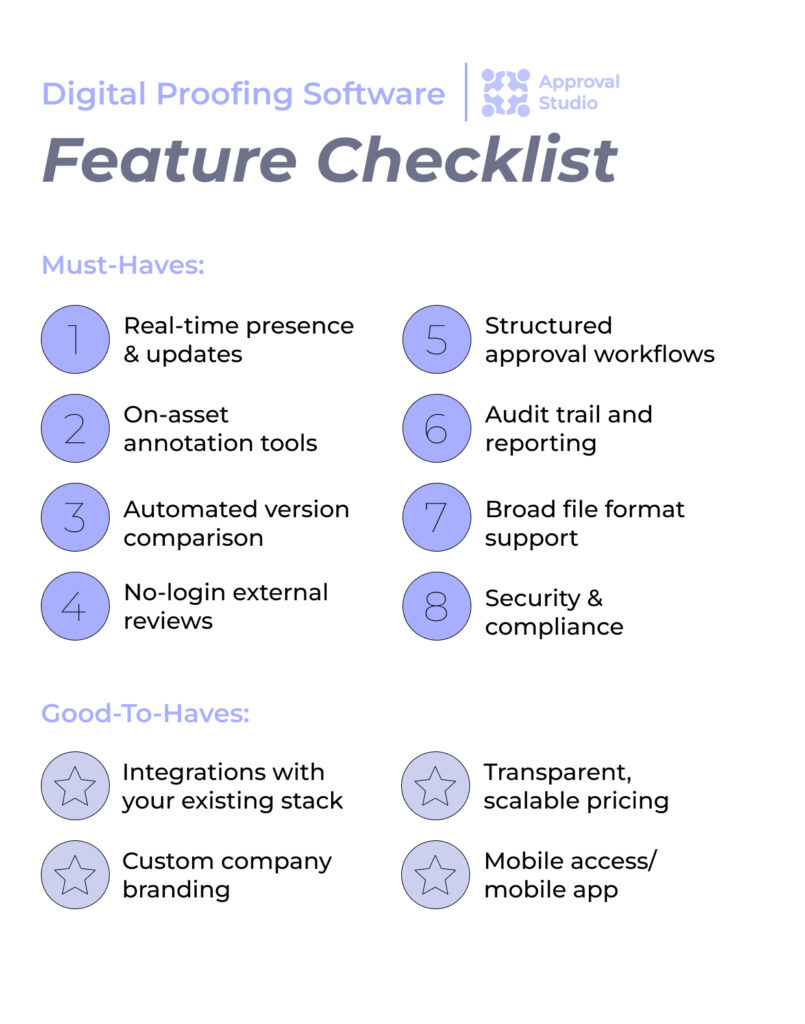
- Real-time presence and updates: seeing who’s actively viewing a project and getting live notification of new comments keeps everyone moving without needing a status-check meeting.
- On-asset annotation tools: markup, be it shapes, color-coded pins, or freehand drawing, needs to land directly on the artwork, with a time-stamped comment tied to a specific spot.
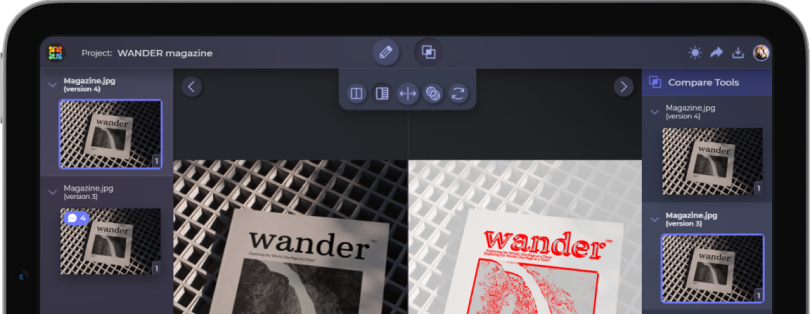
- Automated version comparison: the tool must be able to detect and highlight what changed between versions automatically, so that reviewers don’t have to spot the differences by eye.
- No-login external reviews: clients and stakeholders shouldn’t need to create an account just to leave feedback. A shareable link that lets them annotate and approve directly removes a real adoption barrier
- Structured approval workflows: look for the ability to set up sequential review stages with automatic notifications, rather than manually pinging the next person every time.
- Audit trail and reporting: a clear, exportable record of every comment, decision, and timestamp matters for accountability and is essential if you work in a regulated industry.
- Broad file format support: you should be able to upload your files without converting anything first. If your team works in packaging or print, look specifically for support for high-res and pre-press formats.
- Security and compliance certifications: if you’re handling client or patient-facing work, check for things like ISO 27001 and PCI DSS compliance, and ask where data is actually stored.
Good-to-have features
- Integrations with your existing stack: Adobe Creative Cloud, Slack, project management tools, and a flexible API or automation platform like Zapier all matter if you don’t want proofing to become an isolated step outside your normal workflow.
- Custom branding: for agencies in particular, the ability to put your own logo and colors on the review interface clients see makes the experience feel more like part of your service.
- Transparent, scalable pricing: flat-rate pricing with unlimited external reviewers tends to scale much better for agencies, and it’s always good to know what you can expect for what money exactly.
- Mobile access: reviewers and approvers are often not at their desks, so a tool that works well on a phone means approvals don’t sit waiting for someone to get back to their laptop.

See, Approval Studio was built around exactly this checklist, with expandable external reviewers, no registration required, automated version comparison, color separation, barcode checks for packaging work, and ISO 27001 / PCI DSS-compliant data storage. So if a feature on this list feels essential to your team, go give us a closer look.

What Are the Best Design Review Tools on the Market?
Alright, now I humbly declare that we are not the only design review software worth checking out. In fact, there are plenty of great tools that each suit a different set of requests. And, for your convenience, I’ve set up this table on how the major players in the creative-asset proofing space (such as Ziflow, PageProof, GoVisually etc.) tend to stack up:
| Tool | Capterra | Best For | Key Strength | From | Trial |
|---|---|---|---|---|---|
| Approval Studio | 4.8 | Creative agencies and design teams needing fast client approvals | Easy-to-adopt interface built specifically for creative proofing | $60/mo | 14 days |
| Ziflow | 4.8 | Large marketing orgs running high-volume campaign approval workflows | Visual workflow automation across multiple approval stages | Free plan; then $199/mo | 14 days |
| PageProof | 4.8 | Marketing departments handling sensitive brand assets | Enterprise-grade security paired with flat-rate billing | $249/mo | 10 days |
| GoVisually | 4.6 | Freelancers and small teams wanting a lightweight setup | Straightforward markup with unlimited external reviewers | $16/user/mo | Yes |
| Frame.io | 4.6 | Video production and post-production teams | Frame-accurate commenting with tight Adobe integration | Free plan; then $15/mo | Yes |
| ReviewStudio | 4.7 | Agencies juggling mixed-media projects | Handles video, images, and documents in one proof | Free plan; then $15/user/mo | 30 days |
| GoProof | 4.3 | Print and packaging teams working in Adobe InDesign | Native Adobe Creative Cloud plugin for in-app proofing | $129/mo | 14 days |
| Marker.io | 4.8 | Developers and QA teams reviewing websites | Bug reports sync into Jira, GitHub, and other dev tools | $39/mo | 15 days |
| ProofHub | 4.6 | Small/mid-sized businesses wanting predictable costs | Flat monthly rate, unlimited users, no per-seat fees | $45/mo | 14 days |
| Filestage | 4.7 | Teams managing external client sign-off | Client-friendly review links, no account setup required | Free plan; then $199/mo | 14 days |
How to Choose the Right Design Review Tool for Your Team
With the feature checklist and the best options the market has to offer, how do you narrow down to what you specifically need? Well, this choice takes some consideration of who you are and what you do. To help you better understand your requirements, I suggest you answer the following five questions:
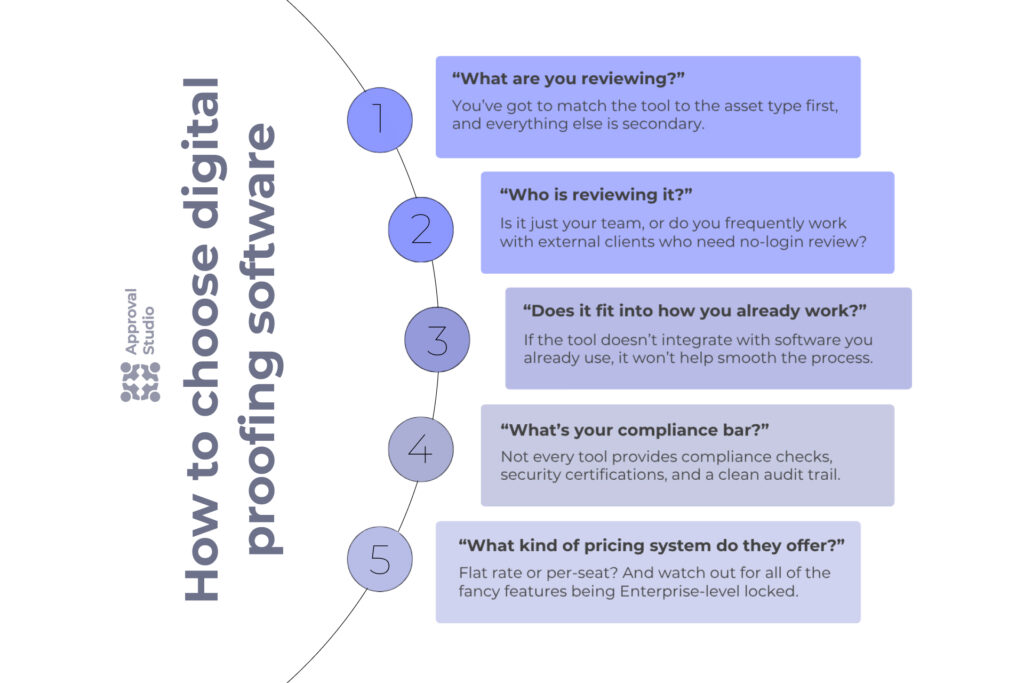
- “What are you reviewing?”
For example, packaging and print work need barcode and color separation checks. And video-heavy teams need frame-accurate markup. Similarly, web and app teams need something closer to live-site annotation. And teams running marketing campaign approval need a workflow that can quickly route assets among multiple stakeholders without losing version control. Basically, you’ve got to match the tool to the asset type first, and everything else is secondary.
- “Who is reviewing it?”
If most of your feedback comes from clients who’ll never log into a platform more than once, no-login external review access is the difference between a tool they’ll actually use and one that’ll get ignored in favor of email anyway.
- “Does it fit into how you already work?”
A proofing tool that doesn’t align with your design software, project management tool, or communication platform sounds to me like one more disconnected step rather than a real upgrade.
- “What’s your compliance bar?”
Automated compliance checks, security certifications, and a clean audit trail are what you look for in the perfect proofing software if you work in packaging, pharma, or any other regulated space.
- “Does the pricing scale the way your team grows?”
Watch out for per-seat pricing that gets expensive fast once you start inviting external reviewers. Flat-rate plans with unlimited guest reviewers tend to hold up better for agencies working with many client accounts.
From there, the best way to know if a tool fits is to actually run a project through it. Most platforms, including Approval Studio, offer a free trial so you can upload a real file, invite a real reviewer, and see for yourself whether it’s worthy of investment.
Final Words
I’m going to say it once again that no single tool is the perfect fit for everyone. A solo designer working with one or two clients has very different needs from an agency with dozens of accounts across packaging, digital, and video. The key is being honest about how your team actually works today, and not how you imagine it works in theory.
If you’re still on the fence, the smartest thing you can do is just run a real project through a free trial. Pick a tool that checks your most important boxes, invite an actual reviewer, and see how the feedback flows. You’ll know pretty quickly whether it helps smooth the process or adds more fuss to it.