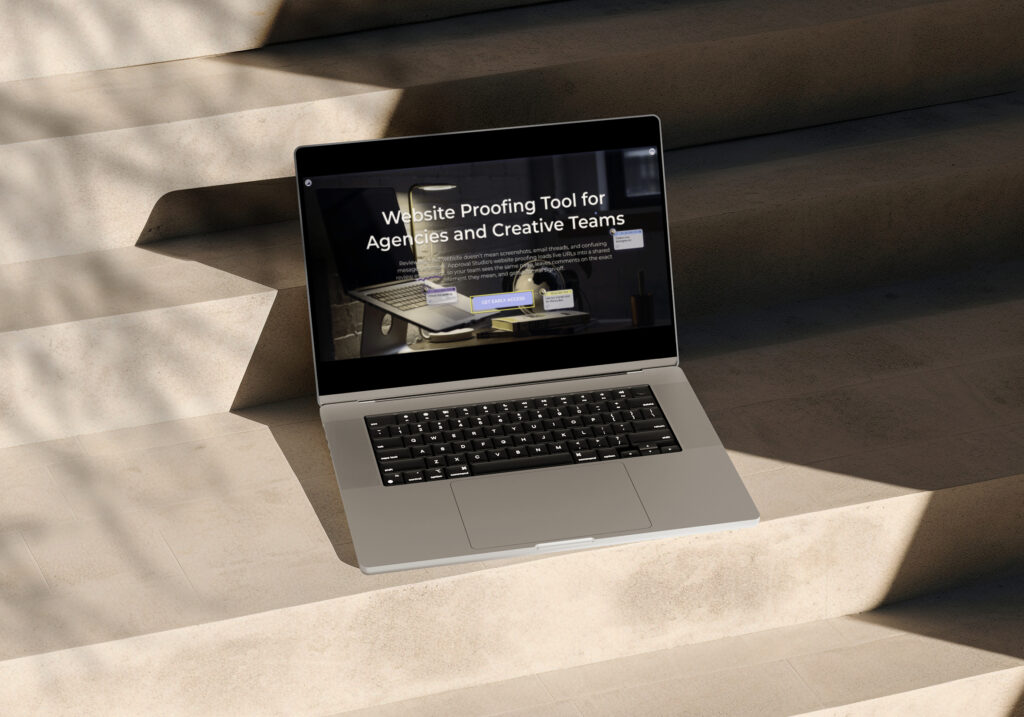

Website Proofing Tool for Agencies and Creative Teams

Reviewing a live website doesn’t mean screenshots, email threads, and confusing messages anymore. Approval Studio’s website proofing loads live URLs into a shared review environment, so your team sees the same page, leaves comments on the exact element they mean, and gets a formal sign-off.

What is website proofing?

What is website proofing?

Website proofing is the process of reviewing a live or staged web page inside a shared proofing environment, where teams can annotate, compare versions, switch between viewport sizes, and collect approvals. Instead of exporting screenshots and describing changes in emails, reviewers leave pinned comments directly on the page — and the whole team sees the same version, in context.

Every feature you’ve been using, now for website proofing

One proof for every page of the site

Group multiple URLs into a single proof. Homepage, landing page, checkout flow, and thank-you page can be reviewed together in one shared thread with one approval decision. You don’t need a separate proof for each page.

  • Add multiple website pages to one proof
  • Navigate the live site by clicking links within the review
  • Add any linked page to the proof on the fly

Check desktop, tablet, and mobile before you sign off, not after

Switch between viewport sizes without leaving the review. Catch layout shifts, overflowing text, and cropped images before they go live or before your client sees them for the first time.

  • Desktop, tablet, and mobile viewports
  • Switch between views inside the same proof
  • No screenshots, no separate device testing

Compare the old page to the new one

Redesigned the homepage? Run a compare mode — side by side, fader, difference, or toggle. The live site is always the active view; comparisons use snapshots, so the reference stays stable even if the page changes underneath you.

  • All 4 compare modes, same as every other file type
  • Live view + version snapshots for stable comparisons
  • Full version history across iterations

A proof report for every website review

When the proof closes, Approval Studio generates a full proof report with all comments, approvals, reviewer names, and timestamps. Website reviews leave the same audit trail as a PDF, image, or video. Same report format, same one-click export.

  • Full proof report on completion
  • Every comment and approval decision is captured
  • Per-reviewer audit trail

Your existing approval workflow now for live URLs

Stage-based approvals, reviewer groups, due dates, and notification chains. Everything you already use for design files now works on websites. No rebuilding your process for a different tool. Paste the URL where you’d normally drag in the file.

  • Multi-stage approval workflows
  • Reviewer groups and permission controls
  • Due dates and automated notifications

How website proofing works in Approval Studio

Person reviewing design work
1
Paste the URL
Drop any web address, staging link, campaign landing page, or live production URL into Approval Studio. The page loads directly in the review environment. No plugins, no installs, no exports.
2
Add pages, assign reviewers, leave comments
Add multiple pages from the same site to one proof. Invite clients or teammates to review. Navigate the site, view interactive elements, and leave feedback at the same time.
3
Get sign-off and download the report
When all reviewers have approved, the proof closes. You get a timestamped proof report with every comment, decision, and reviewer action.

Built for teams who care what goes live

Built for teams who care what goes live

Agencies

Route the website through the internal team and then send your client one review link for the site you built for them. They open it in Approval Studio, leave comments, and approve without logging in.  

alt="Person sketching a comparison between two design versions."
Marketing teams

Review campaign landing pages before the paid media budget turns on. Route through legal and brand in the same proof with the same sign-off flow you already have, just on a URL instead of a file.

In-house creative teams

No need to spend as much time on approval as you did on coding. Load the page, invite whoever needs to sign off. Your manager, legal, and other departments can all weigh in without needing an extra seat. 

Approval Studio

Get notified
at launch

Leave your email and you'll be first to know when website proofing goes live.

Stay in the loop

No credit card required. Set up in under 2 minutes.

Pricing Packages

Cheaper than missed deadlines and chaotic stressful workflow

LITE

Fast review tool perfect for freelancers and small teams.

$12

per user / month

14-day free trial
Unlimited reviewers & projects
5 users included
5 GB storage space
5 annotation shapes
4 comparison modes
Live chats in review tool
Reporting & project history

MOST POPULAR

PRO

Project management tool for medium and large businesses.

$32

per user / month

14-day free trial after dem
All Lite Package features +
5 users included
5 GB storage space
Email support
User groups
Smart notifications
Adobe CC Integration

PRO XL

More seats, lower price per user. Same tools, bigger team.

$20

per user / month

14-day free trial after demo
All Lite Package features +
15 users included
30 GB storage space
Task management system
User groups
Smart notifications
Adobe CC Integration

FAQs

Website proofing is the process of reviewing a live or staged web page inside a shared proofing environment where teams can leave annotated feedback, compare versions, and collect formal approvals without exporting screenshots or managing feedback by email. Approval Studio loads the page directly from the URL, so reviewers see the real, live site in context.

The URL needs to be reachable from the reviewer’s browser. Password-protected staging environments work fine as long as the reviewer has login credentials. Approval Studio loads the page the same way a browser does.

Yes. Any URL a reviewer’s browser can reach can be added to a proof. Staging environments, internal preview links, and live production sites all work the same way.

No. Like all proofing in Approval Studio, you share a review link and external reviewers can annotate and approve without creating an account, downloading anything, or entering a password, unless you add one to the proof yourself.

The main review always shows the live version of the page, whatever is currently at that URL. When you run a comparison, Approval Studio takes a snapshot of the page at that point in time, so the reference version stays stable even if the live site is updated between review rounds.

Website proofing is included on Pro ($160/month) and Pro XL ($300/month). Lite users ($60/month) can add it as a paid add-on.

Yes. When the review closes, Approval Studio generates a full proof report with all comments, approval decisions, reviewer names, and timestamps — the same format as every other file type.


Be first to proof your website in Approval Studio

Get notified the moment it launches

Be first to proof your website in Approval Studio

Get notified the moment it launches
Screens shown are illustrative. Final interface may vary.