
 TEAM SOLUTIONS
 WORKFLOW SOLUTIONS



 REVIEW TOOL
 PROJECT MANAGEMENT
 TOOLS & INTEGRATIONS
 CLIENT INTERVIEWS






🎉 New Year, New Update: Approval Studio’s First Release of 2026 Is Live!
We’re excited to kick off the year with a major update — and we mean major. This release includes a range of powerful features, long-awaited improvements, and one particularly exciting launch that we know you’ve been waiting for. So buckle up — here’s everything that’s new in Approval Studio!
🎨 Color Separation (Beta) – Now Available for All Users!
Let’s start with the big one — the all-new Color Separation feature is here! This professional-grade tool is often requested by teams handling prepress and packaging reviews, and it’s now available in your Review Tool toolbar with no additional setup required.
But what is Color Separation?
Color separation is a technique used in printing workflows to isolate each color component (like CMYK, spot colors, or Pantone) into separate layers. This helps reviewers and prepress engineers verify that each color will print correctly — especially when working with complex packaging or branded designs.
Included in this feature is Simulate Overprint, which mimics how overlapping inks will look in the final print — a crucial step in preventing unexpected visual results. Just click the Color Separation icon in the toolbar during a review, and you’re good to go.
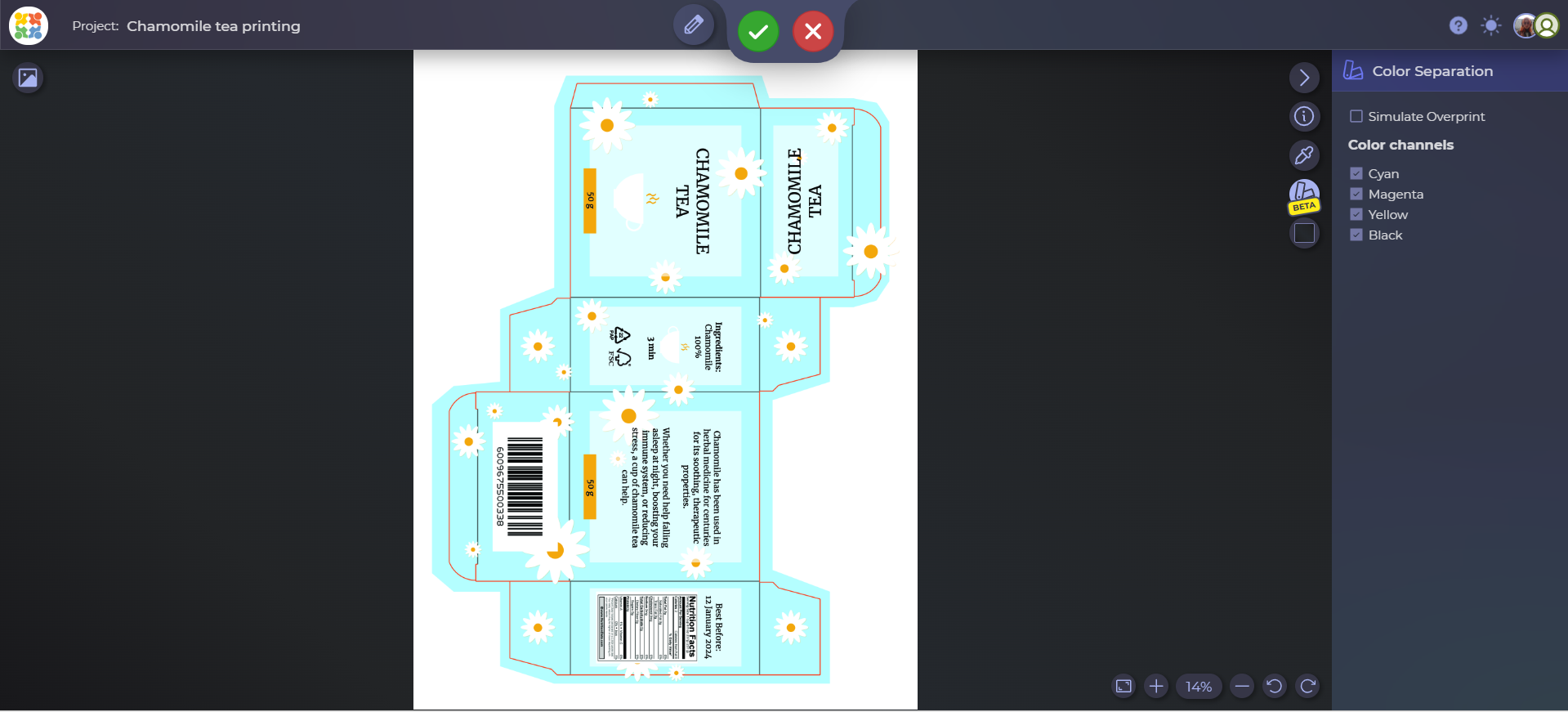
⚠️ This feature is in Beta, so if you notice anything odd or have suggestions, our support team would love to hear from you.
📬 Email Forwarding for Reviewers
It’s not uncommon for reviewers to want a second opinion — whether it’s from a manager, teammate, or another stakeholder. With this update, you can now allow external reviewers to forward their review invitations directly through the system.
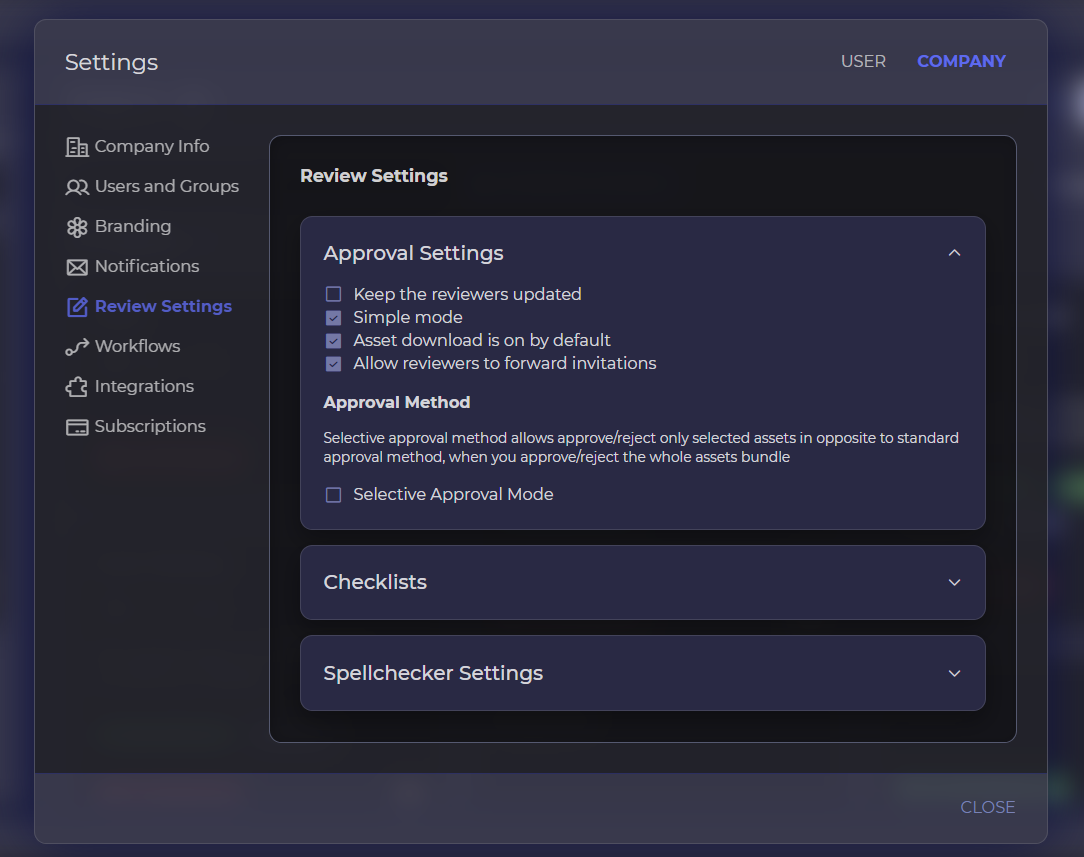
When this permission is enabled, external reviewers will see a Share button in the Review Tool, allowing them to send the review link to another email address. All forwarded actions are logged in the timeline and task list, ensuring full transparency for the project owner.
To control this feature:
- Enable it as a default company-wide setting under:
Settings > Company Management > Review Settings > Allow reviewers to forward invitations - Or toggle it per file under the advanced sharing options when sending for review.
👁️ File Access Tracking for External Reviewers
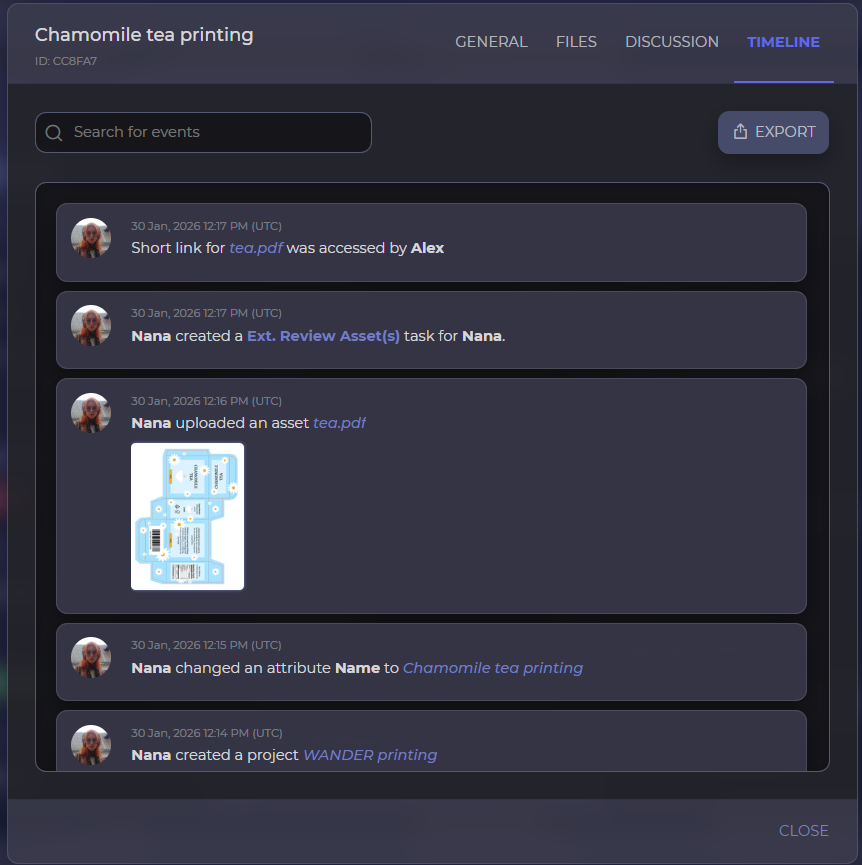
You asked — we delivered. One of the most common questions we’ve heard: “Can I see if the external reviewer even opened the file?”
Now, the answer is YES.
Approval Studio will now track every instance an external review link is opened, even if no feedback or approval was submitted. This is reflected in the project Timeline, giving you visibility and peace of mind.
🔌 Approval Studio Now Supports GraphQL API
Our REST API remains a powerful tool for integrations and automation, but we’re now taking things to the next level with the introduction of the GraphQL API.
Why GraphQL?
GraphQL allows clients to request exactly the data they need — nothing more, nothing less. This means:
- Fewer network requests
- Faster response times
- Cleaner, more flexible queries
It’s a fantastic option for building custom dashboards, integrations, or lightweight apps.
💡Meet MCP – Model Context Protocol
With this update, we’re also launching the Approval Studio MCP (Model Context Protocol), our internal framework for handling AI-driven features across the platform. MCP provides the foundation for smarter automation, suggestions, and interaction context in future releases. Stay tuned!
🔧Minor Improvements & Bug Fixes
In addition to these major features, we’ve resolved numerous bugs and made minor UI and performance improvements, including:
- Fixes in Workflow Automation.
- Better handling of custom emails.
- Added support for Project Owner roles in workflow structures.
- Ability to launch workflows manually.
- And much more!
We’re thrilled to bring these updates to you and can’t wait to hear your thoughts. As always, your feedback drives our roadmap — so keep it coming.
Stay creative,
The Approval Studio Team 🎉
