Skip to content
Logo
  • Product
  • Features
  • Resources
  • Pricing
LOG IN
SIGN UP

team solutionsTEAM SOLUTIONS

  • Branding
  • Graphic Design
  • Medical & Pharma
  • Packaging Design
  • Marketing & Advertising
  • Retail & Manufacturing
  • Architecture
  • Online Media

use casesWORKFLOW SOLUTIONS

  • Client Collaboration
  • Team Collaboration
  • Review Process
  • Project Management

See All Solutions→

system statusSYSTEM STATUS

project VISIONPROJECT & VISION

product updatesPRODUCT UPDATES

book demo for approval studio review and approval tool

Discover all our features in a free personal demo!

Book a Demo →

REVIEW TOOLREVIEW TOOL

  • Annotations
  • 🔥 Color Separation
  • External Reviews
  • Online review Sessions
  • Compare Modes
  • Barcode Reader
  • AI Assistant

See All Features→

PROJECT MANAGEMENTPROJECT MANAGEMENT

  • Workflows
  • Task Assignment
  • Reporting
  • Project Timeline
  • Dashboard & Search
  • Notification System
  • Mobile App
  • 🔥 Digital Asset Library.

TOOLS & INTEGRATIONSTOOLS & INTEGRATIONS

  • 🔥 MCP
  • GraphQL and REST APIs
  • Shopify Integration
  • Adobe Extension
  • Zapier Integration
  • Slack Integration
  • PDF to JPG converter

See All Tools→

book demo for approval studio review and approval tool

Discover all our features in a free personal demo!

Book a Demo →

CLIENT INTERVIEWSCLIENT INTERVIEWS

  • CSS Industries
  • NV Magazine

Read All Interviews→

TESTIMONIALSTESTIMONIALS

OUR BLOGOUR BLOG

VIDEO TUTORIALSVIDEO TUTORIALS

Demo toolDEMO REVIEW TOOL

GLOSSARYGLOSSARY

TRUST & SECURITYTRUST & SECURITY

AFFILIATE PROGRAMAFFILIATE PROGRAM

 CONTACT USCONTACT US

book demo for approval studio review and approval tool

Discover all our features in a free personal demo!

Book a Demo →

logo_new_white-300
alt=""
PRODUCT

team solutionsTEAM SOLUTIONS

    • Branding
    • Graphic Design
  • Medical & Pharma
    • Packaging Design
    • Marketing & Advertising
  • Retail & Manufacturing
  • Architecture
  • Online Media

project VISIONPROJECT & VISION

use casesWORKFLOW SOLUTIONS

    • Team Collaboration
    • Client Collaboration
    • Review Process
    • Project Management

See All Solutions→

<!--

  • Team Collaboration
  • Design Review Process
  • Design Project Management
  • -->

    <!--

    See All Cases→

    -->

    product updatesPRODUCT UPDATES

    system statusSYSTEM STATUS

    FEATURES

    REVIEW TOOLREVIEW TOOL

    • Annotations
    • 🔥 Color Separation
    • External Reviews
    • Online review Sessions
    • Compare Modes
    • Barcode Reader
    • Ai Assistant

    See All Features→

    PROJECT MANAGEMENTPROJECT MANAGEMENT

    • Workflows
    • Task Assignment
    • Reporting
    • Project Timeline
    • Dashboard & Search
    • Notification System
    • Reference Files
    • Mobile App
    • 🔥 Digital Asset Library.
    •  

    TOOLS & INTEGRATIONSTOOLS & INTEGRATIONS

      • 🔥 MCP
      • GraphQL and REST APIs
      • Shopify Integration
      • Adobe Extension
      • Zapier Integration
      • Slack Integration
      • PDF to JPG converter

    See All Tools→

    RESOURCES

    CLIENT INTERVIEWSCLIENT INTERVIEWS

    • CSS Industries
    • NV Magazine

    Read All Interviews→

    TESTIMONIALSTESTIMONIALS

    OUR BLOGOUR BLOG

    VIDEO TUTORIALSVIDEO TUTORIALS

    Demo toolDEMO REVIEW TOOL

    GLOSSARYGLOSSARY

    TRUST & SECURITYTRUST & SECURITY

    AFFILIATE PROGRAMAFFILIATE PROGRAM

    CONTACT USCONTACT US

    Pricing

    Log in

    Sign Up

    ikea logo changes
    ikea logo changes

    IKEA Logo Changes

    • Taras Talimonchuk
    • April 13, 2019
    • 1:00 pm

    Table of Contents

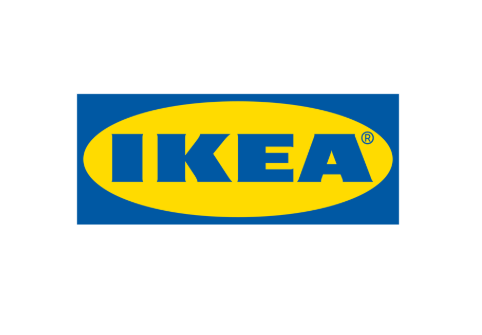
    While reading yesterday’s news I bumped into a short article about Swedish giant IKEA changing its logo. It’s not the first redesign for IKEA, but what caught my eye was… I didn’t notice any changes at first glance. Take a look at the old logo:
    Old IKEA logo

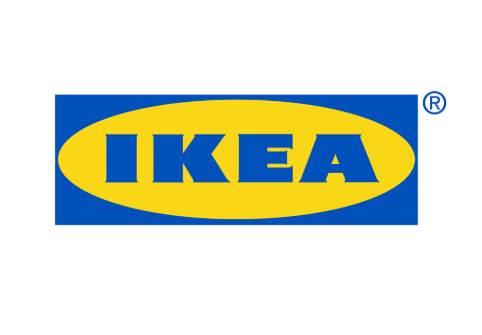
    Now let’s check the new one.

    New IKEA logo

    The difference isn’t obvious at all – except for, maybe, a trademark symbol. The thing is that the bosses decided to keep the old design but make subtle edits. Indeed, the new logo doesn’t really alter the characteristics of the original but rather modifies them a bit. In general, we have the same yellow oval with blue background and letters. The website I found the news on had to make a GIF to show the changes, saying that the changes are hard to catch without the AI comparison.

    In Approval Studio, we have 4 different comparison modes to find the difference between the design variants, and the GIF that was on the website can be easily substituted with the Toggle mode. Here’s how it looks in our system.
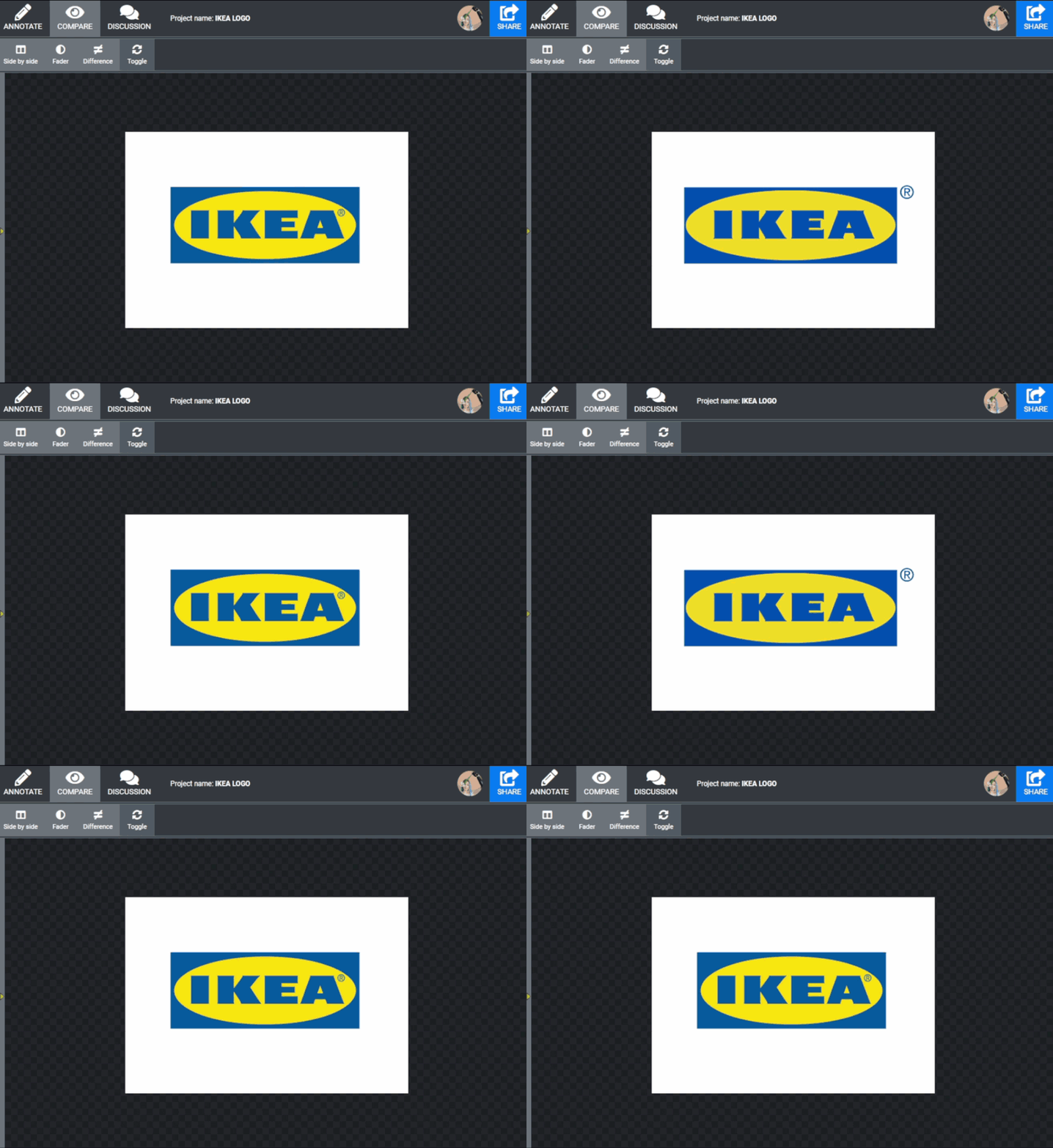
    The reason that we have 4 comparison modes, and we spent a lot of time developing those, is very simple – the first sketches, mock-ups, design versions may differ a lot, and you can easily see what has been changed in there. But the final and pre-final versions can seem almost identical, and you need to make a wise choice to have the best variant chosen. Comparison tools allow seeing those changes with your own eyes. Plus, as we have it in Approval Studio, the system can highlight them for you, so you would definitely know that you are fully aware of those changes – subtle yet impactful.

    Try Approval Studio!

    More examples of seamless design changes.

    After reading the news about IKEA I recalled a story I read on the Internet a few years ago about another logo update.
    Back in 2014, the local government of Moscow (Russia) decided to change its subway logo. The original logo was the M button – for Metro (which is a subway in Russian).

    After spending more than 5 million dollars on the new logo design, they released the following thing.
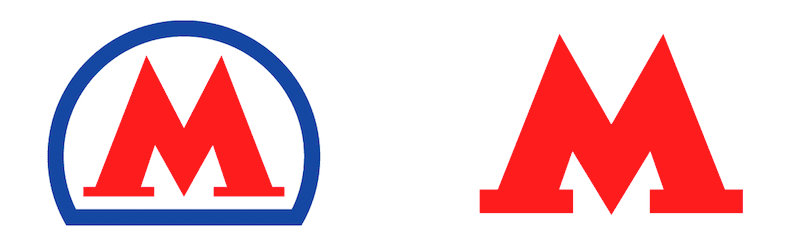
    Russian subway logo before and after

    The most obvious change here is removing this blue outline. However, the designers have also redrawn the M latter, making it (according to them) “expressive, modern and universal.” Now, try to find the differences here without the proof tool. I’m not asking was it worth $5 million.

    Find 10 differences with a review tool.

    I would end this story here, but while browsing Facebook, I read about Dan Vojtech – a Czech photographer, who made a photoshoot of one and the same person, but with different focal lenses, showing how it affects the portrait.
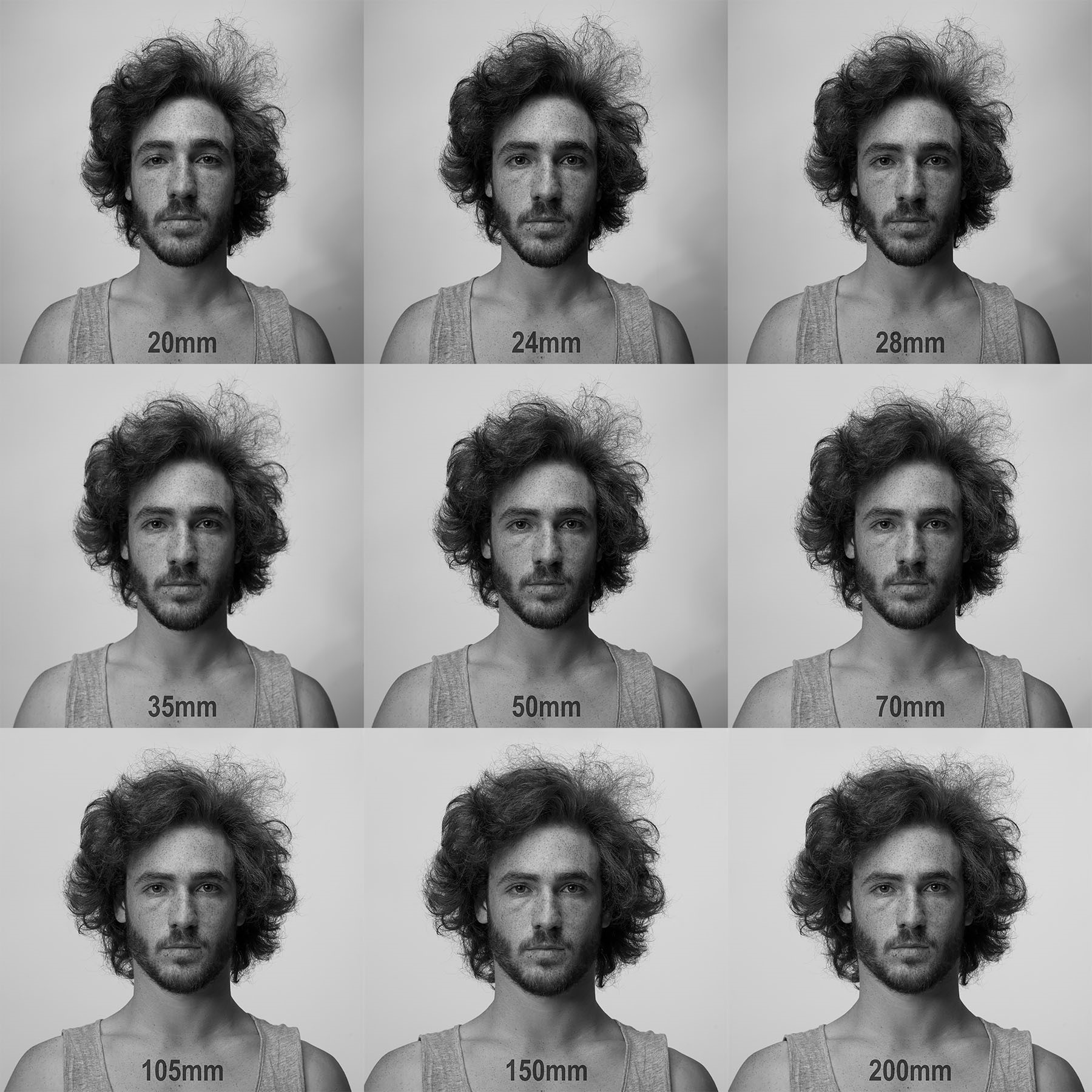
    Comparison of the person's look with different photo lenses

    And again, I wasn’t able to find the difference just like that, until I uploaded the pictures in Approval Studio and ran the comparison modes. The changes became so surprisingly obvious, I couldn’t believe that I didn’t see those with my bare eyes.
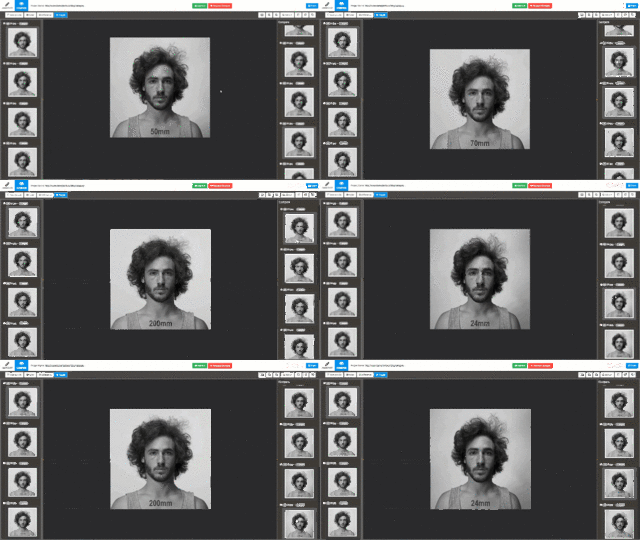
    Comparing all of the versions with Approval Studio

    And what about you? How do you compare the file versions? What tools do you use to highlight the design changes?

    Picture of Taras Talimonchuk

    Taras Talimonchuk

    Growth marketing Jedi at Approval Studio.
    Picture of Taras Talimonchuk

    Taras Talimonchuk

    Growth marketing Jedi at Approval Studio.
    PrevPreviousFirst Helvetica Font Redesign in 35 Years
    NextCreative Talks: Before You Accept Client’s BriefNext
    alt=""

    900 Foulk Road,
    Wilmington, DE,
    USA, 19803

    +1 302 574 6501

    Facebook-f Twitter Youtube Linkedin-in

    COMPANY

    Project and Vision
    Product Timeline
    Terms of service
    Privacy policy
    Cookie policy
    Trust & Security
    Contact us
    Login


    RESOURCES

    Our Blog
    Video Tutorials
    Features
    Pricing
    Customers’ Reviews
    System Status
    Glossary
    Clients’ stories
    Affiliate Program 

    TOOLS

    MCP
    GraphQL API
    REST API
    Shopify Integration
    Adobe Extension
    Zapier Integration
    Slack Integration
    PDF to JPG
    Mobile App

    COMPARE

    GoVisually
    Ziflow
    CageApp
    QuickReviewer
    Review Studio
    GoProof
    Adobe Workfront\ProofHQ 
    PageProof
    Quickreviewer


    COMPANY

    Project and Vision
    Product Timeline
    Terms of service
    Privacy policy
    Cookie policy
    Trust & Security
    Contact us
    Login

    COMPARE

    GoVisually
    Ziflow
    CageApp
    QuickReviewer
    Review Studio
    GoProof
    Adobe Workfront\ProofHQ
    PageProof

    RESOURCES

    Our Blog
    Video Tutorials
    Features
    Pricing
    Customers’ Reviews
    System Status
    Glossary
    Clients’ Stories 
    Affiliate Program 

    TOOLS

    MCP
    GraphQL API
    REST API
    Shopify Integration
    Adobe Extension
    PDF to JPG Converter
    Zapier Integration
    Slack Integration
    Mobile App

    alt=""

    900 Foulk Road,
    Wilmington, DE,
    USA, 19803

    +1 302 574 6501

    Facebook-f Twitter Youtube Linkedin-in
    Copyright © 2026